
demon899 - Minecraft Skins & Skin History
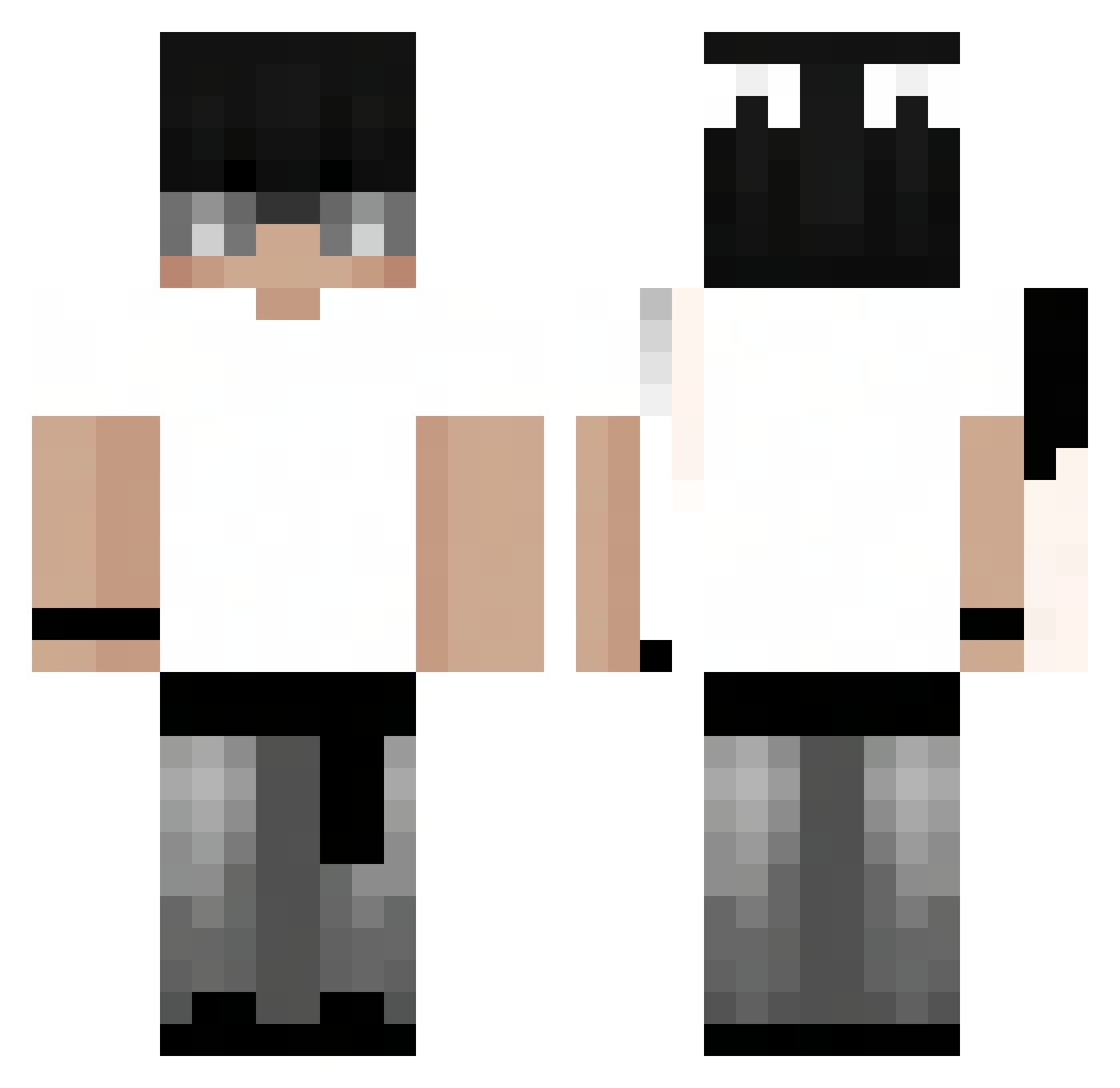
Current Minecraft skin of the player demon899, loaded from the official Mojang API. Rotate the 3D model with your mouse or finger, then download the skin as a PNG file and use it in Minecraft: Bedrock Edition or Java Edition for free. When demon899 changes their skin, this page updates automatically and the old skin stays in the history below.
Other players with this skin (103)
demon899 was the 58th player we have seen with this skin, first spotted on 19.09.2026. The same skin was seen on these players. Open a nickname to see their current skin and skin history.
 nacho_9876 _herbatniczekK_ William34_ Chadrik_ Pingwin47 Sdxkun Drxxen_ TimeRafi bryan_yt432 SZYNKA01234 YangNippon XxpolloZz AndriiuX P4TLQEx2 SR_BLAK1 EwanInwza Outspaced_Gaming FrostyZittihnp melsu234 WhosDavid_ Bry_nn Zyxven Balbes808 Mbappe001 sadwithnick zLunaar_ naczoskk DOMINUSSLAYERx Mersh0 Tutios 8Stack komolyfickoezitt makajai Widlaczekk Miki2315
 naroutak VillaUnit _bxngh Moneygg Minotectes SxpremeTTV weepingcloud yoooup axonn_ xDnightmare15 moriiii1 m4xxine
 _WYD_
_WYD_ BoBoV01 itsnelloo DeivisXVI 5596872_tw
 mattiex21 kcyy x_XpvpX_x Zadymo mimipokemon dogukxn44 Gustavin_GG Co1Komii
Previous skins of demon899
Skins that demon899 wore before, newest first. Click a skin to open its page and download it.
How to install the demon899 skin
- Press the Download button above to save the skin as a PNG file.
- Minecraft: Bedrock Edition (PE): open the Dressing Room from the main menu (or tap your character → Edit Character), go to Classic Skins → Owned, press the + (new skin) button, choose the downloaded PNG and pick the Classic (Steve) model. Works on PC and mobile; consoles cannot import custom skins.
- Minecraft: Java Edition: open the Minecraft Launcher, go to the Skins tab, click New Skin, load the PNG, pick the Classic (Steve) model and press Save & Use. You can also upload it at minecraft.net → Profile → Change Skin.
The skin does not show up after import - what should I do?
Restart Minecraft and open the Dressing Room again - imported skins sometimes appear only after a restart. Also make sure you selected the imported skin and picked the Classic (Steve) model.
Which model should I choose, Classic or Slim?
This skin is designed for the Classic (Steve) model. If you pick the wrong model, the arms of the skin will look stretched or squeezed.
Is the skin of demon899 free to download?
Yes. Press Download, save the PNG file and use it in Minecraft: Bedrock Edition or Java Edition - no payment or registration needed. The skin also works on multiplayer servers and Realms.
More skins
Looking for more? Go back to all Minecraft skins and check the top skins of the week, month and all time, or find any player's skin by nickname.