
deluxestudios - Minecraft Skins & Skin History
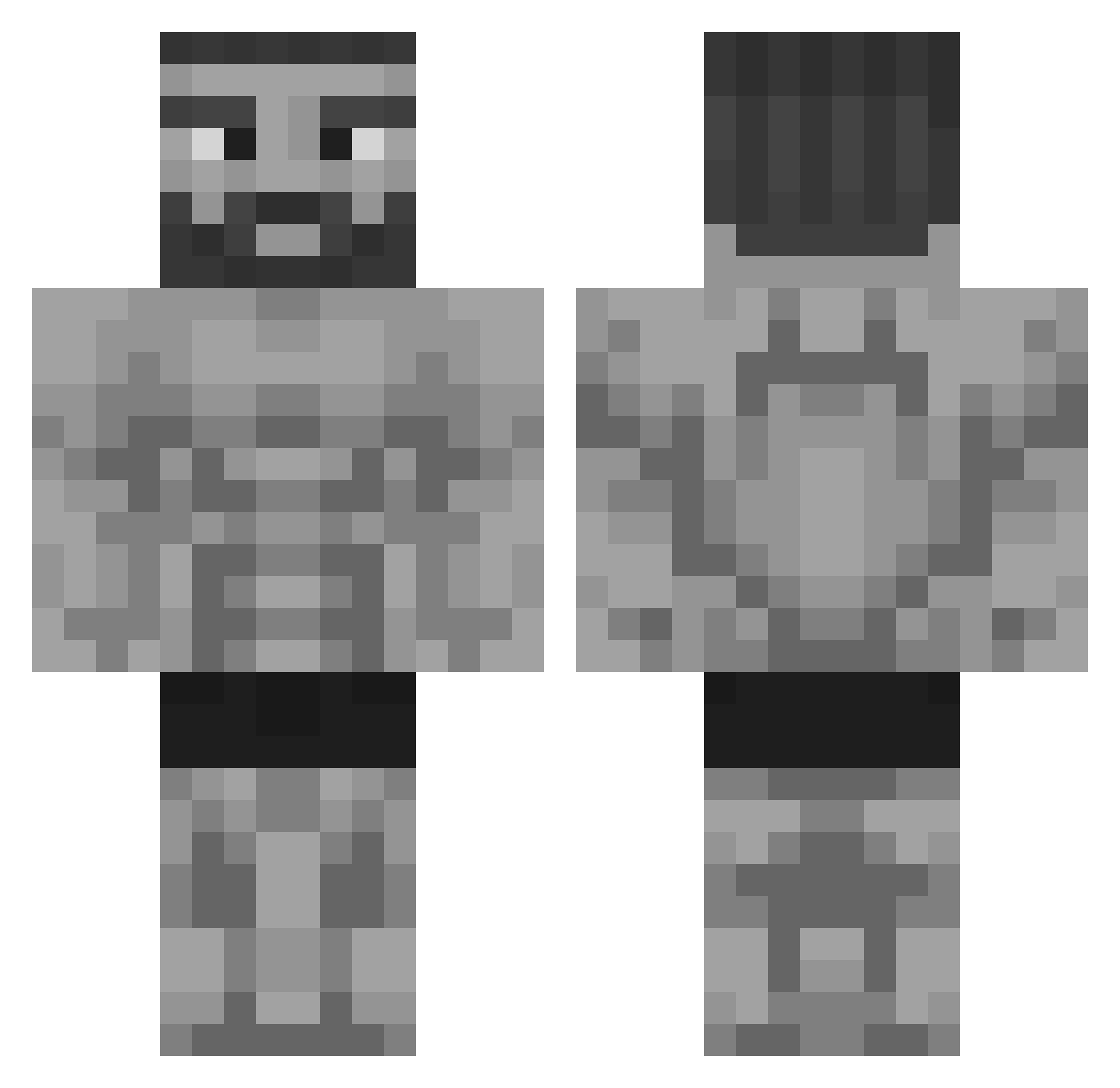
Current Minecraft skin of the player deluxestudios, loaded from the official Mojang API. Rotate the 3D model with your mouse or finger, then download the skin as a PNG file and use it in Minecraft: Bedrock Edition or Java Edition for free. When deluxestudios changes their skin, this page updates automatically and the old skin stays in the history below.
Other players with this skin (325)
deluxestudios was the 73rd player we have seen with this skin, first spotted on 15.08.2026. The same skin was seen on these players. Open a nickname to see their current skin and skin history.
 Rune_Star Hugop38 Povelitel_Ponosa TheMillion_ Exchu lillyconsta maxiu3012 yauyau1000 grey_gandalf StrongGuard007 QAZZA69 EpicGamerCZ jose1221 Jvfoxy21 YeNLoR Mjhag04 Zackeboi84 Big_JohnStud SoEinBetrug Fallses Anpuxxw ImBadAtEverythin TRDrum WizardBacon6847 FullyFurious shrexy68 MonstermasherMG PeixeTerrestre ErkamBro Merri__ himanshu797 Lactasoy5B _Sven_2 Karma_solar Gobble123 efe96238 MacKnipoog vad1m5002 x8COOPER8x Bottas256 Efe54 Green121 donemessedup2 RohanBigLad Matei_100 TheTurtle2121 FrostyFlakes88 JoJoPeperoni Reikasa1337 Vick_Was_Taken Webleckl Brakmasaurus Toresp mangkung Colt45Cowboy VisionVibezz Olum1243 KauaZera18 BroSayHI Called_Ente
More Gigachad Minecraft skins
How to install the deluxestudios skin
- Press the Download button above to save the skin as a PNG file.
- Minecraft: Bedrock Edition (PE): open the Dressing Room from the main menu (or tap your character → Edit Character), go to Classic Skins → Owned, press the + (new skin) button, choose the downloaded PNG and pick the Classic (Steve) model. Works on PC and mobile; consoles cannot import custom skins.
- Minecraft: Java Edition: open the Minecraft Launcher, go to the Skins tab, click New Skin, load the PNG, pick the Classic (Steve) model and press Save & Use. You can also upload it at minecraft.net → Profile → Change Skin.
The skin does not show up after import - what should I do?
Restart Minecraft and open the Dressing Room again - imported skins sometimes appear only after a restart. Also make sure you selected the imported skin and picked the Classic (Steve) model.
Which model should I choose, Classic or Slim?
This skin is designed for the Classic (Steve) model. If you pick the wrong model, the arms of the skin will look stretched or squeezed.
Is the skin of deluxestudios free to download?
Yes. Press Download, save the PNG file and use it in Minecraft: Bedrock Edition or Java Edition - no payment or registration needed. The skin also works on multiplayer servers and Realms.
More skins
Looking for more? Go back to all Minecraft skins and check the top skins of the week, month and all time, or find any player's skin by nickname.