
FrostyFlakes88 - Minecraft Skins & Skin History
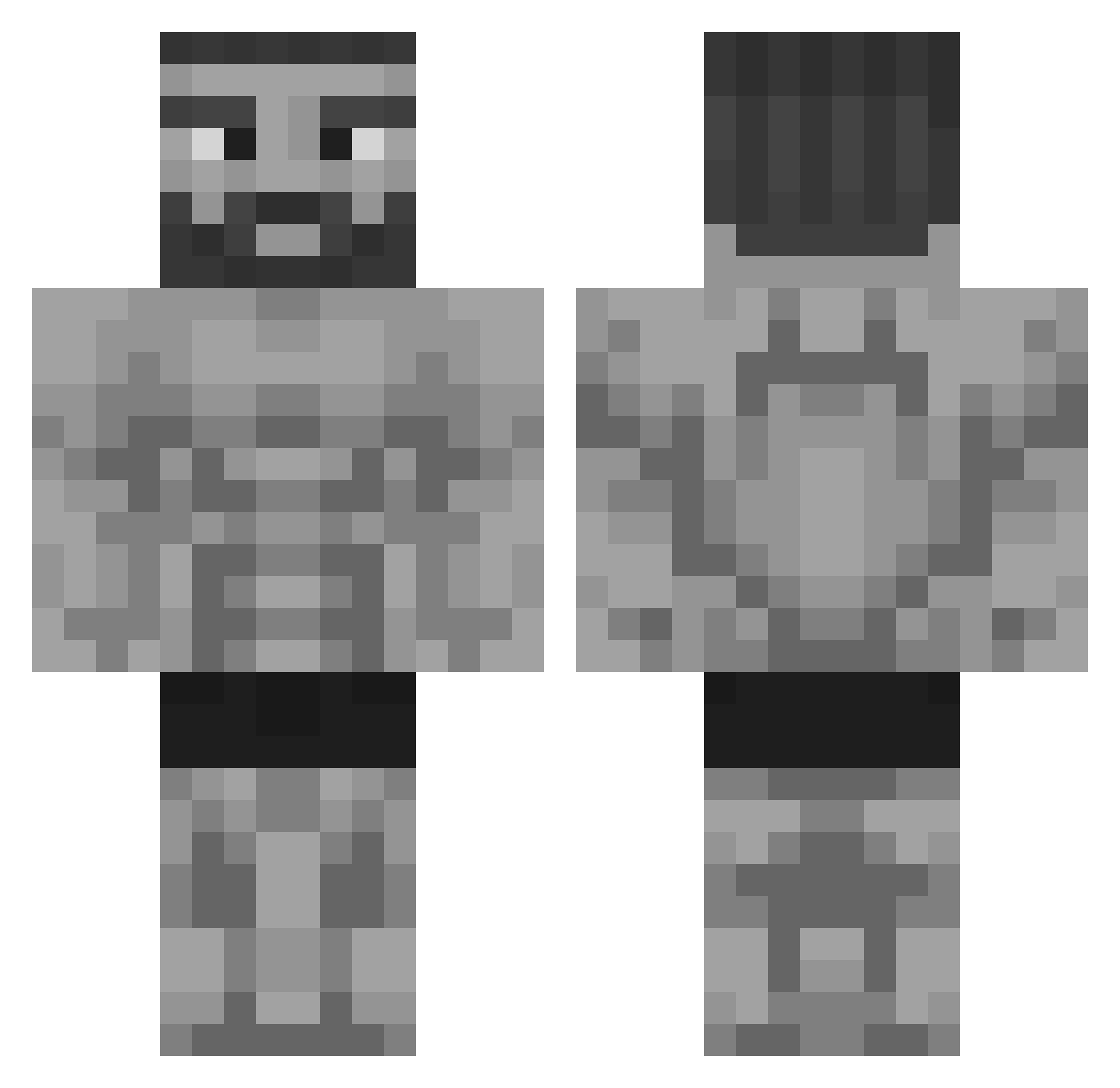
Current Minecraft skin of the player FrostyFlakes88, loaded from the official Mojang API. Rotate the 3D model with your mouse or finger, then download the skin as a PNG file and use it in Minecraft: Bedrock Edition or Java Edition for free. When FrostyFlakes88 changes their skin, this page updates automatically and the old skin stays in the history below.
Other players with this skin (325)
FrostyFlakes88 was the 92nd player we have seen with this skin, first spotted on 22.08.2026. The same skin was seen on these players. Open a nickname to see their current skin and skin history.
 Matei_100 donemessedup2 Vick_Was_Taken Webleckl mangkung Colt45Cowboy VisionVibezz Olum1243 vad1m5002 MacKnipoog odovague34 MrP0mmeslol Gobble123 DomiX65 ln_box Lactasoy5B Businessjoe xmud_ PeixeTerrestre MonstermasherMG Afradash FullyFurious WizardBacon6847 TRDrum FallenCloser brave_knight Zackeboi84 Jvfoxy21 jose1221 caioalex009 Kindbird Makotronkas DariusRegele10 lillyconsta Archefa WalteeWartooth TheMillion_ Povelitel_Ponosa Foxtollie Rune_Star deluxestudios Gefex_ Qhatr Hugop38 Exchu maxiu3012 BudweiserKW yauyau1000 grey_gandalf StrongGuard007 QAZZA69 isako0o NiceIndian_Guy EpicGamerCZ MirrorBall_13 YeNLoR DRodrigues piyanisme0609 ilanjd Mjhag04
More Gigachad Minecraft skins
How to install the FrostyFlakes88 skin
- Press the Download button above to save the skin as a PNG file.
- Minecraft: Bedrock Edition (PE): open the Dressing Room from the main menu (or tap your character → Edit Character), go to Classic Skins → Owned, press the + (new skin) button, choose the downloaded PNG and pick the Classic (Steve) model. Works on PC and mobile; consoles cannot import custom skins.
- Minecraft: Java Edition: open the Minecraft Launcher, go to the Skins tab, click New Skin, load the PNG, pick the Classic (Steve) model and press Save & Use. You can also upload it at minecraft.net → Profile → Change Skin.
The skin does not show up after import - what should I do?
Restart Minecraft and open the Dressing Room again - imported skins sometimes appear only after a restart. Also make sure you selected the imported skin and picked the Classic (Steve) model.
Which model should I choose, Classic or Slim?
This skin is designed for the Classic (Steve) model. If you pick the wrong model, the arms of the skin will look stretched or squeezed.
Is the skin of FrostyFlakes88 free to download?
Yes. Press Download, save the PNG file and use it in Minecraft: Bedrock Edition or Java Edition - no payment or registration needed. The skin also works on multiplayer servers and Realms.
More skins
Looking for more? Go back to all Minecraft skins and check the top skins of the week, month and all time, or find any player's skin by nickname.