
darkMFshadow - Minecraft Skins & Skin History
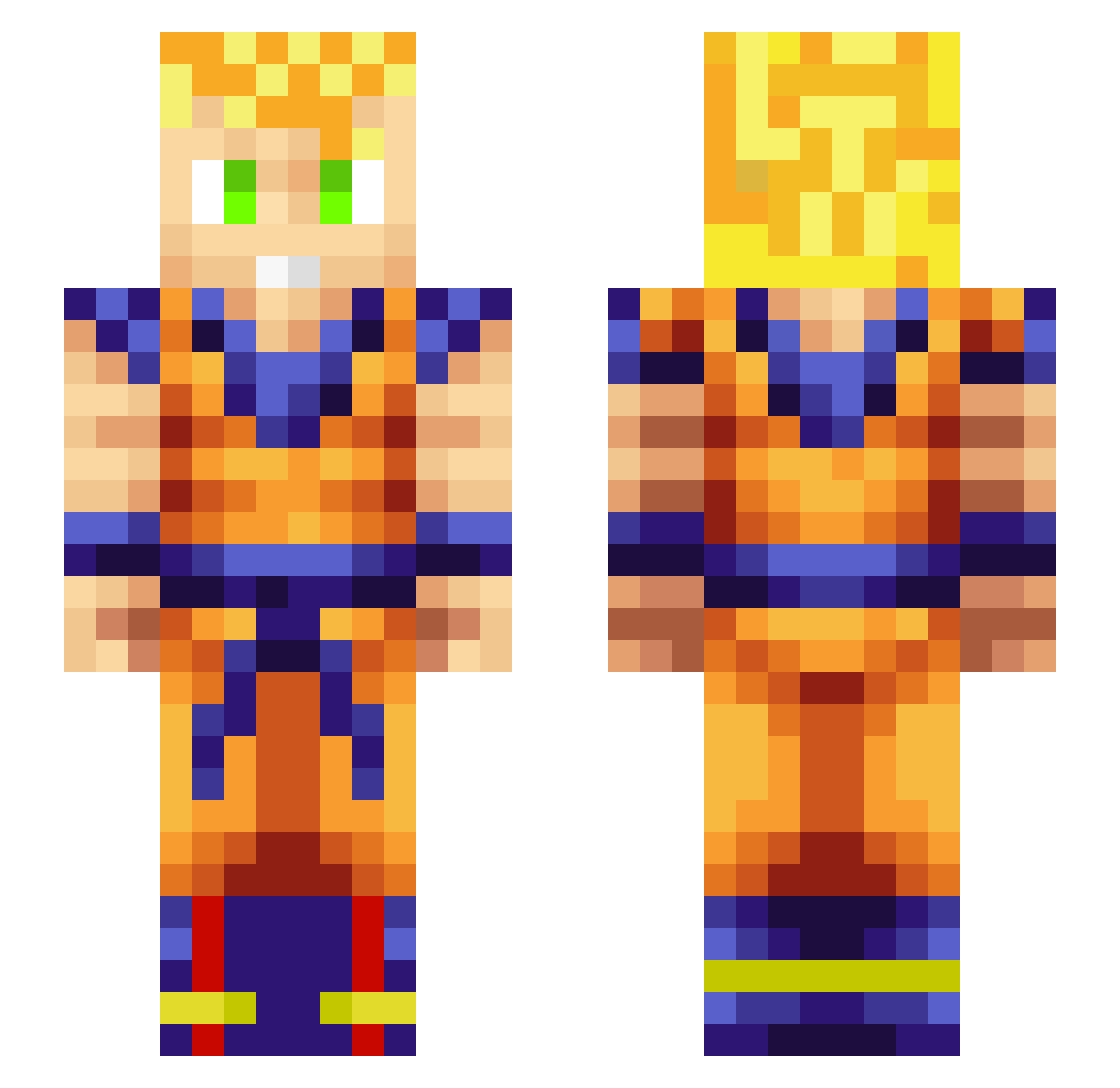
Current Minecraft skin of the player darkMFshadow, loaded from the official Mojang API. Rotate the 3D model with your mouse or finger, then download the skin as a PNG file and use it in Minecraft: Bedrock Edition or Java Edition for free. When darkMFshadow changes their skin, this page updates automatically and the old skin stays in the history below.
Other players with this skin (321)
darkMFshadow was the 63rd player we have seen with this skin, first spotted on 15.08.2026. The same skin was seen on these players. Open a nickname to see their current skin and skin history.
 Leap10 RiNT1001 SSxDareDevil daily1024 EXO123 X_GroovyQ JCORRAL SkullGod31 CZQ111 Scarworf hyaanngg skayzee AngryChef1992 TyrFenrir Torak_07 subox7 HydraOxide69 miaiphonos sentinel7tv Lstcrq kevinmh vBuda ERICJR1023 ChromeAddict 4000Kestrel PureSaiyanRage slappz999 AmzBray dontrundonttrip0 AceHeyder mikusek23 TheGoku555 DillySlick NotIke22 Codevolved Tenko80 ZacTimeTraveller dalerrr jumpy9 OncleJon godslayer2144 EpicGoku987 NoLimitMatt Maybe053 z0bz0b PapiBlingTV DelaShema SuperBolita Piiiiegoo Fortyore0 Tracer_Chris dballs5 yu9766 Blaze_Assault15 CAMEA94 madaamg MrWaffle618 PetLisu Rodia7 sky_sarainN
More Goku Minecraft skins
How to install the darkMFshadow skin
- Press the Download button above to save the skin as a PNG file.
- Minecraft: Bedrock Edition (PE): open the Dressing Room from the main menu (or tap your character → Edit Character), go to Classic Skins → Owned, press the + (new skin) button, choose the downloaded PNG and pick the Slim (Alex) model. Works on PC and mobile; consoles cannot import custom skins.
- Minecraft: Java Edition: open the Minecraft Launcher, go to the Skins tab, click New Skin, load the PNG, pick the Slim (Alex) model and press Save & Use. You can also upload it at minecraft.net → Profile → Change Skin.
The skin does not show up after import - what should I do?
Restart Minecraft and open the Dressing Room again - imported skins sometimes appear only after a restart. Also make sure you selected the imported skin and picked the Slim (Alex) model.
Which model should I choose, Classic or Slim?
This skin is designed for the Slim (Alex) model. If you pick the wrong model, the arms of the skin will look stretched or squeezed.
Is the skin of darkMFshadow free to download?
Yes. Press Download, save the PNG file and use it in Minecraft: Bedrock Edition or Java Edition - no payment or registration needed. The skin also works on multiplayer servers and Realms.
More skins
Looking for more? Go back to all Minecraft skins and check the top skins of the week, month and all time, or find any player's skin by nickname.