
dangerouselias - Minecraft Skins & Skin History
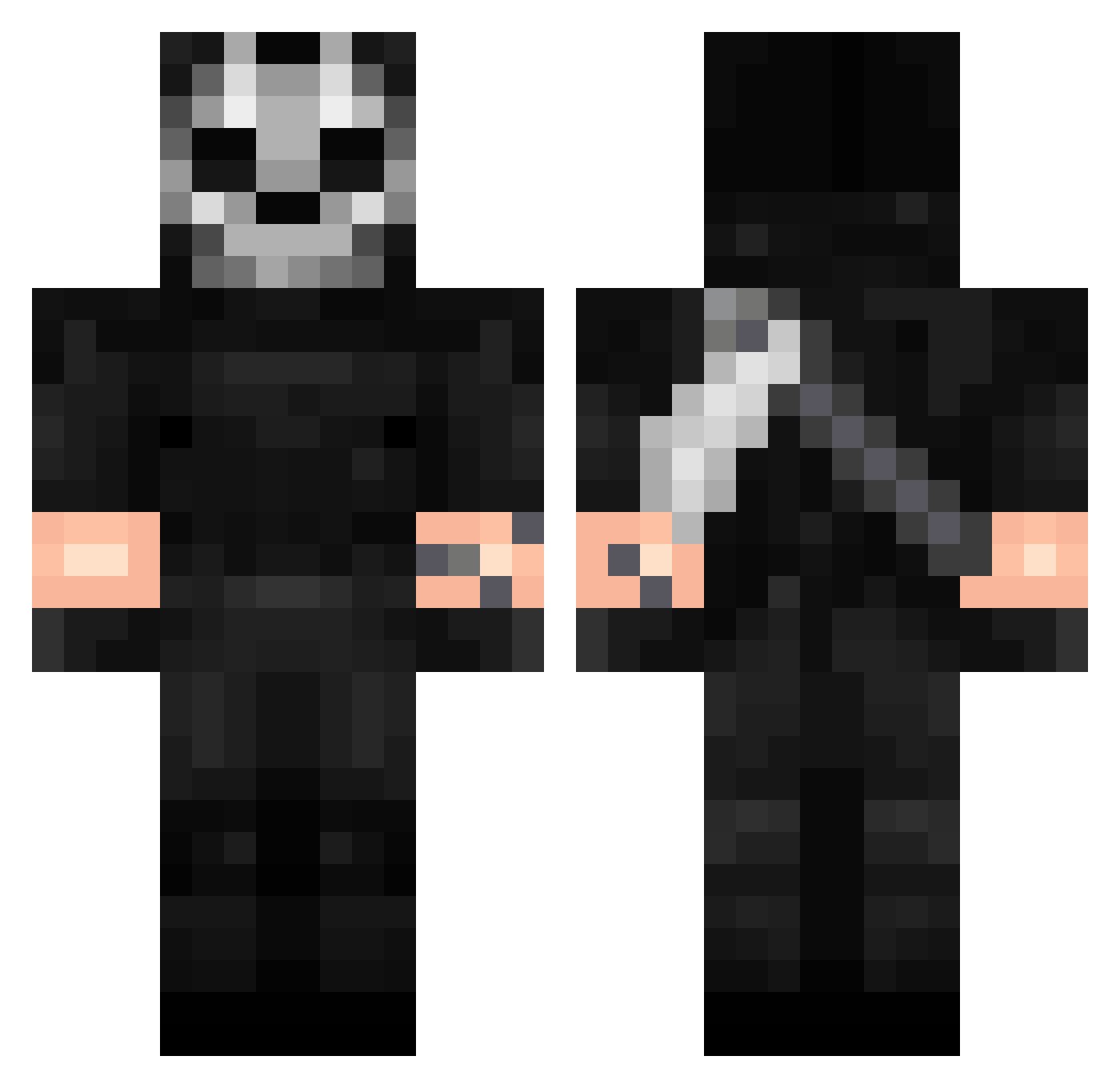
Current Minecraft skin of the player dangerouselias, loaded from the official Mojang API. Rotate the 3D model with your mouse or finger, then download the skin as a PNG file and use it in Minecraft: Bedrock Edition or Java Edition for free. When dangerouselias changes their skin, this page updates automatically and the old skin stays in the history below.
Other players with this skin (342)
dangerouselias was the 167th player we have seen with this skin, first spotted on 22.09.2026. The same skin was seen on these players. Open a nickname to see their current skin and skin history.
 Evan_525 SKBDNJValetep Lufianse Jurij1234 Ghostt190 GrochAK Verzakk marvelguy777 Ehcysp Hydra_Senz_Hydra Zazariel lospadres Naif_ca Dobleu93 mnt_clau estebancb SophieHills khaddyyy BERSERK_007 ferchusone DBsfans alvinsewy DavidAhr24 Saydre KianBixo egebumm 3R2048 Memoli38 vluzk Ghost_MO_Kill 8VO SkyBlackFury Le_PONG Yzzo_ Eriksant_ Ghost_MK1 GustasMorgs Kang0515 4zerz_ beanercheater420 ObsessedSpinZ monster_miso OneManArmy_0 Kokushiibouu Eagle730 GodRecruit Gerokor JEYSINHO Ros3nR0t Carlossrm Trico_1013 burpat01 m17077 EHQZZ ElBigGordoo HITPLAYER1 Chialy SorgenloserFalke Tahov68 JudasZ96
More Call Of Duty Minecraft skins
See all 164 Call Of Duty skins
How to install the dangerouselias skin
- Press the Download button above to save the skin as a PNG file.
- Minecraft: Bedrock Edition (PE): open the Dressing Room from the main menu (or tap your character → Edit Character), go to Classic Skins → Owned, press the + (new skin) button, choose the downloaded PNG and pick the Classic (Steve) model. Works on PC and mobile; consoles cannot import custom skins.
- Minecraft: Java Edition: open the Minecraft Launcher, go to the Skins tab, click New Skin, load the PNG, pick the Classic (Steve) model and press Save & Use. You can also upload it at minecraft.net → Profile → Change Skin.
The skin does not show up after import - what should I do?
Restart Minecraft and open the Dressing Room again - imported skins sometimes appear only after a restart. Also make sure you selected the imported skin and picked the Classic (Steve) model.
Which model should I choose, Classic or Slim?
This skin is designed for the Classic (Steve) model. If you pick the wrong model, the arms of the skin will look stretched or squeezed.
Is the skin of dangerouselias free to download?
Yes. Press Download, save the PNG file and use it in Minecraft: Bedrock Edition or Java Edition - no payment or registration needed. The skin also works on multiplayer servers and Realms.
More skins
Looking for more? Go back to all Minecraft skins and check the top skins of the week, month and all time, or find any player's skin by nickname.