
dafishcooking - Minecraft Skins & Skin History
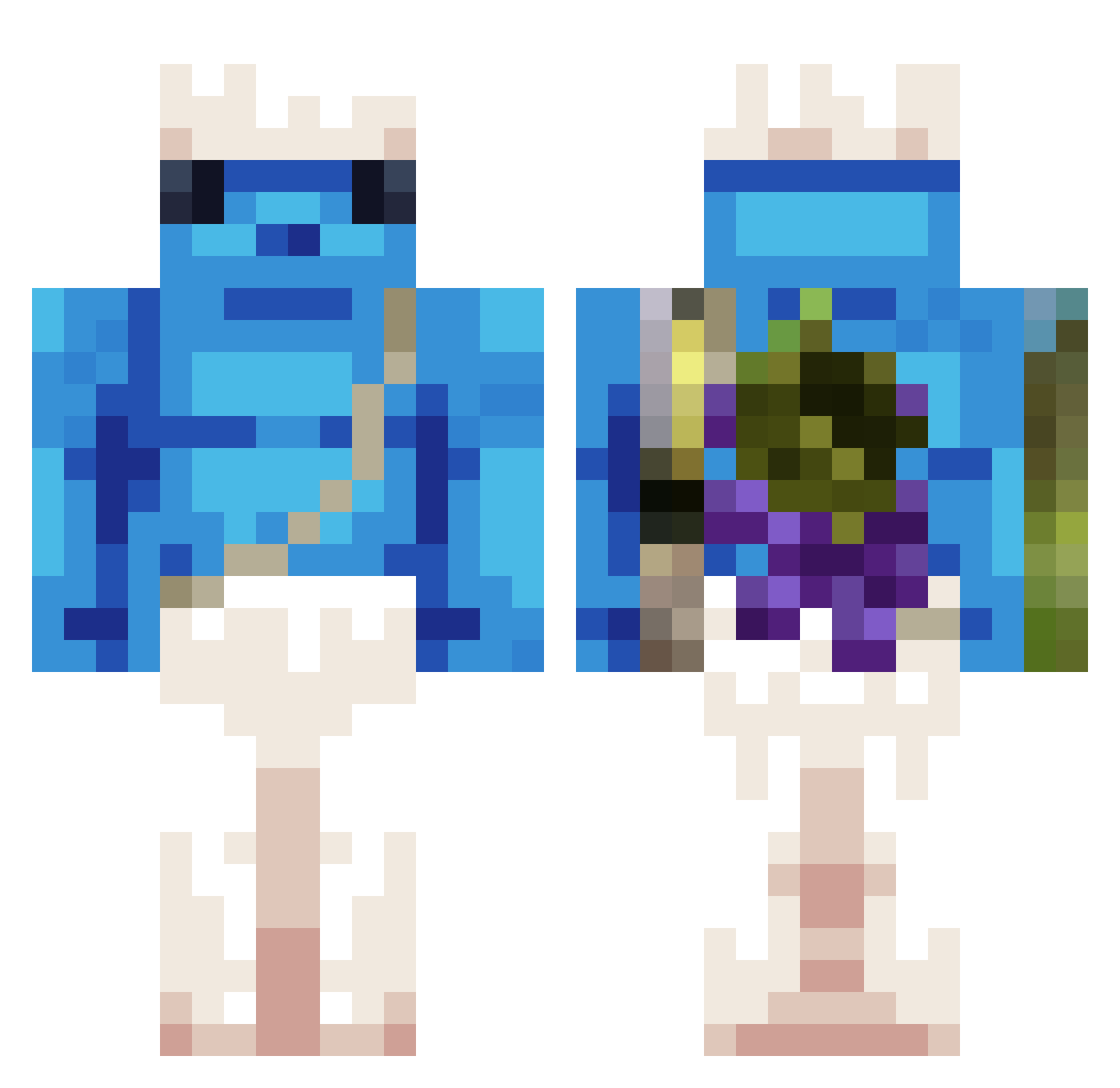
Current Minecraft skin of the player dafishcooking, loaded from the official Mojang API. Rotate the 3D model with your mouse or finger, then download the skin as a PNG file and use it in Minecraft: Bedrock Edition or Java Edition for free. When dafishcooking changes their skin, this page updates automatically and the old skin stays in the history below.
Other players with this skin (371)
dafishcooking was the 113th player we have seen with this skin, first spotted on 26.08.2026. The same skin was seen on these players. Open a nickname to see their current skin and skin history.
 penguinstargb Jr1i laPeCausa IshowSpeed6734 D3CXII ChengChengyaY habonice Rafaello311 D4NTE853 Frani7 edenfo0ty_ DinsangJR Mo900 Locrinolia CiberPunk LilKanyeV2 Artilow birubaXD Svaleyrt LeoX099 Janneth_272 junen0314 FrostTM qny588 Aurchun ALVAGAA343 kaooak Tinchotoo Bielzinho3896 alonsete200 Clochards UnknownD1saster wlsrb1018 Nahuel_Masetto23 SG1019 Fugonn kostas7792tpp chekocubo dobuy Lngods2dsss Vaultyk itzz_clem Binoche_e Eymenn_ HypnotizedTroll _________1_ Renato19070 iloveladyboys peppeeeeeeeeee 37han1 TheBoredLemur olix293 Maxoushi31 Lancellotti22 Mal_KWxdlC FischerW2005 m9jit EL_KERVI BurntNut pinkwas
More Papa Smurf Minecraft skins
How to install the dafishcooking skin
- Press the Download button above to save the skin as a PNG file.
- Minecraft: Bedrock Edition (PE): open the Dressing Room from the main menu (or tap your character → Edit Character), go to Classic Skins → Owned, press the + (new skin) button, choose the downloaded PNG and pick the Classic (Steve) model. Works on PC and mobile; consoles cannot import custom skins.
- Minecraft: Java Edition: open the Minecraft Launcher, go to the Skins tab, click New Skin, load the PNG, pick the Classic (Steve) model and press Save & Use. You can also upload it at minecraft.net → Profile → Change Skin.
The skin does not show up after import - what should I do?
Restart Minecraft and open the Dressing Room again - imported skins sometimes appear only after a restart. Also make sure you selected the imported skin and picked the Classic (Steve) model.
Which model should I choose, Classic or Slim?
This skin is designed for the Classic (Steve) model. If you pick the wrong model, the arms of the skin will look stretched or squeezed.
Is the skin of dafishcooking free to download?
Yes. Press Download, save the PNG file and use it in Minecraft: Bedrock Edition or Java Edition - no payment or registration needed. The skin also works on multiplayer servers and Realms.
More skins
Looking for more? Go back to all Minecraft skins and check the top skins of the week, month and all time, or find any player's skin by nickname.