
dadyoke - Minecraft Skins & Skin History
Current Minecraft skin of the player dadyoke, loaded from the official Mojang API. Rotate the 3D model with your mouse or finger, then download the skin as a PNG file and use it in Minecraft: Bedrock Edition or Java Edition for free. When dadyoke changes their skin, this page updates automatically and the old skin stays in the history below.
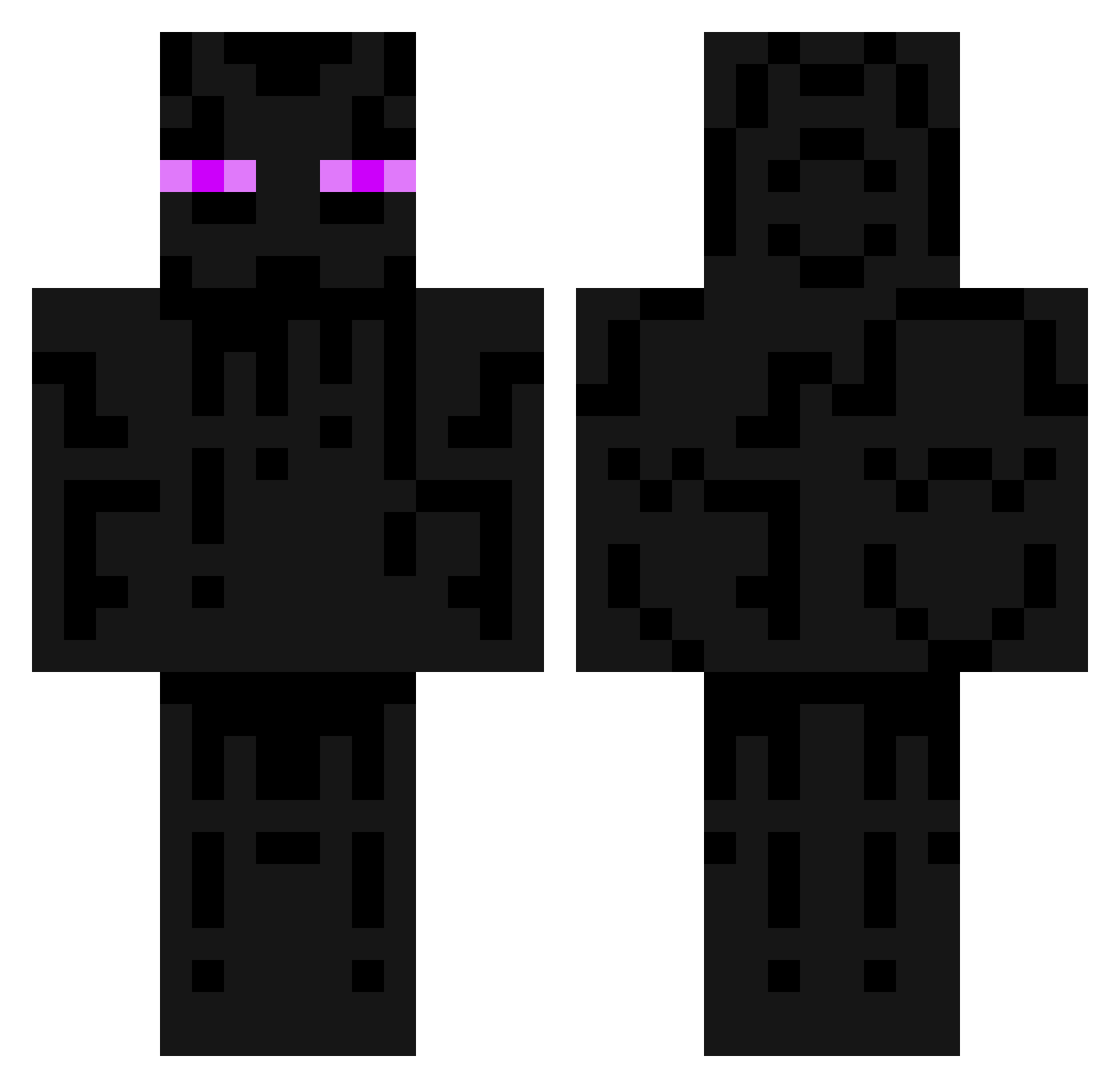
Other players with this skin (198)
dadyoke was the 85th player we have seen with this skin, first spotted on 18.09.2026. The same skin was seen on these players. Open a nickname to see their current skin and skin history.
 exooodus treker15 Unbanner B_Webs ShaelynKile GinSV PedroJose130814 Nubz MANTIS518 rumando Feduje_ StillAlive2 reddted _KandZius_ God_Jjo f4cHUS Ashveso Kanye_theCreator Exposeblacking YaBoiGary_ KarvapersexD CyborgThaaGod YomoRenji grekkskkkkkkkkkk Alzx Mehmetsalihk26 Panamalic Enderboii420 JIBLACKING zucchini1111 mestrecucabeludo IgnParent Mandarin_D The_Est Dromader_ Psycoh hfmrn Raegix7 kiersonfps Zccq Stenophobic InfamousTea1 Meyrai lRaiinbow Mutalisk_ Reactorz matus513 Chenzen__ _Cmore_ Osimeus Ponzoet Elacrit hikaru66 JuicyOWO Joe_7 zakeii_ 20200220 ZANDI23SQ GWW197 ubmastering
More Enderman Minecraft skins
How to install the dadyoke skin
- Press the Download button above to save the skin as a PNG file.
- Minecraft: Bedrock Edition (PE): open the Dressing Room from the main menu (or tap your character → Edit Character), go to Classic Skins → Owned, press the + (new skin) button, choose the downloaded PNG and pick the Classic (Steve) model. Works on PC and mobile; consoles cannot import custom skins.
- Minecraft: Java Edition: open the Minecraft Launcher, go to the Skins tab, click New Skin, load the PNG, pick the Classic (Steve) model and press Save & Use. You can also upload it at minecraft.net → Profile → Change Skin.
The skin does not show up after import - what should I do?
Restart Minecraft and open the Dressing Room again - imported skins sometimes appear only after a restart. Also make sure you selected the imported skin and picked the Classic (Steve) model.
Which model should I choose, Classic or Slim?
This skin is designed for the Classic (Steve) model. If you pick the wrong model, the arms of the skin will look stretched or squeezed.
Is the skin of dadyoke free to download?
Yes. Press Download, save the PNG file and use it in Minecraft: Bedrock Edition or Java Edition - no payment or registration needed. The skin also works on multiplayer servers and Realms.
More skins
Looking for more? Go back to all Minecraft skins and check the top skins of the week, month and all time, or find any player's skin by nickname.