
dadson23 - Minecraft Skins & Skin History
Current Minecraft skin of the player dadson23, loaded from the official Mojang API. Rotate the 3D model with your mouse or finger, then download the skin as a PNG file and use it in Minecraft: Bedrock Edition or Java Edition for free. When dadson23 changes their skin, this page updates automatically and the old skin stays in the history below.
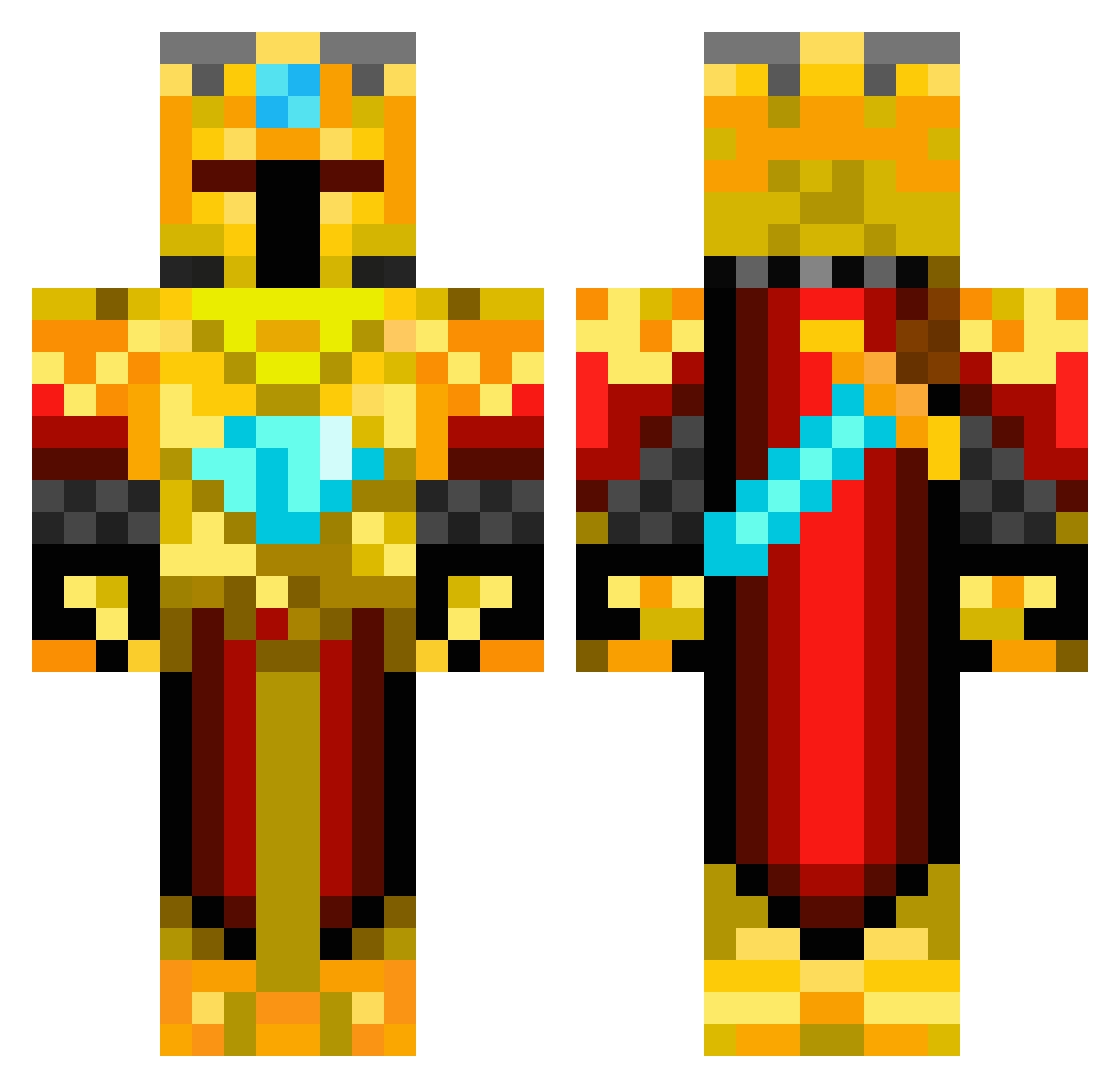
Other players with this skin (419)
dadson23 was the 30th player we have seen with this skin, first spotted on 01.08.2026. The same skin was seen on these players. Open a nickname to see their current skin and skin history.
 someonedamaged minecraftlewis55 TwinOlive JoshuaTai Kale1 trollon98 Whoozzy Humpelbumpel Dark_lord_19 blankeybed X_XMelloX_X sysbro konflictmoose Pheasant34 MCnoodle20 ohsweken NateeNess11 KniFey lmiles4 MrTrollerCraft Automaticaud King_Alexander lightning_wasp Stryker70 davster123 MRMANATEE0220 Vallonator SnareDrummer606 616lew BronzeQuartz nasser1414 xTheRooobert netherman828 saabster Kemion aperikub pierceryan idkwhatodo tomluka7 GamerBoy1004 kingville05 Tarnam Grantboy02 Cameron_146 vishnvin yooper93 steinarpetur Mighty_BCA hockey_goalie_9 Lblockcat bitbybit1 nstrike0519 HartlHaus xzanzx Squints_09v2 Reinoud123 creepers_kill21 superwarrior727 TheOneTruKing EtherealMango
More Golden Armor Minecraft skins
See all 170 Golden Armor skins
How to install the dadson23 skin
- Press the Download button above to save the skin as a PNG file.
- Minecraft: Bedrock Edition (PE): open the Dressing Room from the main menu (or tap your character → Edit Character), go to Classic Skins → Owned, press the + (new skin) button, choose the downloaded PNG and pick the Classic (Steve) model. Works on PC and mobile; consoles cannot import custom skins.
- Minecraft: Java Edition: open the Minecraft Launcher, go to the Skins tab, click New Skin, load the PNG, pick the Classic (Steve) model and press Save & Use. You can also upload it at minecraft.net → Profile → Change Skin.
The skin does not show up after import - what should I do?
Restart Minecraft and open the Dressing Room again - imported skins sometimes appear only after a restart. Also make sure you selected the imported skin and picked the Classic (Steve) model.
Which model should I choose, Classic or Slim?
This skin is designed for the Classic (Steve) model. If you pick the wrong model, the arms of the skin will look stretched or squeezed.
Is the skin of dadson23 free to download?
Yes. Press Download, save the PNG file and use it in Minecraft: Bedrock Edition or Java Edition - no payment or registration needed. The skin also works on multiplayer servers and Realms.
More skins
Looking for more? Go back to all Minecraft skins and check the top skins of the week, month and all time, or find any player's skin by nickname.