
crossvenom9800 - Minecraft Skins & Skin History
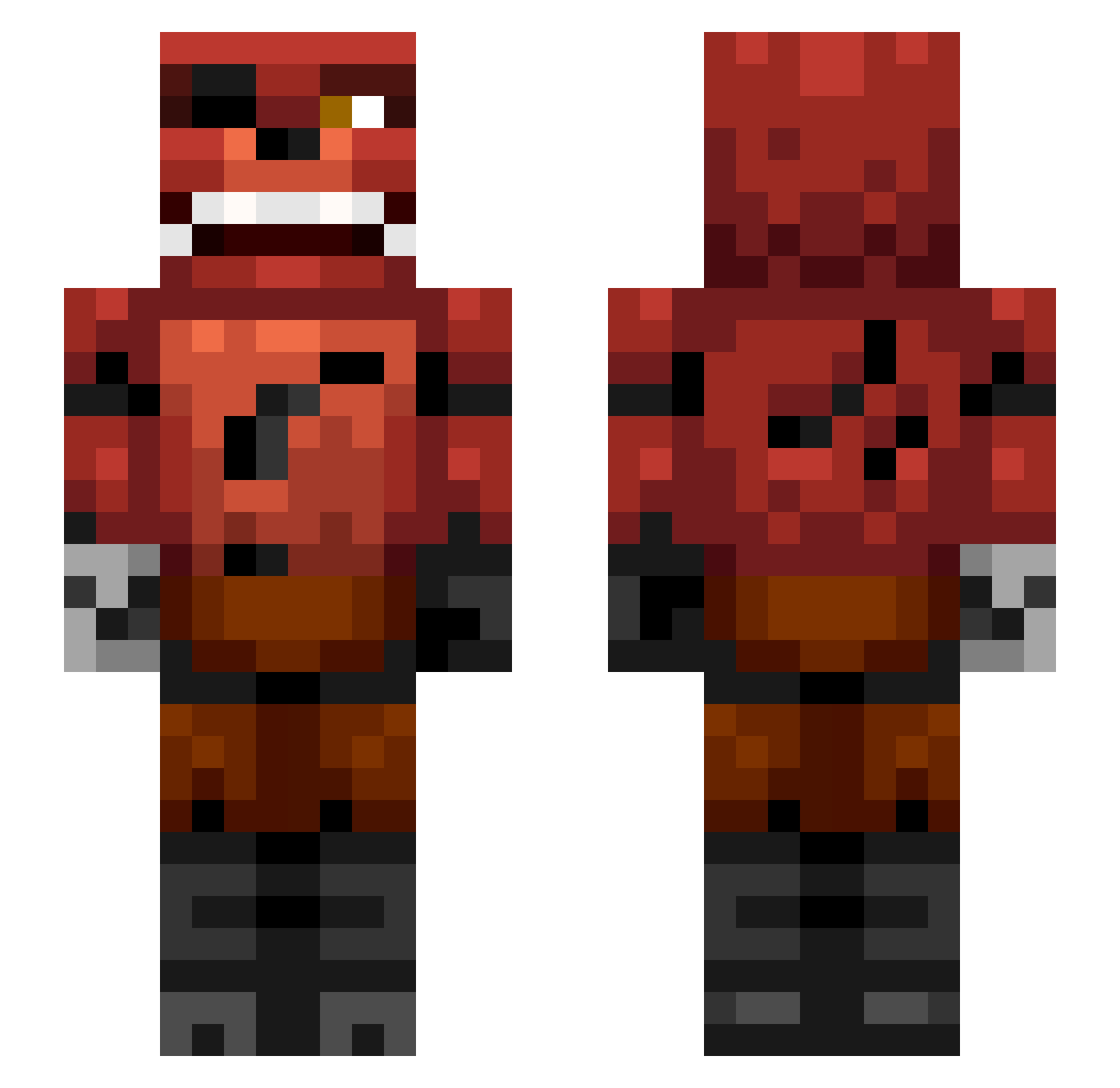
Current Minecraft skin of the player crossvenom9800, loaded from the official Mojang API. Rotate the 3D model with your mouse or finger, then download the skin as a PNG file and use it in Minecraft: Bedrock Edition or Java Edition for free. When crossvenom9800 changes their skin, this page updates automatically and the old skin stays in the history below.
Other players with this skin (337)
crossvenom9800 was the 259th player we have seen with this skin, first spotted on 11.10.2026. The same skin was seen on these players. Open a nickname to see their current skin and skin history.
 coolzark2013 CreeperNile Vs_piece goatman2003 Kapelito53 MLG_L3G3ND getshrektnub Zombie476 Zxpps Sylle100 iSawbone jackadoodle123 chulhwan melfew FierceCannon940 justjermy SmurfyHot Johnysky batman0019 fifamonstah_1 GizzPill enzzoenricco2012 llamaman321 9Apocalypse9 CarlosOpPad NinjEdGo Dogfac123 calis08 PrimeCake alexander_gustav lachlan222333 Mr_Muttley remilegeek Dragonborne27 DiamondPup Diegoghost samthethird mickycalnan olafthefoul killerdog303 Miller10000000 terrafirma_87 Eric1000 boerenbond quintenboy116 Lostprophet1412 Bailiff Alexandertoftj zues756 DiamondWarfare12 pvpbro123 Christopher_DD RamosDevil Douwe134 noahtheox ZombieNAL Veasee DogsqaudJr swatrat JacksonTDM
More Foxy Minecraft skins
How to install the crossvenom9800 skin
- Press the Download button above to save the skin as a PNG file.
- Minecraft: Bedrock Edition (PE): open the Dressing Room from the main menu (or tap your character → Edit Character), go to Classic Skins → Owned, press the + (new skin) button, choose the downloaded PNG and pick the Slim (Alex) model. Works on PC and mobile; consoles cannot import custom skins.
- Minecraft: Java Edition: open the Minecraft Launcher, go to the Skins tab, click New Skin, load the PNG, pick the Slim (Alex) model and press Save & Use. You can also upload it at minecraft.net → Profile → Change Skin.
The skin does not show up after import - what should I do?
Restart Minecraft and open the Dressing Room again - imported skins sometimes appear only after a restart. Also make sure you selected the imported skin and picked the Slim (Alex) model.
Which model should I choose, Classic or Slim?
This skin is designed for the Slim (Alex) model. If you pick the wrong model, the arms of the skin will look stretched or squeezed.
Is the skin of crossvenom9800 free to download?
Yes. Press Download, save the PNG file and use it in Minecraft: Bedrock Edition or Java Edition - no payment or registration needed. The skin also works on multiplayer servers and Realms.
More skins
Looking for more? Go back to all Minecraft skins and check the top skins of the week, month and all time, or find any player's skin by nickname.