
croatoa88 - Minecraft Skins & Skin History
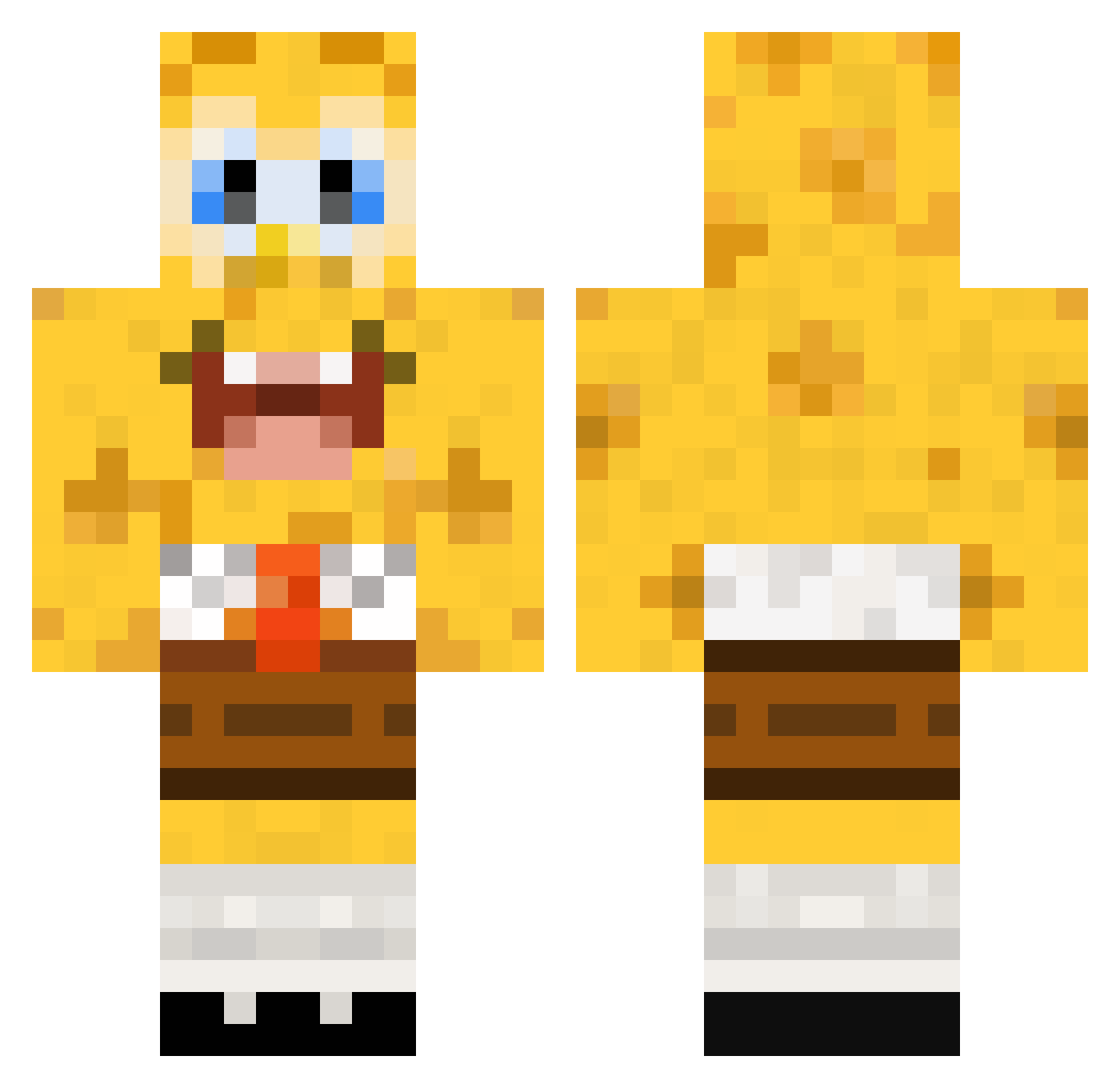
Current Minecraft skin of the player croatoa88, loaded from the official Mojang API. Rotate the 3D model with your mouse or finger, then download the skin as a PNG file and use it in Minecraft: Bedrock Edition or Java Edition for free. When croatoa88 changes their skin, this page updates automatically and the old skin stays in the history below.
Other players with this skin (448)
croatoa88 was the 354th player we have seen with this skin, first spotted on 14.10.2026. The same skin was seen on these players. Open a nickname to see their current skin and skin history.
 MQUT QTricks hoh_sorry_class hooliganzx Noche94 WantMyBody kkiin Poot1 Schafermuffin gosheunhae SpongeBob_YT xxlukasytxx DeSmeller OverBuilder Josh_Woshy Kebab_Slicer garebear789 driveklepp callump14 SinnetDK borrelnootje126 romer97 humiliationxd aronrw LemonHead_69 Gurra0440cool Ofirz25 halfpint15 Maisey 08041999 ILoveMeth69 netforce95 tokeemonsta babov bubuww maisy2010 Shiwoon cerberus98 spongebobe17 karateninja6 sp0ngeb0b8 TatorTot24 nicohac76 matlimatli Booperboo Mojo1403 lunau2608 papaya9901 TheJokeer XzGeNeRaTiOnSzX a1mostfamous Aci0 chargerslt Nobdy2151 RobertoBrownieJr steekies BlockBuster691 lirimaer exatorp interphace1
More Cartoon Minecraft skins
How to install the croatoa88 skin
- Press the Download button above to save the skin as a PNG file.
- Minecraft: Bedrock Edition (PE): open the Dressing Room from the main menu (or tap your character → Edit Character), go to Classic Skins → Owned, press the + (new skin) button, choose the downloaded PNG and pick the Classic (Steve) model. Works on PC and mobile; consoles cannot import custom skins.
- Minecraft: Java Edition: open the Minecraft Launcher, go to the Skins tab, click New Skin, load the PNG, pick the Classic (Steve) model and press Save & Use. You can also upload it at minecraft.net → Profile → Change Skin.
The skin does not show up after import - what should I do?
Restart Minecraft and open the Dressing Room again - imported skins sometimes appear only after a restart. Also make sure you selected the imported skin and picked the Classic (Steve) model.
Which model should I choose, Classic or Slim?
This skin is designed for the Classic (Steve) model. If you pick the wrong model, the arms of the skin will look stretched or squeezed.
Is the skin of croatoa88 free to download?
Yes. Press Download, save the PNG file and use it in Minecraft: Bedrock Edition or Java Edition - no payment or registration needed. The skin also works on multiplayer servers and Realms.
More skins
Looking for more? Go back to all Minecraft skins and check the top skins of the week, month and all time, or find any player's skin by nickname.