
creweren - Minecraft Skins & Skin History
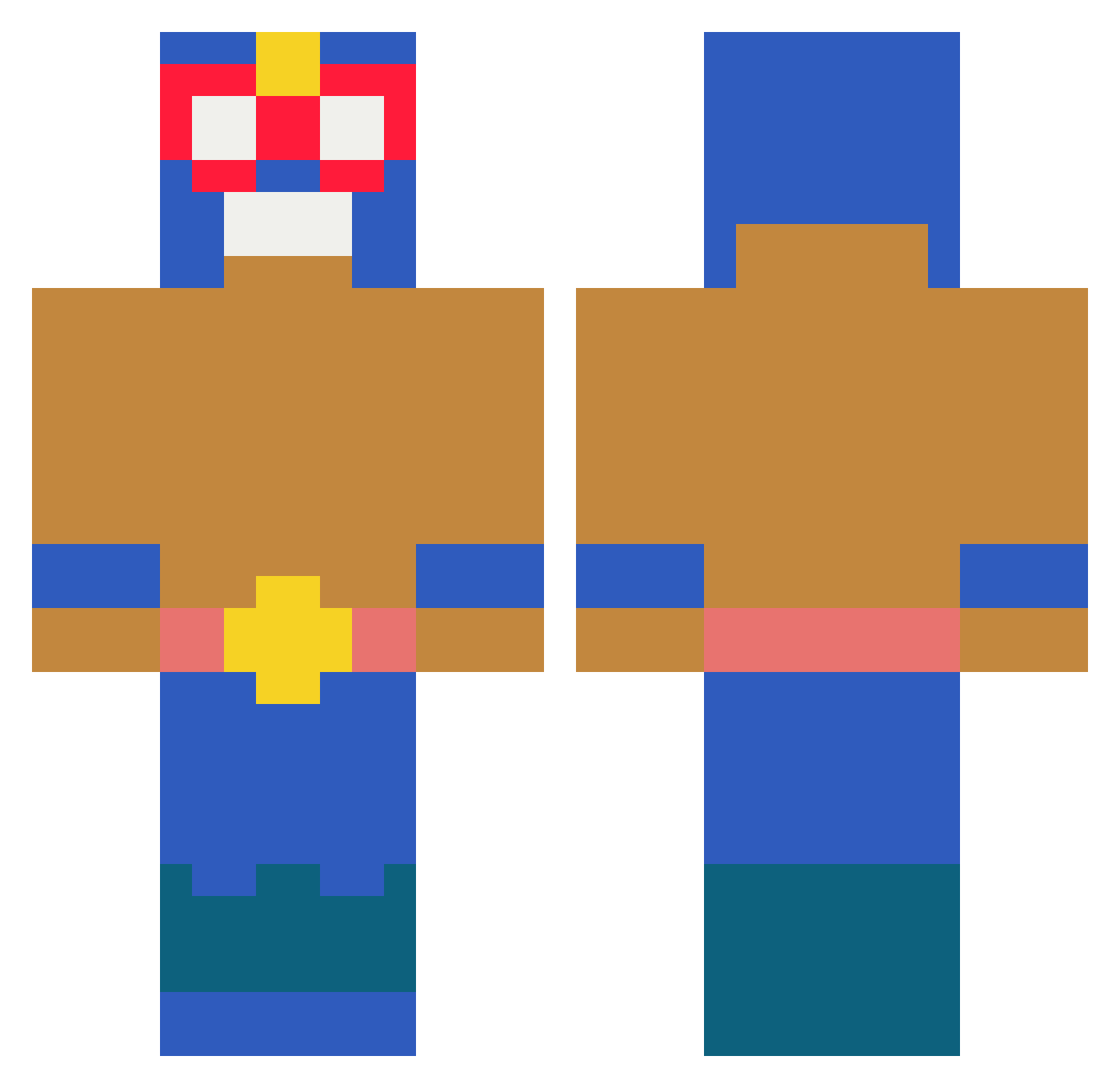
Current Minecraft skin of the player creweren, loaded from the official Mojang API. Rotate the 3D model with your mouse or finger, then download the skin as a PNG file and use it in Minecraft: Bedrock Edition or Java Edition for free. When creweren changes their skin, this page updates automatically and the old skin stays in the history below.
Other players with this skin (267)
creweren was the 251st player we have seen with this skin, first spotted on 11.11.2026. The same skin was seen on these players. Open a nickname to see their current skin and skin history.
 MIMSMIMS iconicfalcon24 ByLuZoK Istanbul1919 KapitanPompa1 C0laZero supercoolman29 darthillo Mr_Farbo Atowww Markss_ Grzes__okkk skeppy2021 chepeesrel dimx77 zvtn Fabajohn Veranogamer Sillaux Vittorio119 Buh1164 MrBananita10 BoritoTakoNatsho bitingapplicabl hhj5263 Oxm0se__ Kash133K marco220803 zeasyy Bartney Ksonik0 CadenGames5041 happspot MIKANDAOOOOOO janghojae1018 JBOfChaos destripaterrones Cartone Ratkinga Jampi88 Kasda123 JuanDiegoTet0n 11mattias11 MeesGeems Lalicrack3127 ELPAPUORE JOON073 _ab1gail_ ciigs sahariko jooon33 Soul871 EPX_critter 31_iger eboy_lover Tomascm20 viniciussg03 Barron777 nmaximus12 hyperlinx0204
More El Primo Minecraft skins
How to install the creweren skin
- Press the Download button above to save the skin as a PNG file.
- Minecraft: Bedrock Edition (PE): open the Dressing Room from the main menu (or tap your character → Edit Character), go to Classic Skins → Owned, press the + (new skin) button, choose the downloaded PNG and pick the Classic (Steve) model. Works on PC and mobile; consoles cannot import custom skins.
- Minecraft: Java Edition: open the Minecraft Launcher, go to the Skins tab, click New Skin, load the PNG, pick the Classic (Steve) model and press Save & Use. You can also upload it at minecraft.net → Profile → Change Skin.
The skin does not show up after import - what should I do?
Restart Minecraft and open the Dressing Room again - imported skins sometimes appear only after a restart. Also make sure you selected the imported skin and picked the Classic (Steve) model.
Which model should I choose, Classic or Slim?
This skin is designed for the Classic (Steve) model. If you pick the wrong model, the arms of the skin will look stretched or squeezed.
Is the skin of creweren free to download?
Yes. Press Download, save the PNG file and use it in Minecraft: Bedrock Edition or Java Edition - no payment or registration needed. The skin also works on multiplayer servers and Realms.
More skins
Looking for more? Go back to all Minecraft skins and check the top skins of the week, month and all time, or find any player's skin by nickname.