
cool_ahh_guy - Minecraft Skins & Skin History
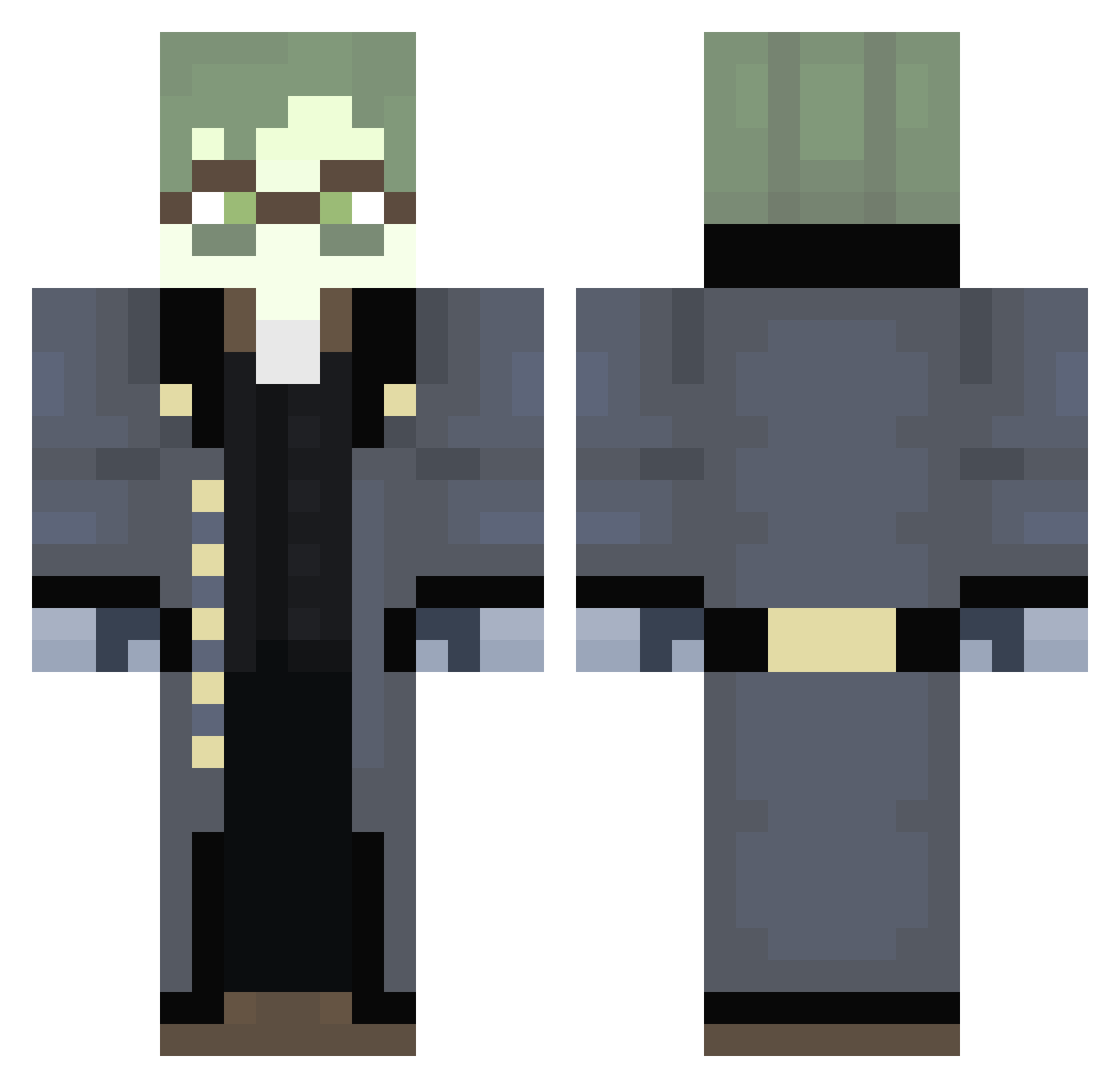
Current Minecraft skin of the player cool_ahh_guy, loaded from the official Mojang API. Rotate the 3D model with your mouse or finger, then download the skin as a PNG file and use it in Minecraft: Bedrock Edition or Java Edition for free. When cool_ahh_guy changes their skin, this page updates automatically and the old skin stays in the history below.
Other players with this skin (293)
cool_ahh_guy was the 123rd player we have seen with this skin, first spotted on 11.09.2026. The same skin was seen on these players. Open a nickname to see their current skin and skin history.
 active_assembly
 MonkeySaku2009 MagyarFR nope_e3 WhosCollin xxidos GAMEINGWITHJAKE LifeForearm MylesLovesMiners _illlness Yeetwood 6F3L BronzeWolfy trxxlogy violencenight workplanet laxwzn Snackiesz ollybird Vaulxt Spaghet_God Lewcypher07 MicGames Oligosacarido27 Simplrr Liberator_el HawaiiTstNoPina _Fleeb0 ArmoredSenses otimobarco Awake_CPU TheSecretSheep CaptainEggzs h6ro1212 Sscorxy azazel_of flednija9087 SuperSlayer0 Kindadarkeyes UsherMC Byvicente Lysolis1s spraylasers BradChad1018 dark3241 Insert_Him_Here AvarageTrashCan xVisxon FifthThe2nd Brodster929 porcupine135 Patryyik steveofsteveemc irontower70 Melekrath Tessla33 1upsy Greendiamond183 WitheredOut bonelespizza405
More Detective Minecraft skins
How to install the cool_ahh_guy skin
- Press the Download button above to save the skin as a PNG file.
- Minecraft: Bedrock Edition (PE): open the Dressing Room from the main menu (or tap your character → Edit Character), go to Classic Skins → Owned, press the + (new skin) button, choose the downloaded PNG and pick the Classic (Steve) model. Works on PC and mobile; consoles cannot import custom skins.
- Minecraft: Java Edition: open the Minecraft Launcher, go to the Skins tab, click New Skin, load the PNG, pick the Classic (Steve) model and press Save & Use. You can also upload it at minecraft.net → Profile → Change Skin.
The skin does not show up after import - what should I do?
Restart Minecraft and open the Dressing Room again - imported skins sometimes appear only after a restart. Also make sure you selected the imported skin and picked the Classic (Steve) model.
Which model should I choose, Classic or Slim?
This skin is designed for the Classic (Steve) model. If you pick the wrong model, the arms of the skin will look stretched or squeezed.
Is the skin of cool_ahh_guy free to download?
Yes. Press Download, save the PNG file and use it in Minecraft: Bedrock Edition or Java Edition - no payment or registration needed. The skin also works on multiplayer servers and Realms.
More skins
Looking for more? Go back to all Minecraft skins and check the top skins of the week, month and all time, or find any player's skin by nickname.