
cookie_masher - Minecraft Skins & Skin History
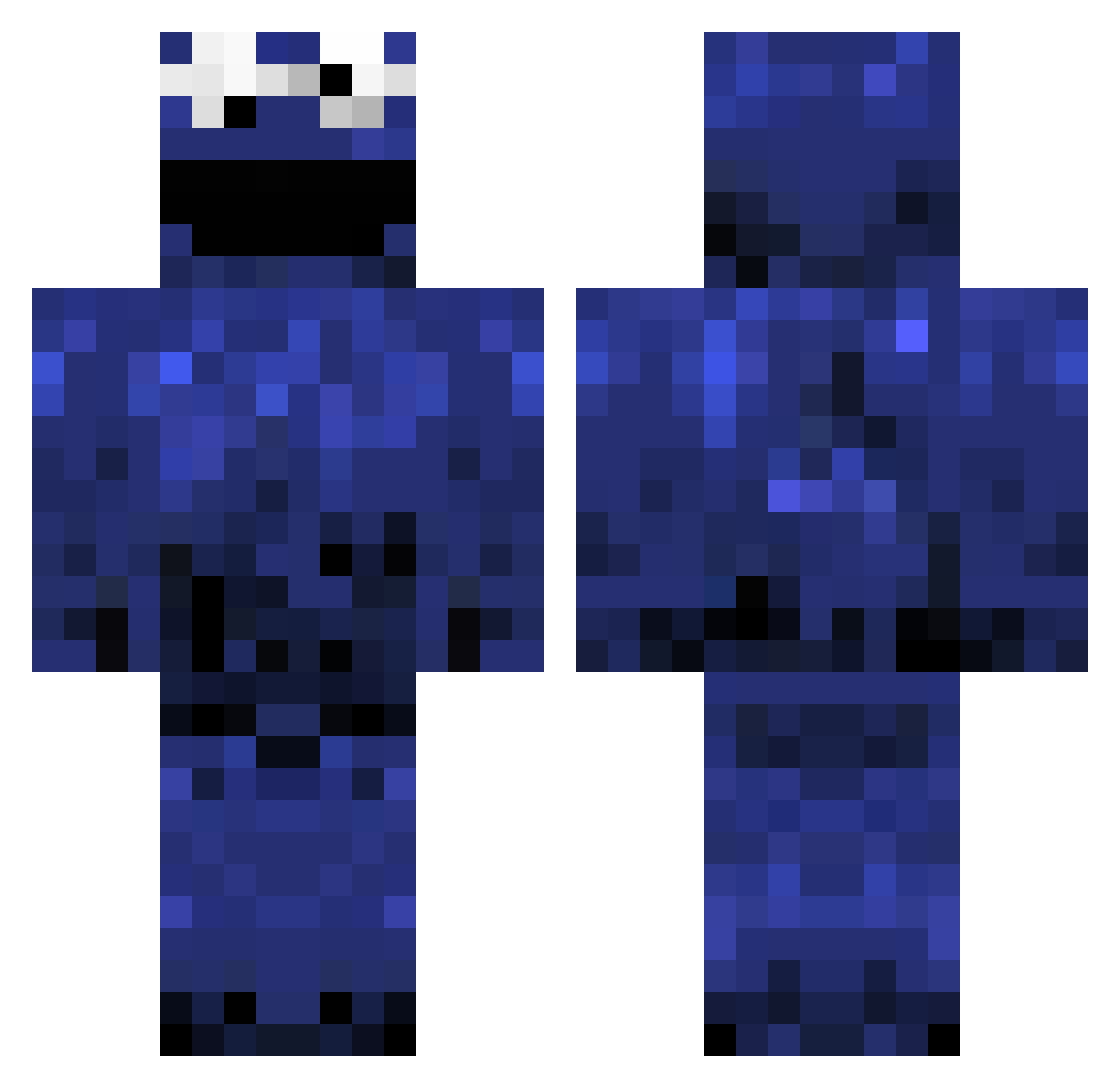
Current Minecraft skin of the player cookie_masher, loaded from the official Mojang API. Rotate the 3D model with your mouse or finger, then download the skin as a PNG file and use it in Minecraft: Bedrock Edition or Java Edition for free. When cookie_masher changes their skin, this page updates automatically and the old skin stays in the history below.
Other players with this skin (983)
cookie_masher was the 515th player we have seen with this skin, first spotted on 17.09.2026. The same skin was seen on these players. Open a nickname to see their current skin and skin history.
 ZUESSSSSSSS seymoto12 creeperMI7 The_M_Note Builderboy1200 xPanX akraw12 EtGE Treeman_44 GhostShooter1 Coolasian1999 Truthahn123 JakiPlays Luukelz MartijnNiemeijer KapiteinBalzac Quikies83 kimola BraveTaco MrKoKiwi Crowdyz mrmannaggia ninjaslayer808 chucknorris1967 notquilty jeweeeetzelf Andude_12 lathan1502 pinkijokio Honeybadger_88 LewisRirie4 knux06 xXTheRealSonicXx NSSMEMBER_PT shakmad Antw1 primestarr bpoe5366 hoebol Flooschi VOSER CF_Italy propel123 juny123 billyf500 Tobi6430 You_diglette ShadyCarrot2483 cookiemonster3 Imthecjay subbur1 coolasian18 jinktot Umziii Mojojes Bandit02 CrazyCookie_ Warmaster40000 ma10as_sjef _nina_1
More Cookie Monster Minecraft skins
See all 241 Cookie Monster skins
How to install the cookie_masher skin
- Press the Download button above to save the skin as a PNG file.
- Minecraft: Bedrock Edition (PE): open the Dressing Room from the main menu (or tap your character → Edit Character), go to Classic Skins → Owned, press the + (new skin) button, choose the downloaded PNG and pick the Classic (Steve) model. Works on PC and mobile; consoles cannot import custom skins.
- Minecraft: Java Edition: open the Minecraft Launcher, go to the Skins tab, click New Skin, load the PNG, pick the Classic (Steve) model and press Save & Use. You can also upload it at minecraft.net → Profile → Change Skin.
The skin does not show up after import - what should I do?
Restart Minecraft and open the Dressing Room again - imported skins sometimes appear only after a restart. Also make sure you selected the imported skin and picked the Classic (Steve) model.
Which model should I choose, Classic or Slim?
This skin is designed for the Classic (Steve) model. If you pick the wrong model, the arms of the skin will look stretched or squeezed.
Is the skin of cookie_masher free to download?
Yes. Press Download, save the PNG file and use it in Minecraft: Bedrock Edition or Java Edition - no payment or registration needed. The skin also works on multiplayer servers and Realms.
More skins
Looking for more? Go back to all Minecraft skins and check the top skins of the week, month and all time, or find any player's skin by nickname.