
connor9020 - Minecraft Skins & Skin History
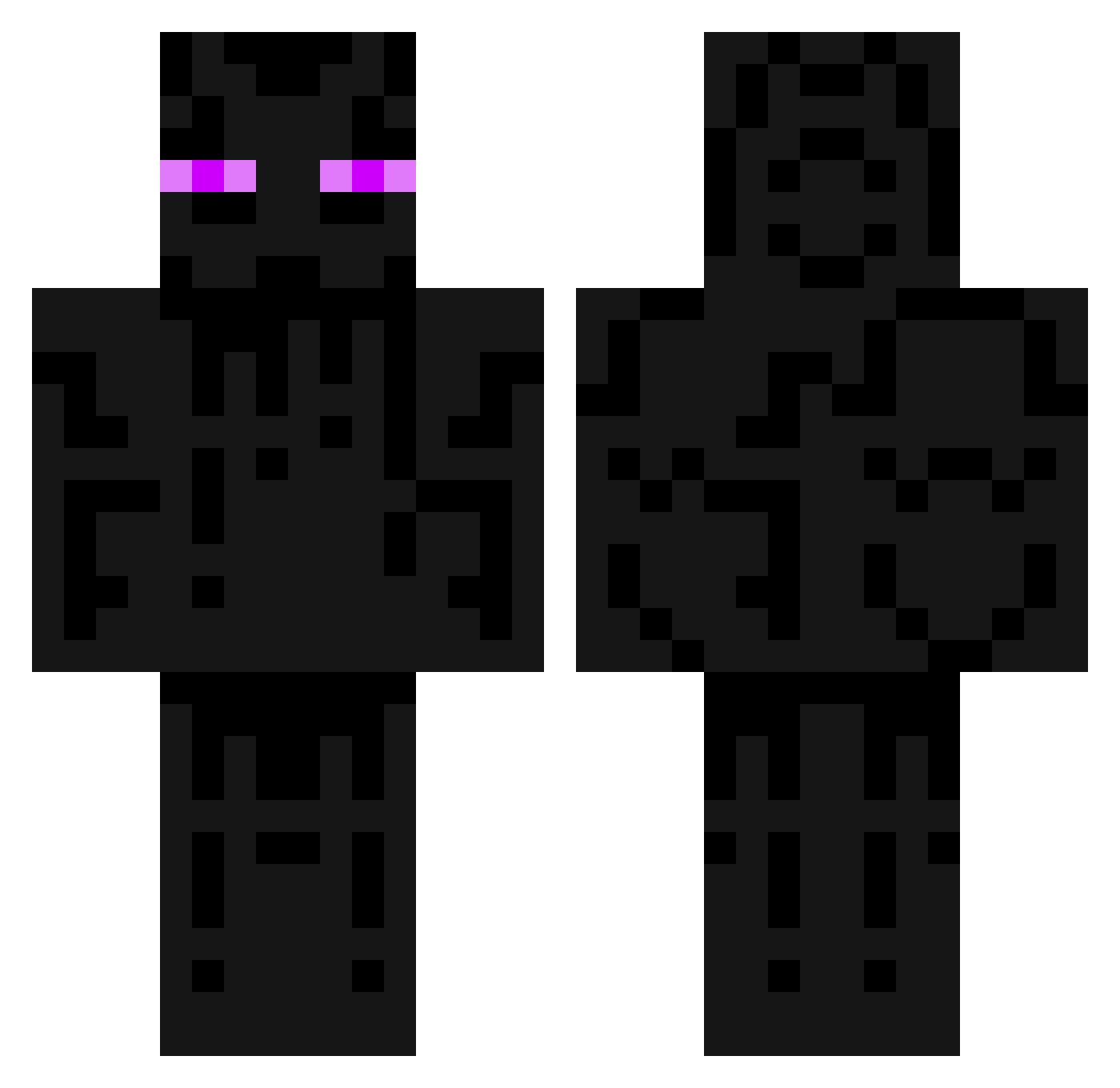
Current Minecraft skin of the player connor9020, loaded from the official Mojang API. Rotate the 3D model with your mouse or finger, then download the skin as a PNG file and use it in Minecraft: Bedrock Edition or Java Edition for free. When connor9020 changes their skin, this page updates automatically and the old skin stays in the history below.
Other players with this skin (79)
connor9020 was the 18th player we have seen with this skin, first spotted on 23.08.2026. The same skin was seen on these players. Open a nickname to see their current skin and skin history.
 mine0limit legendcan Terradus Stuckey55 TakamuraMamoru Cynok Bmoore13 justkade Fuzzytrooper hex2000 denverboucher CaptainChoco3 taliagiro Brent1007 jan52 CaptainWEAZEL04 gare_bare lepgm69 fugi1 thebest0212 Riachuelo01 Jensufire Greentech2 VTHokie98 shiQzaL Peace_Seeker Faceroll13 BlackBryer call_35 xxevacxx Molteriet OnyxShadow_ JuliePKJ rosey_666 pineapplelol LegendTommi Six_Day_Builder atat700 minimunchsd trevorpenguin Schickly tomutili Meggerz55 lengar elton19 Ksander_r kastarax csorbello xTHExREALxOGx 2Stompy Mack4903 4EJI0BEK theREALdeal46 ledisi BigKevinRLi ryan1998_13 Super_Rocked cmt543 jvicious2 PrawdziwyDomingo
More Enderman Minecraft skins
How to install the connor9020 skin
- Press the Download button above to save the skin as a PNG file.
- Minecraft: Bedrock Edition (PE): open the Dressing Room from the main menu (or tap your character → Edit Character), go to Classic Skins → Owned, press the + (new skin) button, choose the downloaded PNG and pick the Classic (Steve) model. Works on PC and mobile; consoles cannot import custom skins.
- Minecraft: Java Edition: open the Minecraft Launcher, go to the Skins tab, click New Skin, load the PNG, pick the Classic (Steve) model and press Save & Use. You can also upload it at minecraft.net → Profile → Change Skin.
The skin does not show up after import - what should I do?
Restart Minecraft and open the Dressing Room again - imported skins sometimes appear only after a restart. Also make sure you selected the imported skin and picked the Classic (Steve) model.
Which model should I choose, Classic or Slim?
This skin is designed for the Classic (Steve) model. If you pick the wrong model, the arms of the skin will look stretched or squeezed.
Is the skin of connor9020 free to download?
Yes. Press Download, save the PNG file and use it in Minecraft: Bedrock Edition or Java Edition - no payment or registration needed. The skin also works on multiplayer servers and Realms.
More skins
Looking for more? Go back to all Minecraft skins and check the top skins of the week, month and all time, or find any player's skin by nickname.