
communisimkills - Minecraft Skins & Skin History
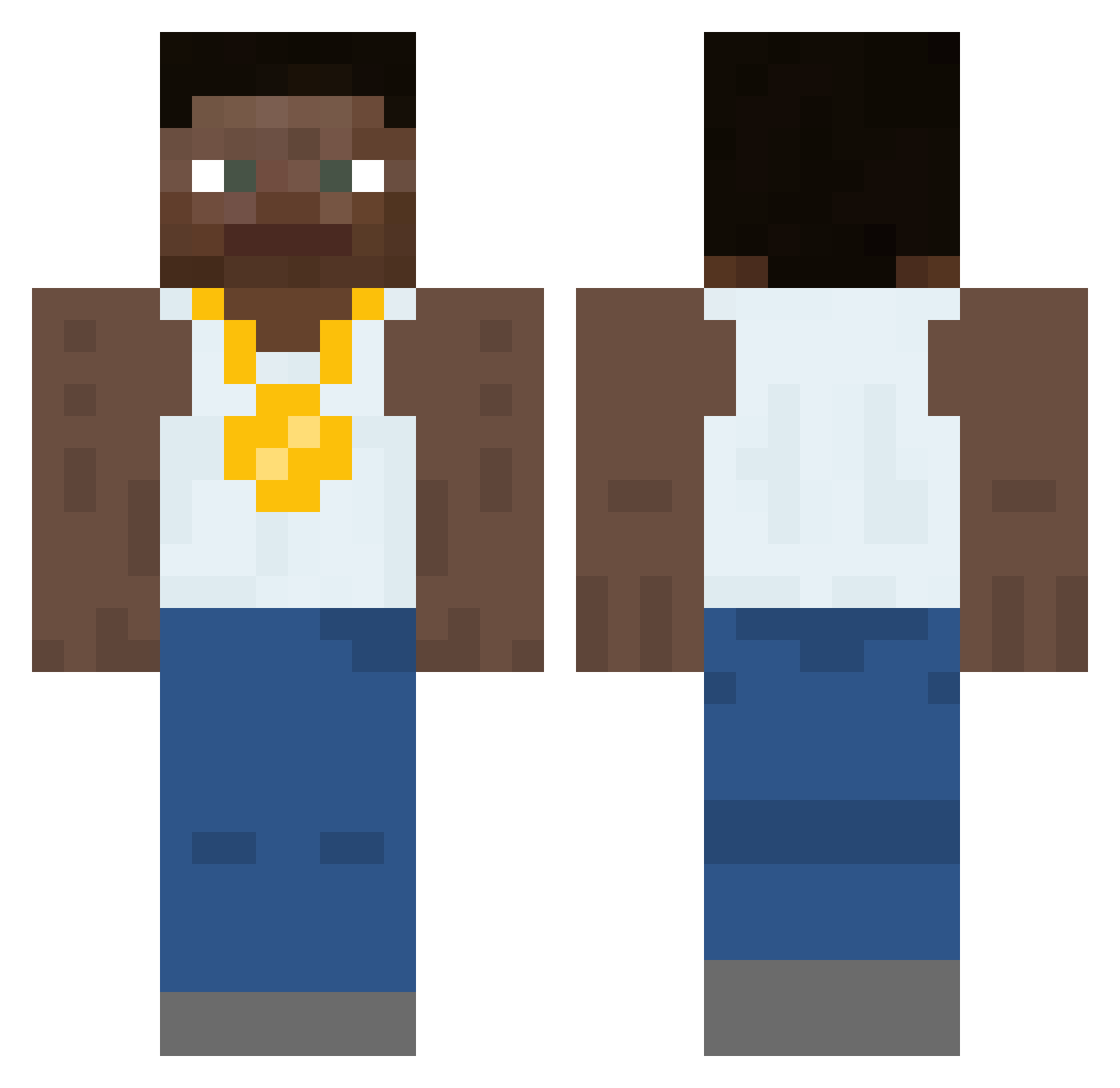
Current Minecraft skin of the player communisimkills, loaded from the official Mojang API. Rotate the 3D model with your mouse or finger, then download the skin as a PNG file and use it in Minecraft: Bedrock Edition or Java Edition for free. When communisimkills changes their skin, this page updates automatically and the old skin stays in the history below.
Other players with this skin (453)
communisimkills was the 132nd player we have seen with this skin, first spotted on 24.08.2026. The same skin was seen on these players. Open a nickname to see their current skin and skin history.
 Chasetheman25 the_fman Andrew_L p0elar Tuhabej spoonholder sh8ym8 For_skimMilk MrCircle737 ArtGrem Das_Eman Neo_X03 juicyrnf xlhans DrWalter9 deanndudes qJBK SaintMeroo B3BE_TSM Snover089 TheDrizzle34 oracity Daisy123411 tshea123 5exyboy3000 skramm FacebookSupaStar mango_ss bruhmoment690 Reefman OmahaBuckShank Blak33 EAape walkemdowneugene BreadGuy7 Apolloees jiffybread Acqrl MrSneazle Zarg__ kali9 badcant NotoriousKev _BadHombre_ Ritual_Bean AmpTheShamen xc4rr DerlinWall Lil_x_adrian baconator7726 jingljangljung okke213 PercConsumer123 SYNDROME511 RndmOrng KowalZycia Dissa01 TappanJD Wolfgangus MrSeniorKitKat
More Gold Chain Minecraft skins
How to install the communisimkills skin
- Press the Download button above to save the skin as a PNG file.
- Minecraft: Bedrock Edition (PE): open the Dressing Room from the main menu (or tap your character → Edit Character), go to Classic Skins → Owned, press the + (new skin) button, choose the downloaded PNG and pick the Classic (Steve) model. Works on PC and mobile; consoles cannot import custom skins.
- Minecraft: Java Edition: open the Minecraft Launcher, go to the Skins tab, click New Skin, load the PNG, pick the Classic (Steve) model and press Save & Use. You can also upload it at minecraft.net → Profile → Change Skin.
The skin does not show up after import - what should I do?
Restart Minecraft and open the Dressing Room again - imported skins sometimes appear only after a restart. Also make sure you selected the imported skin and picked the Classic (Steve) model.
Which model should I choose, Classic or Slim?
This skin is designed for the Classic (Steve) model. If you pick the wrong model, the arms of the skin will look stretched or squeezed.
Is the skin of communisimkills free to download?
Yes. Press Download, save the PNG file and use it in Minecraft: Bedrock Edition or Java Edition - no payment or registration needed. The skin also works on multiplayer servers and Realms.
More skins
Looking for more? Go back to all Minecraft skins and check the top skins of the week, month and all time, or find any player's skin by nickname.