
cochonquirit - Minecraft Skins & Skin History
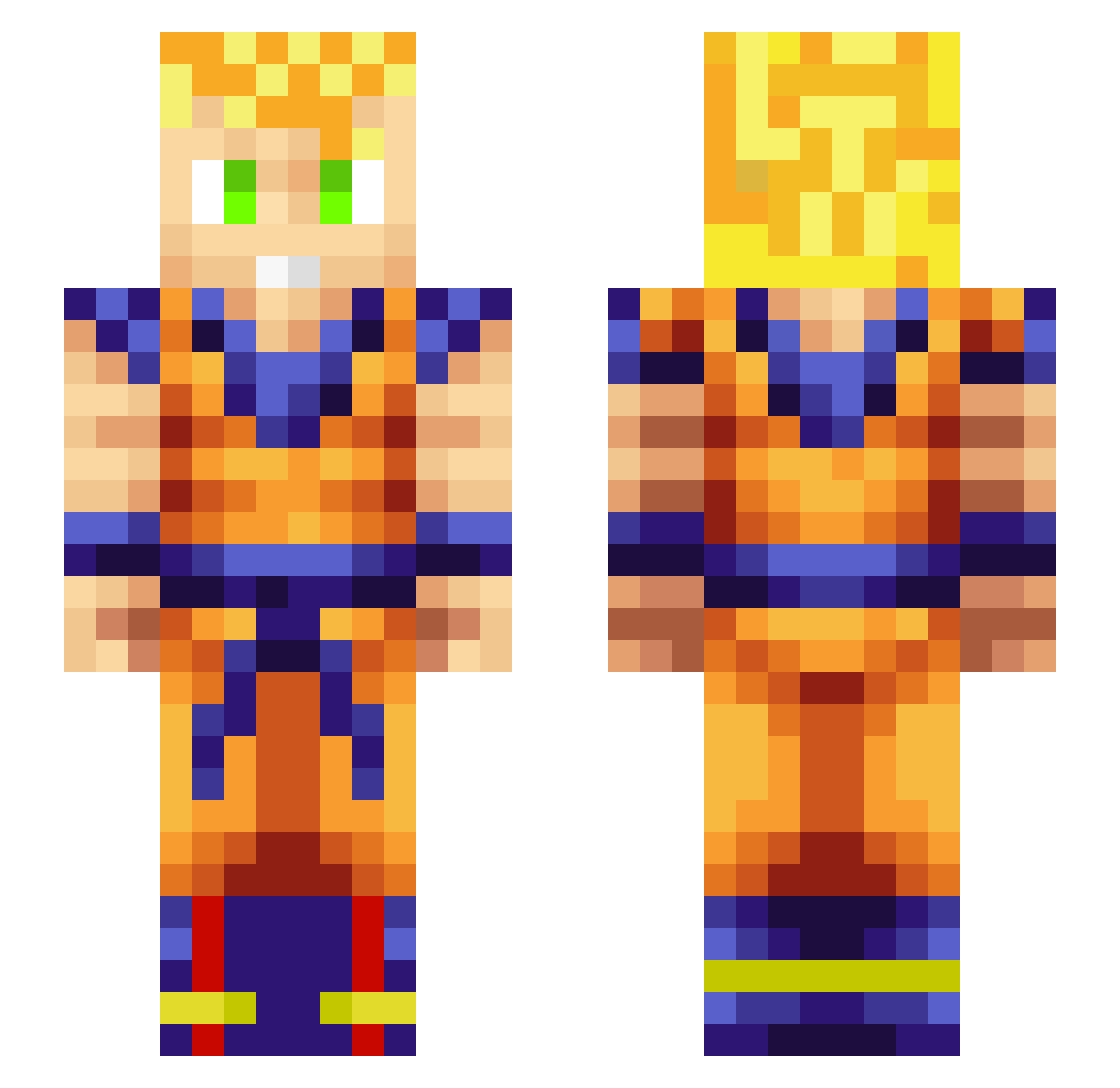
Current Minecraft skin of the player cochonquirit, loaded from the official Mojang API. Rotate the 3D model with your mouse or finger, then download the skin as a PNG file and use it in Minecraft: Bedrock Edition or Java Edition for free. When cochonquirit changes their skin, this page updates automatically and the old skin stays in the history below.
Other players with this skin (321)
cochonquirit was the 141st player we have seen with this skin, first spotted on 16.09.2026. The same skin was seen on these players. Open a nickname to see their current skin and skin history.
 pravardabas UP0031 Wolvesyy YyTriggeryY TheProtector55 VENOMV99 xBulla3 Yuanakk Ballinbeez815 TommyFlex1406 PittViper667 CGN_Knight1 KingStoner42 _TazOr Totodile0830 CNMHX martelljb HaloForklift Beezleybuzz S7even411 Syn_Gates TheBigFish44 LupsBubs Micahclark10 Ilove_telly Coconutbutter27 John9289 NismoDOMA bonbon03 alortizg Teratoi Shout971 bigdaddymoose Picolu giz2040 BabyGoon _Ducky_Cigan_ Kratos20211 WiselyChen Charuzu07 Alex632007 Molarthrone devil_fier AyOOOu Yesbeer Prymes90 GD0328 DazedJ0KER ironlink Maharshi Lexapr Alegend35 iTrixxor420 Krisko9611 Morphar Christophkh Heebaro pedraco7 LoneReaperX Bernie8910
More Goku Minecraft skins
How to install the cochonquirit skin
- Press the Download button above to save the skin as a PNG file.
- Minecraft: Bedrock Edition (PE): open the Dressing Room from the main menu (or tap your character → Edit Character), go to Classic Skins → Owned, press the + (new skin) button, choose the downloaded PNG and pick the Slim (Alex) model. Works on PC and mobile; consoles cannot import custom skins.
- Minecraft: Java Edition: open the Minecraft Launcher, go to the Skins tab, click New Skin, load the PNG, pick the Slim (Alex) model and press Save & Use. You can also upload it at minecraft.net → Profile → Change Skin.
The skin does not show up after import - what should I do?
Restart Minecraft and open the Dressing Room again - imported skins sometimes appear only after a restart. Also make sure you selected the imported skin and picked the Slim (Alex) model.
Which model should I choose, Classic or Slim?
This skin is designed for the Slim (Alex) model. If you pick the wrong model, the arms of the skin will look stretched or squeezed.
Is the skin of cochonquirit free to download?
Yes. Press Download, save the PNG file and use it in Minecraft: Bedrock Edition or Java Edition - no payment or registration needed. The skin also works on multiplayer servers and Realms.
More skins
Looking for more? Go back to all Minecraft skins and check the top skins of the week, month and all time, or find any player's skin by nickname.