
cleveryyx - Minecraft Skins & Skin History
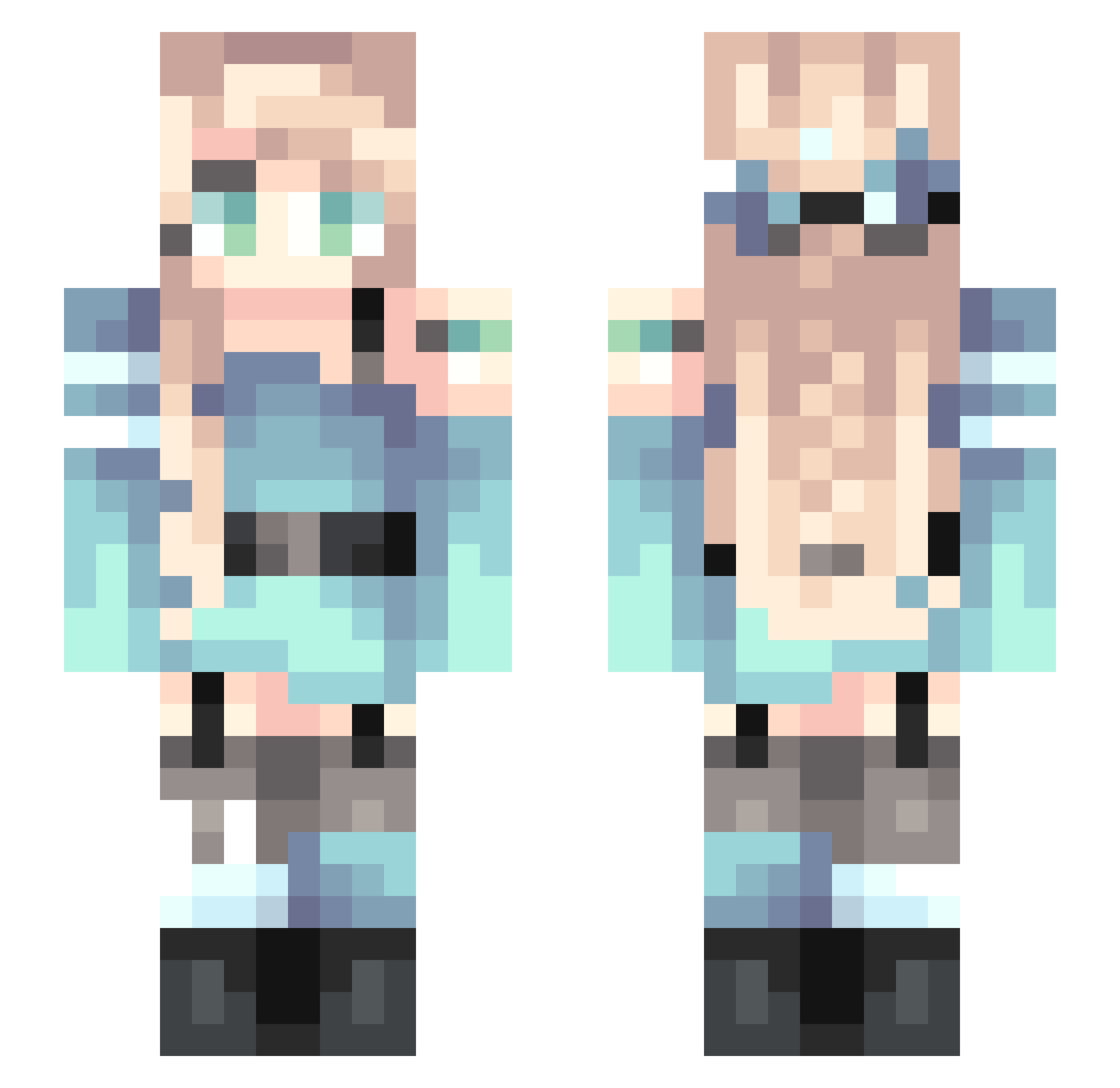
Current Minecraft skin of the player cleveryyx, loaded from the official Mojang API. Rotate the 3D model with your mouse or finger, then download the skin as a PNG file and use it in Minecraft: Bedrock Edition or Java Edition for free. When cleveryyx changes their skin, this page updates automatically and the old skin stays in the history below.
Other players with this skin (255)
cleveryyx was the 36th player we have seen with this skin, first spotted on 11.08.2026. The same skin was seen on these players. Open a nickname to see their current skin and skin history.
 steffonya ri9nm EmileeZ StarOuyang Hao_ZHENG HuaJue drjoana WolverinaTinten
 SzViki99 cody14__ Sweetheart_Jo Soaring593 ClicheFaith HappyGee 5G_NR Kittenlover070 Bookehhh YTmiemie Misaka11098 MINGK2 heyuhao Heidewanderer Palmaranian B_Line StarlightCN Xiao_Xin1 guo_jun DistantSora l_SORA1 YuXuan318 Cindermeg17 Dotcom314 mwy_ bai_yue_ LEIMIYE arumlila Ainarial FreeBismarck Raven2892 blackbio OverLord_789 Azleigh LilicaMitsuki FAlconWIng23 Skypumpkin w_x_x_w Just1Eliza yueyueyuyu MemoriesNotFound CHP05 Anezhen Solar_breeze_e Lao_Mo076 Luluicey flyingcatfish85 Owl____ qheee Anaiiii Yijayi YmsPlume
More Braid Minecraft skins
How to install the cleveryyx skin
- Press the Download button above to save the skin as a PNG file.
- Minecraft: Bedrock Edition (PE): open the Dressing Room from the main menu (or tap your character → Edit Character), go to Classic Skins → Owned, press the + (new skin) button, choose the downloaded PNG and pick the Slim (Alex) model. Works on PC and mobile; consoles cannot import custom skins.
- Minecraft: Java Edition: open the Minecraft Launcher, go to the Skins tab, click New Skin, load the PNG, pick the Slim (Alex) model and press Save & Use. You can also upload it at minecraft.net → Profile → Change Skin.
The skin does not show up after import - what should I do?
Restart Minecraft and open the Dressing Room again - imported skins sometimes appear only after a restart. Also make sure you selected the imported skin and picked the Slim (Alex) model.
Which model should I choose, Classic or Slim?
This skin is designed for the Slim (Alex) model. If you pick the wrong model, the arms of the skin will look stretched or squeezed.
Is the skin of cleveryyx free to download?
Yes. Press Download, save the PNG file and use it in Minecraft: Bedrock Edition or Java Edition - no payment or registration needed. The skin also works on multiplayer servers and Realms.
More skins
Looking for more? Go back to all Minecraft skins and check the top skins of the week, month and all time, or find any player's skin by nickname.