
clederaaaa - Minecraft Skins & Skin History
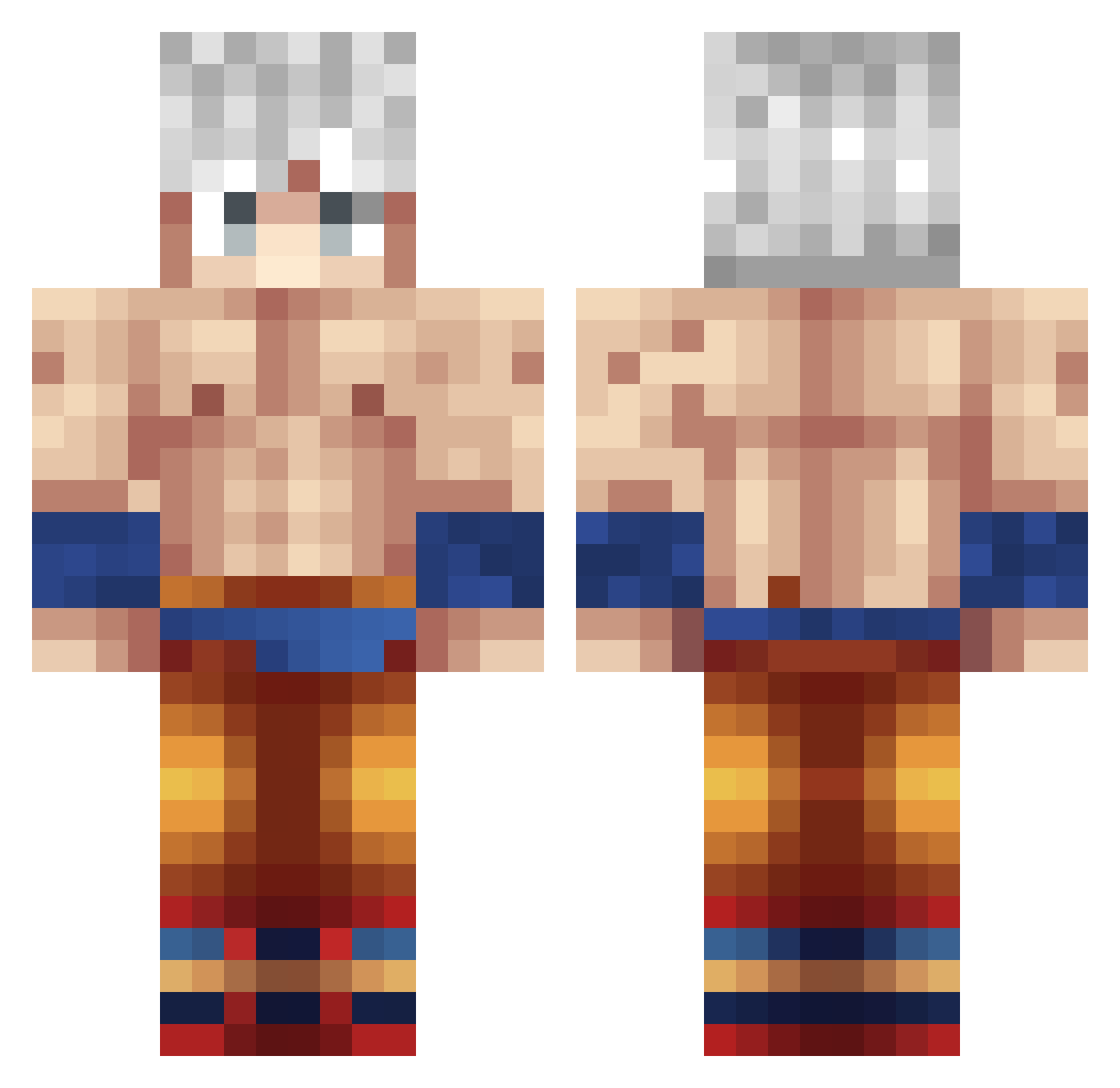
Current Minecraft skin of the player clederaaaa, loaded from the official Mojang API. Rotate the 3D model with your mouse or finger, then download the skin as a PNG file and use it in Minecraft: Bedrock Edition or Java Edition for free. When clederaaaa changes their skin, this page updates automatically and the old skin stays in the history below.
Other players with this skin (374)
clederaaaa was the 353rd player we have seen with this skin, first spotted on 27.10.2026. The same skin was seen on these players. Open a nickname to see their current skin and skin history.
 philis23 Kludgii KAKAROT1904 CHIMCHIMM I_DM FlameMonkey14322 Johanns_ izoeiko Bright_bat_gamin GabroxCito RafaZeroOF Nyko123 soarsfl GizmoeTV carachi619 Picollo16_4 JARG11X Cashevans85 BodyOfPain PrivateBanana DANIELa222222 Snart_Allen AirBalaX GWRGPokeYT Elyesa6109 Moedoran miguelzzyz DORONOA_ FlyingSaiyajin xBorfus harel5 ElNew TooMuchZeus xHabibi Psycho_MUI XAPAOCAPO Chirio1337 zXBernalXz MrKifa20 parsthegreat R1vera12 Nlcoofdoom Mad69_ SonGoku3233 BallZeer Swiftpwns2 LAFARINE37 exdort15 Cocotte2104 1akhas5 SKYLARules Blake0d3 Gada125 XsVeX RAMZDX3000 24kMyson dannyelpenguin Kevinchupiter Djalexvz ANGEL222G
More Goku Minecraft skins
How to install the clederaaaa skin
- Press the Download button above to save the skin as a PNG file.
- Minecraft: Bedrock Edition (PE): open the Dressing Room from the main menu (or tap your character → Edit Character), go to Classic Skins → Owned, press the + (new skin) button, choose the downloaded PNG and pick the Classic (Steve) model. Works on PC and mobile; consoles cannot import custom skins.
- Minecraft: Java Edition: open the Minecraft Launcher, go to the Skins tab, click New Skin, load the PNG, pick the Classic (Steve) model and press Save & Use. You can also upload it at minecraft.net → Profile → Change Skin.
The skin does not show up after import - what should I do?
Restart Minecraft and open the Dressing Room again - imported skins sometimes appear only after a restart. Also make sure you selected the imported skin and picked the Classic (Steve) model.
Which model should I choose, Classic or Slim?
This skin is designed for the Classic (Steve) model. If you pick the wrong model, the arms of the skin will look stretched or squeezed.
Is the skin of clederaaaa free to download?
Yes. Press Download, save the PNG file and use it in Minecraft: Bedrock Edition or Java Edition - no payment or registration needed. The skin also works on multiplayer servers and Realms.
More skins
Looking for more? Go back to all Minecraft skins and check the top skins of the week, month and all time, or find any player's skin by nickname.