
clar_aa - Minecraft Skins & Skin History
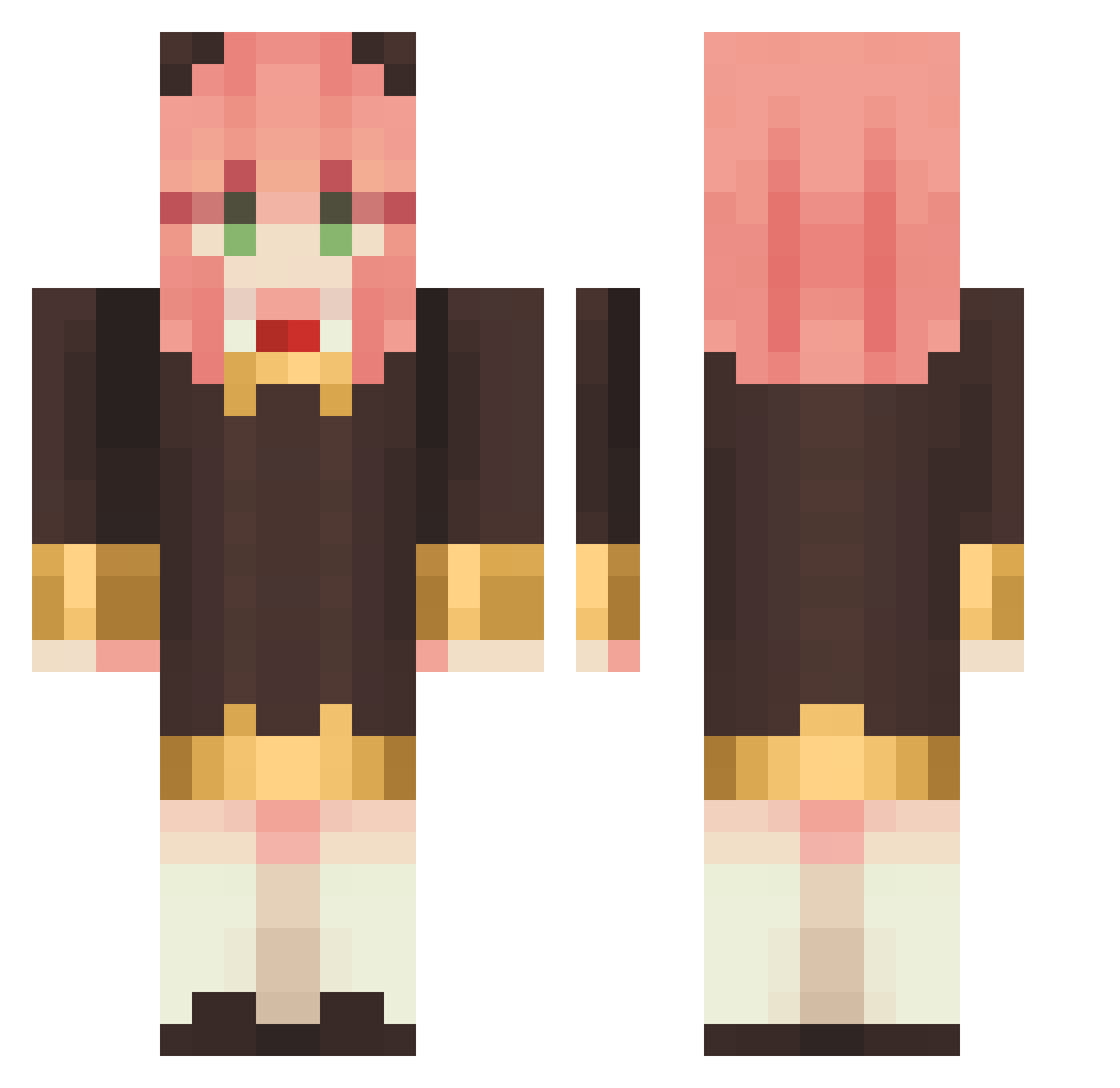
Current Minecraft skin of the player clar_aa, loaded from the official Mojang API. Rotate the 3D model with your mouse or finger, then download the skin as a PNG file and use it in Minecraft: Bedrock Edition or Java Edition for free. When clar_aa changes their skin, this page updates automatically and the old skin stays in the history below.
Other players with this skin (1137)
clar_aa was the 829th player we have seen with this skin, first spotted on 14.10.2026. The same skin was seen on these players. Open a nickname to see their current skin and skin history.
 MarinouCoCo tikamanpo Lanpa_so_big skdus_0 izxblla Diferwave Junhao89 dadaosizhishi Nexxz hasese sakuya0v0 DK114 Olmar017 Sun007 Nicoodoo kk120892 HZYYYYY DongD_ andyjws craicdaddyk kittyhou11 inpicmo Frozen_Melodies _tako14 randy0925_TW Destinyofwar HappyDJ114 lRayexl dDonggeb Alice_RRH 9u1et Haruma2547 0Choir Daz78 LeejaeG weighted2gaming waisufd117F aurea_s JordiJorx amanojaki Snowpointz Anounymous00 PhoebeLin MayZLiao Meronpan0815 syl130119 Quakzym seoseong7 Hcnneyroses Ayaaa Binorsk Kaminny Carin_Kathy XuanNya Zedrild goma_dressing nick810 beontop kiki_W TG0803
More Anya Forger Minecraft skins
How to install the clar_aa skin
- Press the Download button above to save the skin as a PNG file.
- Minecraft: Bedrock Edition (PE): open the Dressing Room from the main menu (or tap your character → Edit Character), go to Classic Skins → Owned, press the + (new skin) button, choose the downloaded PNG and pick the Classic (Steve) model. Works on PC and mobile; consoles cannot import custom skins.
- Minecraft: Java Edition: open the Minecraft Launcher, go to the Skins tab, click New Skin, load the PNG, pick the Classic (Steve) model and press Save & Use. You can also upload it at minecraft.net → Profile → Change Skin.
The skin does not show up after import - what should I do?
Restart Minecraft and open the Dressing Room again - imported skins sometimes appear only after a restart. Also make sure you selected the imported skin and picked the Classic (Steve) model.
Which model should I choose, Classic or Slim?
This skin is designed for the Classic (Steve) model. If you pick the wrong model, the arms of the skin will look stretched or squeezed.
Is the skin of clar_aa free to download?
Yes. Press Download, save the PNG file and use it in Minecraft: Bedrock Edition or Java Edition - no payment or registration needed. The skin also works on multiplayer servers and Realms.
More skins
Looking for more? Go back to all Minecraft skins and check the top skins of the week, month and all time, or find any player's skin by nickname.