
claire32311 - Minecraft Skins & Skin History
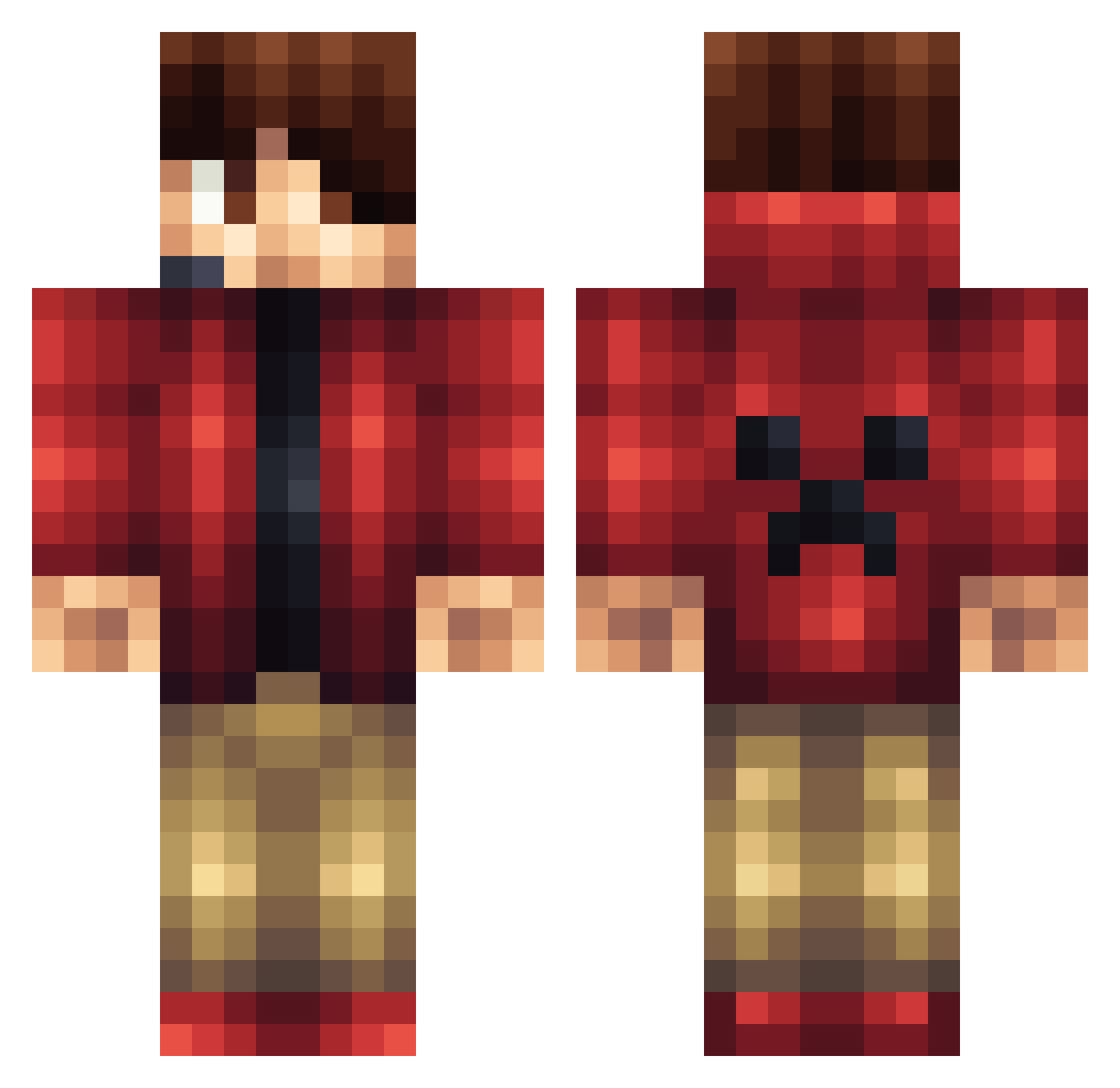
Current Minecraft skin of the player claire32311, loaded from the official Mojang API. Rotate the 3D model with your mouse or finger, then download the skin as a PNG file and use it in Minecraft: Bedrock Edition or Java Edition for free. When claire32311 changes their skin, this page updates automatically and the old skin stays in the history below.
Other players with this skin (145)
claire32311 was the 53rd player we have seen with this skin, first spotted on 30.08.2026. The same skin was seen on these players. Open a nickname to see their current skin and skin history.
 ra602 FidiasIII FerboMC L3XAWiesel DeluxeSlayer TheWaddler22 EthBee2005 Tobixxd1 Yfeng233 yingzi_pi quin_beck JonShiver Toorms Light5407 ElemKay The64bitdude Habs112 jeykq Dr_nooboo Luca1588 Willrich_7 slimerdude77 d86exX4Q iDeddd Stark135 ViperKA Flofunxpd wachisanti LDN97 Pookie14_ YmaskerGaming586 AshwinRaj1 Alexshayh astrup07 kubagp Darks_X Fred_Friend CedomasterLP dlpizzaboy Posho333 nmac0303 Mr_Dreamcatcher Zeqo EmeraldBaron iRzilla BChap7 chuckruben Gz_maxwellbax TheClasher Wiliam1403 Parousia343 Baltagod999 Counter_Boomer Daisy3556 Aaonjun SyndiacteComplex Spyrex47 CDC139 TxWillis Xelorius_
More Headset Minecraft skins
How to install the claire32311 skin
- Press the Download button above to save the skin as a PNG file.
- Minecraft: Bedrock Edition (PE): open the Dressing Room from the main menu (or tap your character → Edit Character), go to Classic Skins → Owned, press the + (new skin) button, choose the downloaded PNG and pick the Classic (Steve) model. Works on PC and mobile; consoles cannot import custom skins.
- Minecraft: Java Edition: open the Minecraft Launcher, go to the Skins tab, click New Skin, load the PNG, pick the Classic (Steve) model and press Save & Use. You can also upload it at minecraft.net → Profile → Change Skin.
The skin does not show up after import - what should I do?
Restart Minecraft and open the Dressing Room again - imported skins sometimes appear only after a restart. Also make sure you selected the imported skin and picked the Classic (Steve) model.
Which model should I choose, Classic or Slim?
This skin is designed for the Classic (Steve) model. If you pick the wrong model, the arms of the skin will look stretched or squeezed.
Is the skin of claire32311 free to download?
Yes. Press Download, save the PNG file and use it in Minecraft: Bedrock Edition or Java Edition - no payment or registration needed. The skin also works on multiplayer servers and Realms.
More skins
Looking for more? Go back to all Minecraft skins and check the top skins of the week, month and all time, or find any player's skin by nickname.