
chrispy_creamy - Minecraft Skins & Skin History
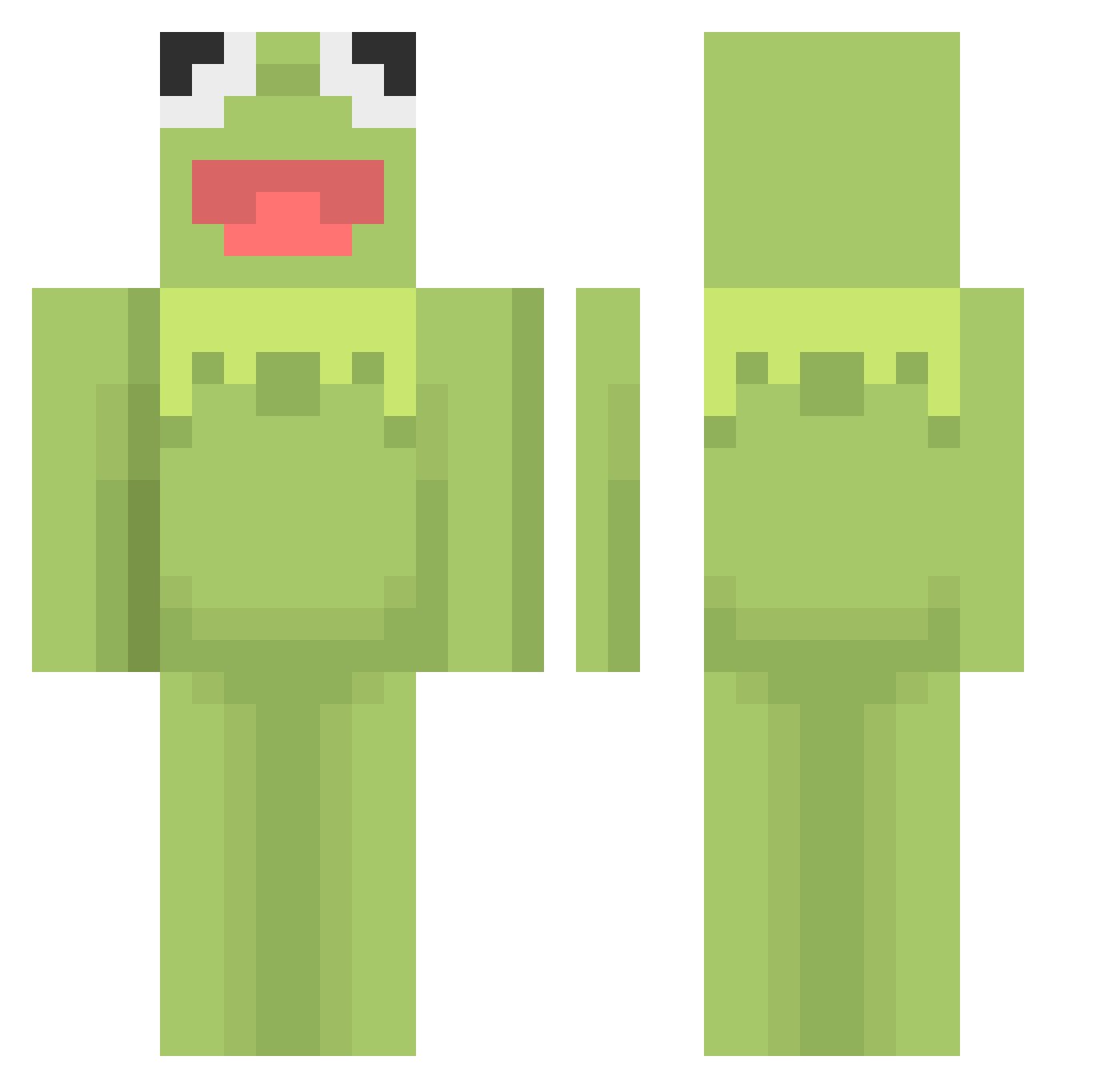
Current Minecraft skin of the player chrispy_creamy, loaded from the official Mojang API. Rotate the 3D model with your mouse or finger, then download the skin as a PNG file and use it in Minecraft: Bedrock Edition or Java Edition for free. When chrispy_creamy changes their skin, this page updates automatically and the old skin stays in the history below.
Other players with this skin (460)
chrispy_creamy was the 210th player we have seen with this skin, first spotted on 13.09.2026. The same skin was seen on these players. Open a nickname to see their current skin and skin history.
 72_jiao liamhates_spoons flowerhuman TheC0C0 Kaiiiii0305 JackAppleSeed lope9854 sprigbit jasper025 Hellohannis Vceail cmgreco Enderman_1o1 PancakeIsBuff akaDennisHS dlrkfka HANININI XammaX15 LoveSick17 The_Real_Yobama 20spencer wjdghdud0512 Fittyboy123 Aquaphaena ashdowden bejbek69 GiantSpaceNugget killdawood Fierce_Emu DrSer3n iisxme Evergreengeek Feedmenuggs Minor_plays U_know_Adil chloecoda dkim1009 Me_Tylord LuckyPump MintGnat Zephyruss GotAnyNachos Pepperoni1171 TimmeLOL PurplePiggu cuteguy0011 Dark_Egg ipineapple7 littlelocalfrog BjorkFanxD PoseidonPog Meinguyen nothxillpass chewchew_ovo mimikomi trickyy_y amphibionic UNX33N fiokid miloprince124
More Kermit The Frog Minecraft skins
See all 395 Kermit The Frog skins
How to install the chrispy_creamy skin
- Press the Download button above to save the skin as a PNG file.
- Minecraft: Bedrock Edition (PE): open the Dressing Room from the main menu (or tap your character → Edit Character), go to Classic Skins → Owned, press the + (new skin) button, choose the downloaded PNG and pick the Classic (Steve) model. Works on PC and mobile; consoles cannot import custom skins.
- Minecraft: Java Edition: open the Minecraft Launcher, go to the Skins tab, click New Skin, load the PNG, pick the Classic (Steve) model and press Save & Use. You can also upload it at minecraft.net → Profile → Change Skin.
The skin does not show up after import - what should I do?
Restart Minecraft and open the Dressing Room again - imported skins sometimes appear only after a restart. Also make sure you selected the imported skin and picked the Classic (Steve) model.
Which model should I choose, Classic or Slim?
This skin is designed for the Classic (Steve) model. If you pick the wrong model, the arms of the skin will look stretched or squeezed.
Is the skin of chrispy_creamy free to download?
Yes. Press Download, save the PNG file and use it in Minecraft: Bedrock Edition or Java Edition - no payment or registration needed. The skin also works on multiplayer servers and Realms.
More skins
Looking for more? Go back to all Minecraft skins and check the top skins of the week, month and all time, or find any player's skin by nickname.