
chmoniiic - Minecraft Skins & Skin History
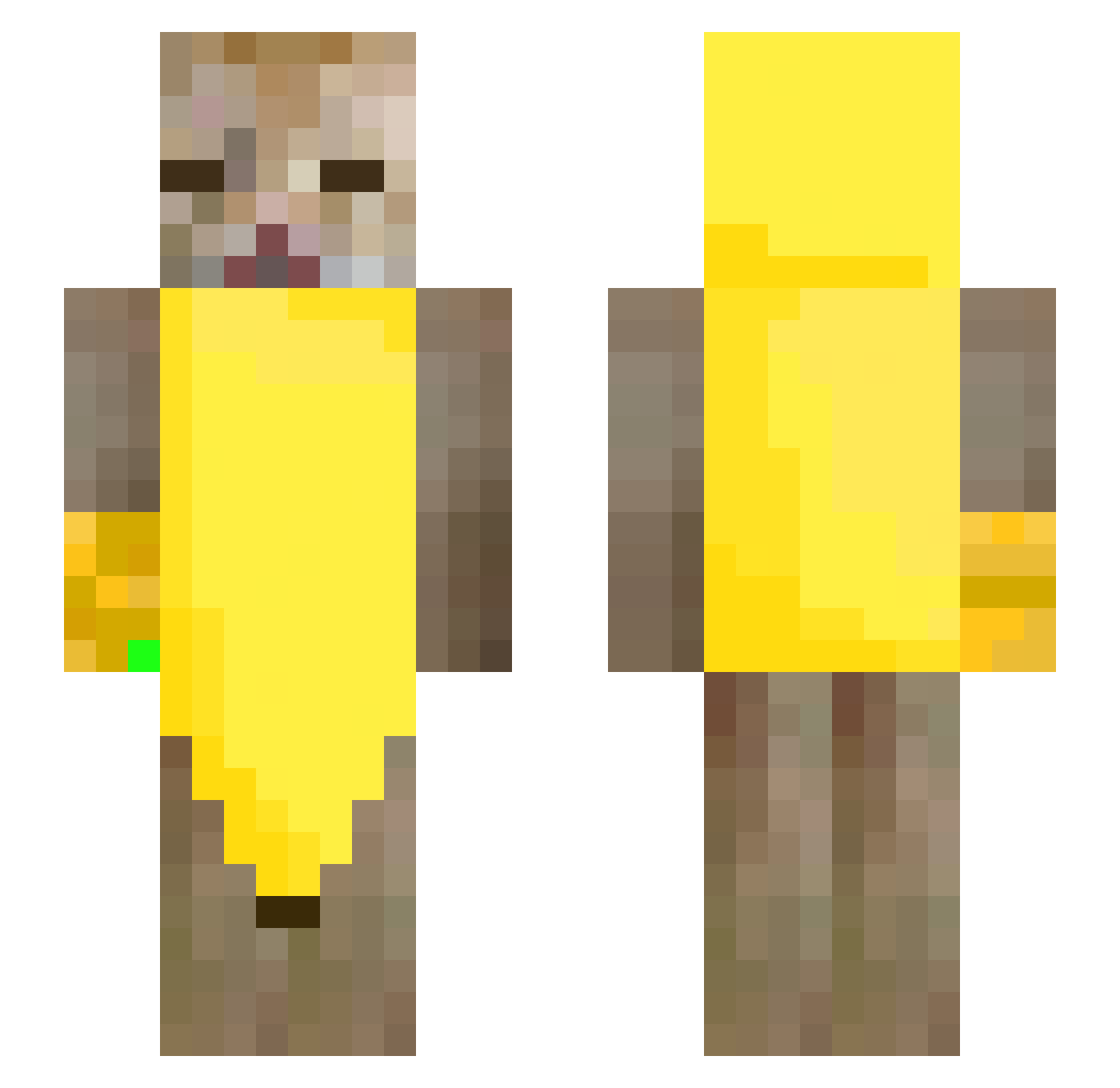
Current Minecraft skin of the player chmoniiic, loaded from the official Mojang API. Rotate the 3D model with your mouse or finger, then download the skin as a PNG file and use it in Minecraft: Bedrock Edition or Java Edition for free. When chmoniiic changes their skin, this page updates automatically and the old skin stays in the history below.
Other players with this skin (288)
chmoniiic was the 253rd player we have seen with this skin, first spotted on 05.11.2026. The same skin was seen on these players. Open a nickname to see their current skin and skin history.
 Stian_Norway AGUaaaaaaVa_O Bean59 FlayFlorx01 Yeoreum__ austinsxmpz YS2009 vaunera 1lyt PHUSA GlubschiO_O Salmonfish1023 junos07 limitxvv Honel_ PixelNinja2013 Stummi Ni55 DING_ZHEN233 Riceman_HugeWang Kuyii2 glassblades Adehmn EmilyZ_ LilLiVo Igor3318 qClarissa kindmoon37 ilovefentcarts emcherri emilian27x BlackSurvival2 smilekwan idk6712 MacFly94 ninjazbrazyli67 pakistanczyk2115 zldthdus 1mads23 LulzXdLulz eloitphant somemaiden kittencutemeow Godzaikot Khaleesi_tv Pepelotas_ mipansusumiam acwillmar zarvix1 tastecat doki1977 DatGuyFoxel_ mikelele1211 newpopcorn3 hk06110 nwoknus Parabellum_ cactusillo ikun________ Elyssiae
More Banana Minecraft skins
How to install the chmoniiic skin
- Press the Download button above to save the skin as a PNG file.
- Minecraft: Bedrock Edition (PE): open the Dressing Room from the main menu (or tap your character → Edit Character), go to Classic Skins → Owned, press the + (new skin) button, choose the downloaded PNG and pick the Slim (Alex) model. Works on PC and mobile; consoles cannot import custom skins.
- Minecraft: Java Edition: open the Minecraft Launcher, go to the Skins tab, click New Skin, load the PNG, pick the Slim (Alex) model and press Save & Use. You can also upload it at minecraft.net → Profile → Change Skin.
The skin does not show up after import - what should I do?
Restart Minecraft and open the Dressing Room again - imported skins sometimes appear only after a restart. Also make sure you selected the imported skin and picked the Slim (Alex) model.
Which model should I choose, Classic or Slim?
This skin is designed for the Slim (Alex) model. If you pick the wrong model, the arms of the skin will look stretched or squeezed.
Is the skin of chmoniiic free to download?
Yes. Press Download, save the PNG file and use it in Minecraft: Bedrock Edition or Java Edition - no payment or registration needed. The skin also works on multiplayer servers and Realms.
More skins
Looking for more? Go back to all Minecraft skins and check the top skins of the week, month and all time, or find any player's skin by nickname.