
chickos - Minecraft Skins & Skin History
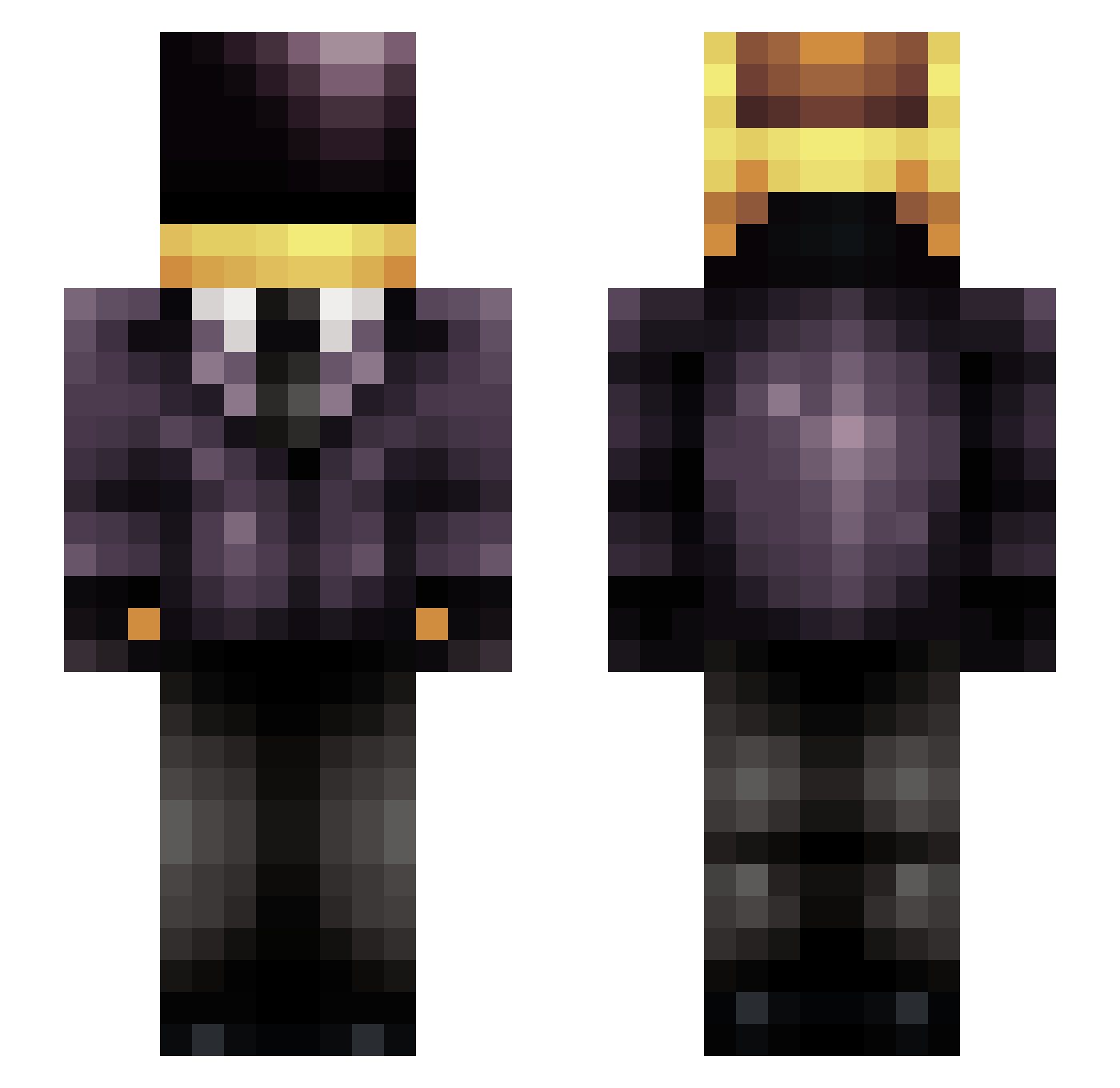
Current Minecraft skin of the player chickos, loaded from the official Mojang API. Rotate the 3D model with your mouse or finger, then download the skin as a PNG file and use it in Minecraft: Bedrock Edition or Java Edition for free. When chickos changes their skin, this page updates automatically and the old skin stays in the history below.
Other players with this skin (299)
chickos was the 264th player we have seen with this skin, first spotted on 08.11.2026. The same skin was seen on these players. Open a nickname to see their current skin and skin history.
 Dr_NaRwHaL_PhD Hoon_97 JustaDaBusta Mehstang RandonnGuy Elleville evvvvvv mcneb10 neronatac DaRcKoBsCuRe Blyy Mastertlf alphaodesza Juanbau777 Toxicon1999 cartierfangs QuietusPlus CaptainEvil76 Este_banane Reggie_G azamot Zed_Delta karabebela Onix_Ibiza ICEJamong PRlV XXX_SaltGod D4f7 DisAtlas Eraeser ChorizoFurioso Paillan ChubbsPeterson JulsBlock Dualityknight 8Tyler8 Xworry Polybius247 Restonnnn sharliFECH tropicalmc_ verdito56 sportawesome AlanFierr0 SigmaBoray Reptice_oui Xxaiver Klausreinehrtz2 ImGhosttt N0ble52 Alb_ator Tallomand NeutralJade BulkyBobOmb Johanmez SirBucketos Vityamalz TheEpicMilkMan vini69 Admiralbear
More Daft Punk Minecraft skins
How to install the chickos skin
- Press the Download button above to save the skin as a PNG file.
- Minecraft: Bedrock Edition (PE): open the Dressing Room from the main menu (or tap your character → Edit Character), go to Classic Skins → Owned, press the + (new skin) button, choose the downloaded PNG and pick the Slim (Alex) model. Works on PC and mobile; consoles cannot import custom skins.
- Minecraft: Java Edition: open the Minecraft Launcher, go to the Skins tab, click New Skin, load the PNG, pick the Slim (Alex) model and press Save & Use. You can also upload it at minecraft.net → Profile → Change Skin.
The skin does not show up after import - what should I do?
Restart Minecraft and open the Dressing Room again - imported skins sometimes appear only after a restart. Also make sure you selected the imported skin and picked the Slim (Alex) model.
Which model should I choose, Classic or Slim?
This skin is designed for the Slim (Alex) model. If you pick the wrong model, the arms of the skin will look stretched or squeezed.
Is the skin of chickos free to download?
Yes. Press Download, save the PNG file and use it in Minecraft: Bedrock Edition or Java Edition - no payment or registration needed. The skin also works on multiplayer servers and Realms.
More skins
Looking for more? Go back to all Minecraft skins and check the top skins of the week, month and all time, or find any player's skin by nickname.