
chickendish - Minecraft Skins & Skin History
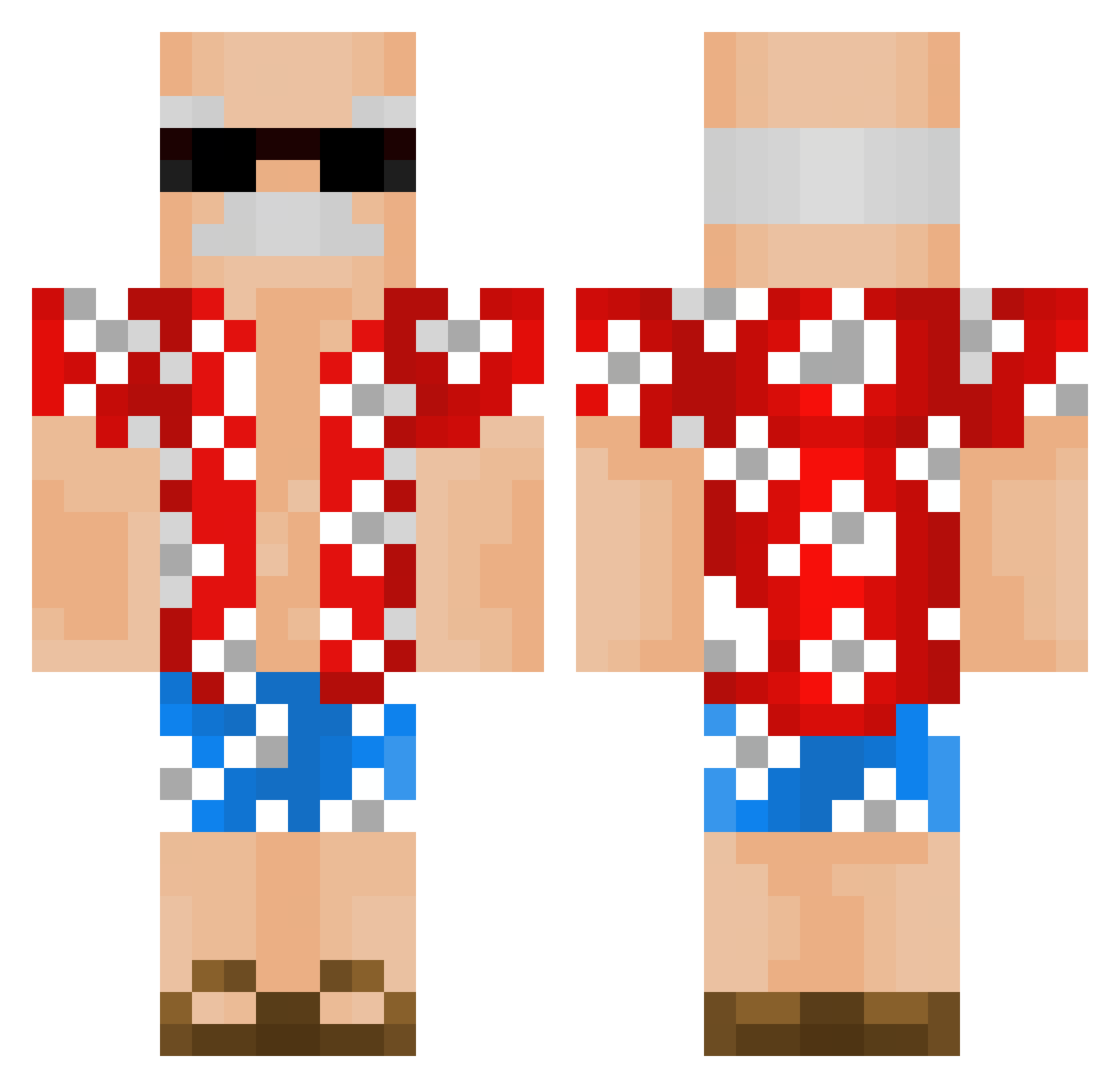
Current Minecraft skin of the player chickendish, loaded from the official Mojang API. Rotate the 3D model with your mouse or finger, then download the skin as a PNG file and use it in Minecraft: Bedrock Edition or Java Edition for free. When chickendish changes their skin, this page updates automatically and the old skin stays in the history below.
Other players with this skin (402)
chickendish was the 371st player we have seen with this skin, first spotted on 10.11.2026. The same skin was seen on these players. Open a nickname to see their current skin and skin history.
 Kaidenator9k LitterBe EJ42 lliili R0tjekn0r Semshaug Maxim5000 PuFF1r Noggi06_ dudemanbroh Spiider25 J1mb0b DerpieRobin SalSaNn YIYI0402 mkOz KissMeineNikez SmoothOpperator Klaudiuzs JIRAIYA_PE AFiln 0gurchenko bogdannel Pung96 ZEROPP3 FafaRafa_14 D_Athena BoboLaMalice mikay7a assassinder lebre28 pinpoint_34 Mynameisbru Alccatrazz Krishnett Kutaap13 KaltoumLaD Gelun MaZe_Bark FaZeTraktorrr WojteQ0622 niddhogs PIGjoah Eeyore_s KRIST0F Legendary_LG Alex20040430 KingSLM Lennart07403 MichaelM6565 Kali595 _Narran_ King_Seif Altius17 Xander0252 saboww TozaXPlays LilJuiceVert FatDevilEnt CraftMineuh
More Old Man Minecraft skins
How to install the chickendish skin
- Press the Download button above to save the skin as a PNG file.
- Minecraft: Bedrock Edition (PE): open the Dressing Room from the main menu (or tap your character → Edit Character), go to Classic Skins → Owned, press the + (new skin) button, choose the downloaded PNG and pick the Classic (Steve) model. Works on PC and mobile; consoles cannot import custom skins.
- Minecraft: Java Edition: open the Minecraft Launcher, go to the Skins tab, click New Skin, load the PNG, pick the Classic (Steve) model and press Save & Use. You can also upload it at minecraft.net → Profile → Change Skin.
The skin does not show up after import - what should I do?
Restart Minecraft and open the Dressing Room again - imported skins sometimes appear only after a restart. Also make sure you selected the imported skin and picked the Classic (Steve) model.
Which model should I choose, Classic or Slim?
This skin is designed for the Classic (Steve) model. If you pick the wrong model, the arms of the skin will look stretched or squeezed.
Is the skin of chickendish free to download?
Yes. Press Download, save the PNG file and use it in Minecraft: Bedrock Edition or Java Edition - no payment or registration needed. The skin also works on multiplayer servers and Realms.
More skins
Looking for more? Go back to all Minecraft skins and check the top skins of the week, month and all time, or find any player's skin by nickname.