
cheolyeon - Minecraft Skins & Skin History
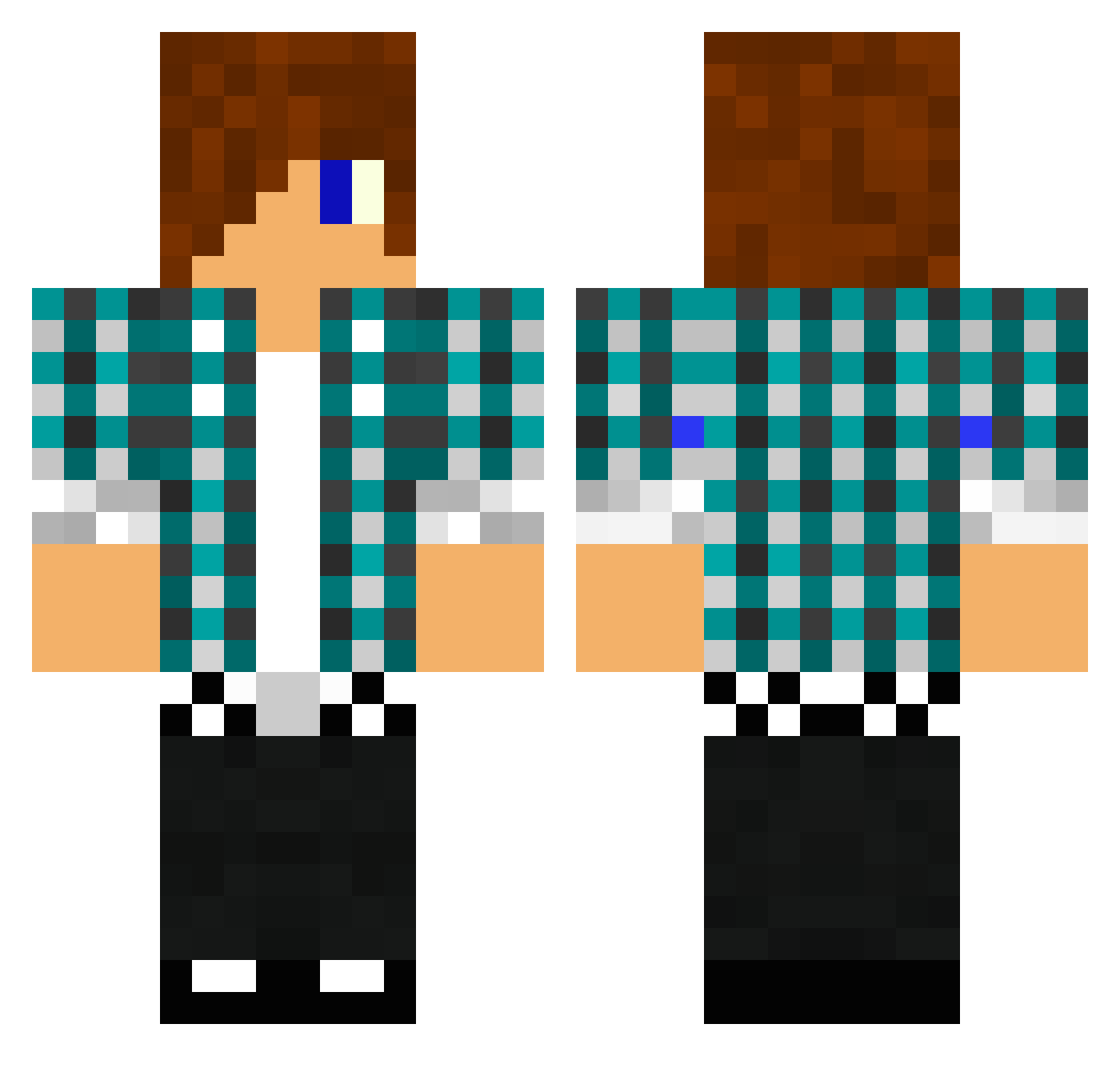
Current Minecraft skin of the player cheolyeon, loaded from the official Mojang API. Rotate the 3D model with your mouse or finger, then download the skin as a PNG file and use it in Minecraft: Bedrock Edition or Java Edition for free. When cheolyeon changes their skin, this page updates automatically and the old skin stays in the history below.
Other players with this skin (1475)
cheolyeon was the 849th player we have seen with this skin, first spotted on 01.10.2026. The same skin was seen on these players. Open a nickname to see their current skin and skin history.
 bloodycandies Killer_Drone_3 tobitut270 aga134 01eggy10 Mau1015 mattmcg calibnightmare maxiking2107 Linksmax sticklongershoot Grandalfas lucassebastian7 markseye11 hillkiller007 adibong999 Willrocks123 Darknes1995 danglers LachiCrafter Bennair Henning2000 WilkPL8778 doing456 Bcass2001 kjw2001 Darkbronzefire LamborghiniGuy30 Snowme Ryantheskeleton0 JoeyGutz Schulze97 lil_piggy18 Samanthab0702 KieranVersace 95Rene theBEASTYman123 sk8er72 Predaphile123 FRAGoMATIQ _LuckyCat144_ graffitiking1 sebamue diamondeye411 Defender_dude tazerkinz catfishlegand Blockhead_13 sethy12345678 Crafak233 jezzamab kingtigran robbienjosh ONLY5 Felix3976 CoasterSV josvanderwoerd stormperdue aronius14 Ulrikalundin
More Emo Minecraft skins
How to install the cheolyeon skin
- Press the Download button above to save the skin as a PNG file.
- Minecraft: Bedrock Edition (PE): open the Dressing Room from the main menu (or tap your character → Edit Character), go to Classic Skins → Owned, press the + (new skin) button, choose the downloaded PNG and pick the Classic (Steve) model. Works on PC and mobile; consoles cannot import custom skins.
- Minecraft: Java Edition: open the Minecraft Launcher, go to the Skins tab, click New Skin, load the PNG, pick the Classic (Steve) model and press Save & Use. You can also upload it at minecraft.net → Profile → Change Skin.
The skin does not show up after import - what should I do?
Restart Minecraft and open the Dressing Room again - imported skins sometimes appear only after a restart. Also make sure you selected the imported skin and picked the Classic (Steve) model.
Which model should I choose, Classic or Slim?
This skin is designed for the Classic (Steve) model. If you pick the wrong model, the arms of the skin will look stretched or squeezed.
Is the skin of cheolyeon free to download?
Yes. Press Download, save the PNG file and use it in Minecraft: Bedrock Edition or Java Edition - no payment or registration needed. The skin also works on multiplayer servers and Realms.
More skins
Looking for more? Go back to all Minecraft skins and check the top skins of the week, month and all time, or find any player's skin by nickname.