
celinems1 - Minecraft Skins & Skin History
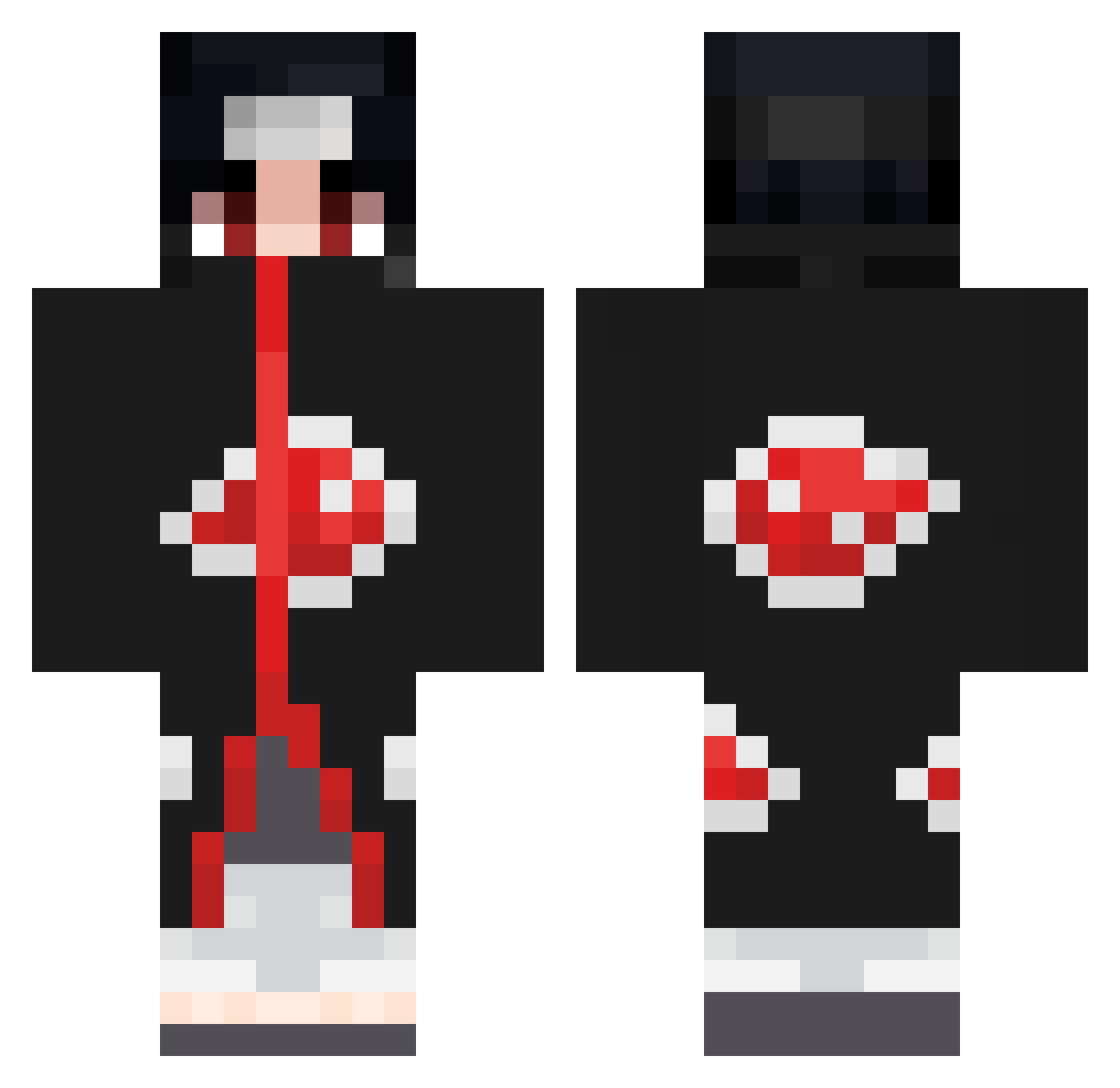
Current Minecraft skin of the player celinems1, loaded from the official Mojang API. Rotate the 3D model with your mouse or finger, then download the skin as a PNG file and use it in Minecraft: Bedrock Edition or Java Edition for free. When celinems1 changes their skin, this page updates automatically and the old skin stays in the history below.
Other players with this skin (950)
celinems1 was the 672nd player we have seen with this skin, first spotted on 21.10.2026. The same skin was seen on these players. Open a nickname to see their current skin and skin history.
 Husseinmgn024_ charli723 VloneNoe HowToKnock JDGamer2008 MLGSUSKING Primjoker T0ny46 Marian_112 ADITYA12222 MiiStiiiK Melsen203 knaldex TuNNNN Yuno01234 Nebu07 Beppo91 FallenWifi minsoo01 GoodallHD AngelTTRD DSH_ KiroDCS GianluigiLaBenza XNeily Crisquito VeRaTzZ Arracheur2feujs Dyrael ConvexVoice78 brozonn1 Strassencobra28 yikesmony MostChip101 Uchiha_Itachi_69 AlexMoto99 ShadowZ61 kuppxr xiaochiu22 AitoSLK Keviniito 10qs ArekkusuMC oscar956 MAGIC_CHASE2140 Pacorican InfinityHD02 Darknight_XD1 Meetcool123 faze_highsky Blance12 Cycu0907 zKodyS GT_Onizuka_ adriencous34 Cheng0326 yeesj Fistikv2 Lancer_fr IssaonMojang
More Itachi Uchiha Minecraft skins
See all 393 Itachi Uchiha skins
How to install the celinems1 skin
- Press the Download button above to save the skin as a PNG file.
- Minecraft: Bedrock Edition (PE): open the Dressing Room from the main menu (or tap your character → Edit Character), go to Classic Skins → Owned, press the + (new skin) button, choose the downloaded PNG and pick the Classic (Steve) model. Works on PC and mobile; consoles cannot import custom skins.
- Minecraft: Java Edition: open the Minecraft Launcher, go to the Skins tab, click New Skin, load the PNG, pick the Classic (Steve) model and press Save & Use. You can also upload it at minecraft.net → Profile → Change Skin.
The skin does not show up after import - what should I do?
Restart Minecraft and open the Dressing Room again - imported skins sometimes appear only after a restart. Also make sure you selected the imported skin and picked the Classic (Steve) model.
Which model should I choose, Classic or Slim?
This skin is designed for the Classic (Steve) model. If you pick the wrong model, the arms of the skin will look stretched or squeezed.
Is the skin of celinems1 free to download?
Yes. Press Download, save the PNG file and use it in Minecraft: Bedrock Edition or Java Edition - no payment or registration needed. The skin also works on multiplayer servers and Realms.
More skins
Looking for more? Go back to all Minecraft skins and check the top skins of the week, month and all time, or find any player's skin by nickname.