
casey2107 - Minecraft Skins & Skin History
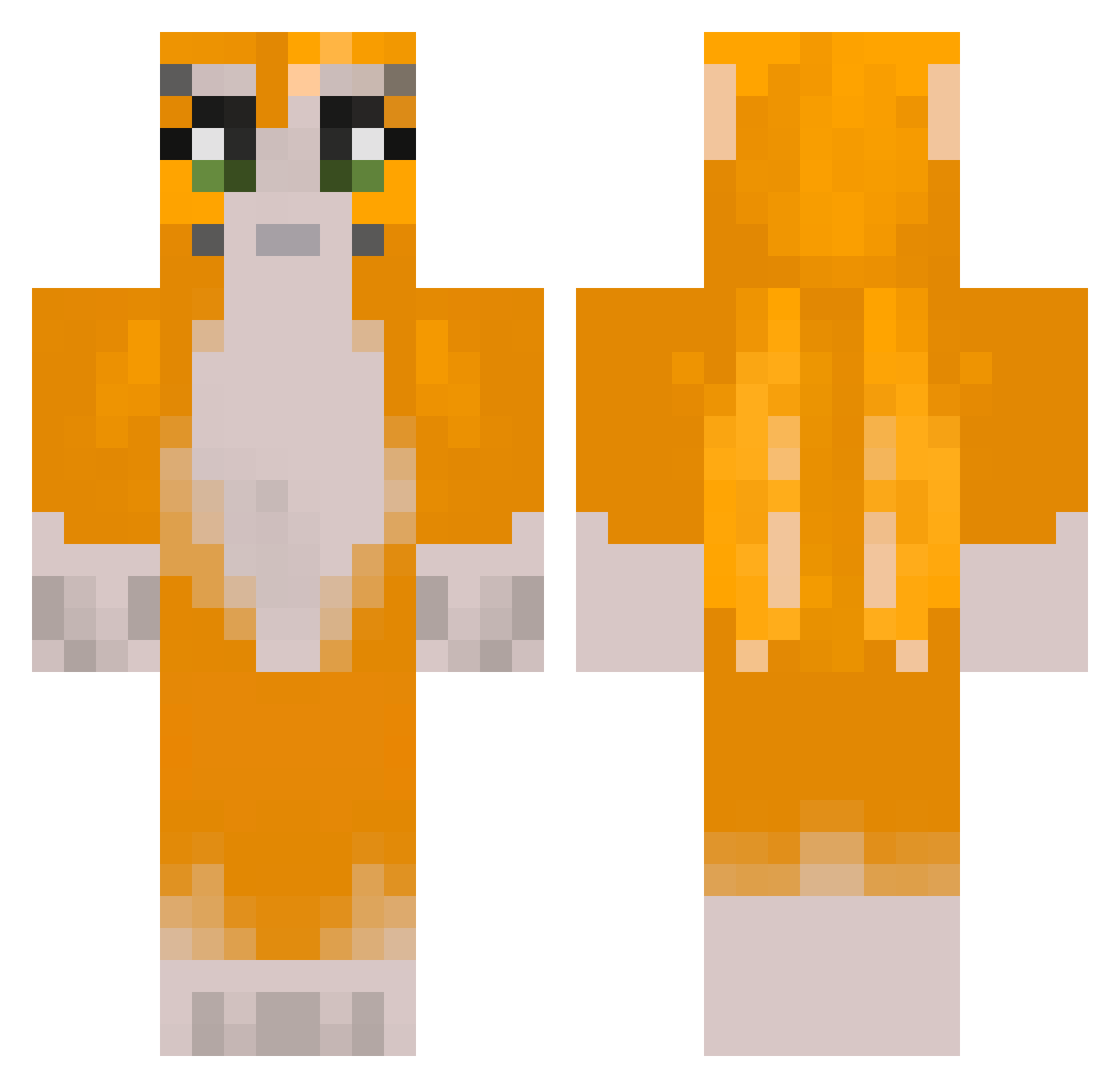
Current Minecraft skin of the player casey2107, loaded from the official Mojang API. Rotate the 3D model with your mouse or finger, then download the skin as a PNG file and use it in Minecraft: Bedrock Edition or Java Edition for free. When casey2107 changes their skin, this page updates automatically and the old skin stays in the history below.
Other players with this skin (337)
casey2107 was the 320th player we have seen with this skin, first spotted on 11.11.2026. The same skin was seen on these players. Open a nickname to see their current skin and skin history.
 hihii560 SushiYoBro elementalpanda Hyperspeed FleecyFrog29248 notlewej thrxoatgoat stampylongnhead AuraKaze7 xX1M1Xx MrWhoopADoo Lorenzoenderman5 Flippers21 hello1890 georgios_Rekerss NinjaAndrew1 elvisek_ cougxr StabiliserXD strongishtwo57 kirriby AventusMMC ElSponge Superdabzilla sirowiro cav1ty TRL512 addiill FourthStrike Owlmilk05 Alexwinter69 DJCONRAD06 JackDontTrollMe BusterBaxton ghoulchikuji WaiteAMinute Romafan13 kcal23 FREESHEEPWARS CarpetDifficult llSubzeroll WorkSquirrel riskiesalt PetitPois130 wawatooie stampy24cat stampylonghed25 _kymani lavendergarden4 sxmeb mineshaftkiller1 Milkyyv hunterallday1771 JJPLAYZ3312 jmprr dogbasketball14 hashiuuu Comrade_Bullet Thatssoball jamo___
More Furry Minecraft skins
How to install the casey2107 skin
- Press the Download button above to save the skin as a PNG file.
- Minecraft: Bedrock Edition (PE): open the Dressing Room from the main menu (or tap your character → Edit Character), go to Classic Skins → Owned, press the + (new skin) button, choose the downloaded PNG and pick the Classic (Steve) model. Works on PC and mobile; consoles cannot import custom skins.
- Minecraft: Java Edition: open the Minecraft Launcher, go to the Skins tab, click New Skin, load the PNG, pick the Classic (Steve) model and press Save & Use. You can also upload it at minecraft.net → Profile → Change Skin.
The skin does not show up after import - what should I do?
Restart Minecraft and open the Dressing Room again - imported skins sometimes appear only after a restart. Also make sure you selected the imported skin and picked the Classic (Steve) model.
Which model should I choose, Classic or Slim?
This skin is designed for the Classic (Steve) model. If you pick the wrong model, the arms of the skin will look stretched or squeezed.
Is the skin of casey2107 free to download?
Yes. Press Download, save the PNG file and use it in Minecraft: Bedrock Edition or Java Edition - no payment or registration needed. The skin also works on multiplayer servers and Realms.
More skins
Looking for more? Go back to all Minecraft skins and check the top skins of the week, month and all time, or find any player's skin by nickname.