
carlysMk - Minecraft Skins & Skin History
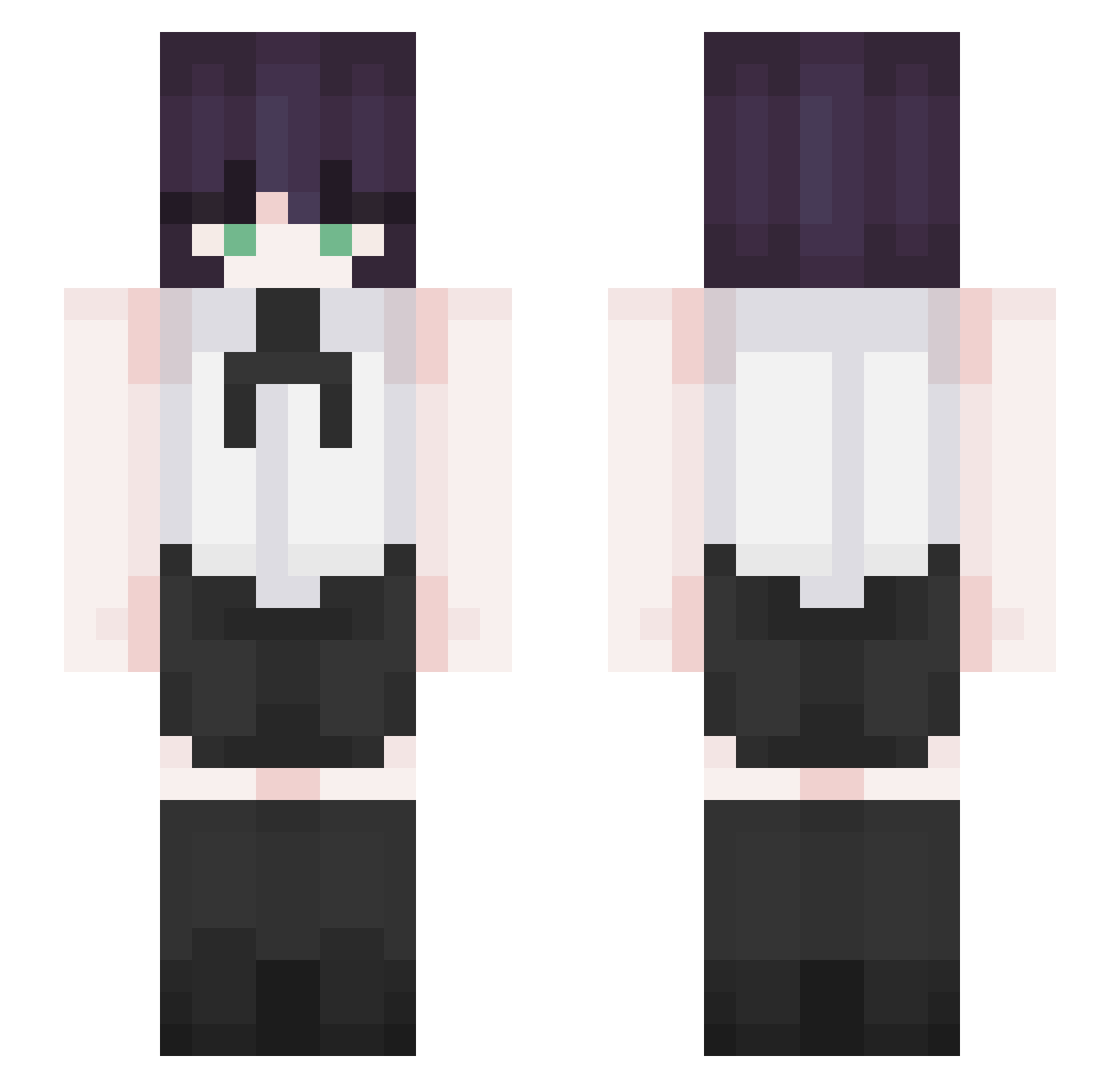
Current Minecraft skin of the player carlysMk, loaded from the official Mojang API. Rotate the 3D model with your mouse or finger, then download the skin as a PNG file and use it in Minecraft: Bedrock Edition or Java Edition for free. When carlysMk changes their skin, this page updates automatically and the old skin stays in the history below.
Other players with this skin (338)
carlysMk was the 224th player we have seen with this skin, first spotted on 06.10.2026. The same skin was seen on these players. Open a nickname to see their current skin and skin history.
 HurtMe6969 Nutto576 remin226 majdanek PandaZK chae__chae_ Takemyassuwu Awitaaa_ DK1202 AntiBi0tics inorimio Aleeww matttlmao Stelleee lsh0620 hinokonogo RezeSimpp Mati_1603 qq1o Rio_57 LanxBtw Midnight5824 Serrvietsky whiskeyq JhonCorgi RogueFeather855 Andy_Wu8787 mseong12 ddsdsds enforcerXdd Kuroo123 WebosUnU bejamimgc8unter Jaehyun0407 Niexal03 _GhostNick_ SonJerry fleetingforyou Reze24 Yuuki0605 Michi15lol Aoyama_Nanami TheTransparant SUCK_00 hyuann Greta_GE hs_seung8 PdON777 DearRyuk Simutre AnnaClyn lvrali Pretoouro NYONGIEE victoryplayer00 z0z0gwg java123java betSaul MyV4mpy mskitty974
More Makima Minecraft skins
How to install the carlysMk skin
- Press the Download button above to save the skin as a PNG file.
- Minecraft: Bedrock Edition (PE): open the Dressing Room from the main menu (or tap your character → Edit Character), go to Classic Skins → Owned, press the + (new skin) button, choose the downloaded PNG and pick the Slim (Alex) model. Works on PC and mobile; consoles cannot import custom skins.
- Minecraft: Java Edition: open the Minecraft Launcher, go to the Skins tab, click New Skin, load the PNG, pick the Slim (Alex) model and press Save & Use. You can also upload it at minecraft.net → Profile → Change Skin.
The skin does not show up after import - what should I do?
Restart Minecraft and open the Dressing Room again - imported skins sometimes appear only after a restart. Also make sure you selected the imported skin and picked the Slim (Alex) model.
Which model should I choose, Classic or Slim?
This skin is designed for the Slim (Alex) model. If you pick the wrong model, the arms of the skin will look stretched or squeezed.
Is the skin of carlysMk free to download?
Yes. Press Download, save the PNG file and use it in Minecraft: Bedrock Edition or Java Edition - no payment or registration needed. The skin also works on multiplayer servers and Realms.
More skins
Looking for more? Go back to all Minecraft skins and check the top skins of the week, month and all time, or find any player's skin by nickname.