
byAstroid - Minecraft Skins & Skin History
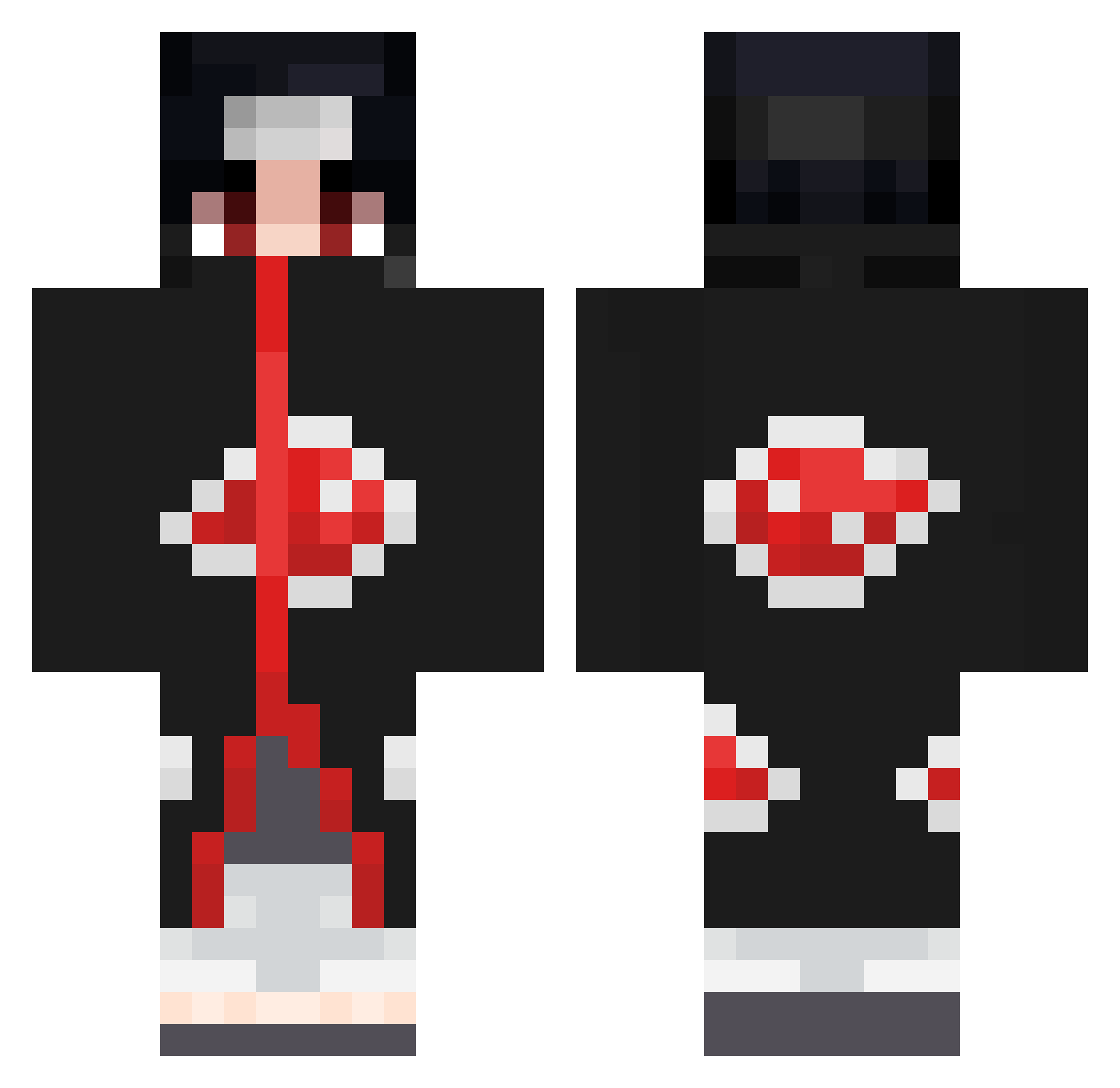
Current Minecraft skin of the player byAstroid, loaded from the official Mojang API. Rotate the 3D model with your mouse or finger, then download the skin as a PNG file and use it in Minecraft: Bedrock Edition or Java Edition for free. When byAstroid changes their skin, this page updates automatically and the old skin stays in the history below.
Other players with this skin (673)
byAstroid was the 418th player we have seen with this skin, first spotted on 26.09.2026. The same skin was seen on these players. Open a nickname to see their current skin and skin history.
 Bllank27 koko666 Sundea71 BSm0K AmnistiaNO Itachirs77 LilleTjobs SenTir_38 lilBossHoss56 YunusKaan xPrimePain Ronilio221 de_badeentjes_II Papa_Lez ArmadaEvolve 999_Julian Fansh Phantom_Barcode Tupichon Brankoo Dippxr77 Kaanell quajutsuu enesavage Kingjamie_ sulime333 UglyYodab Clowniiyy GalaxyoVibez Aestos rrrsa Alpha_Itachi ZhengX928 PMSey XXXXXXXddddddddd CobaltFlare ffluxyy Darkverse072 Coolboy1606 neipala AmiXo_69 phonzzo ITSWOLFY2006 dangerousmingang despret_enuf ih2b SteelBat_33 Vaxid_ Izezy joseplaka Kiwi4rh Da_Masta1223 HighWaii jesusUCHIHA AlejandroRRR Haesoo38 Snoszik redxsia Savinng4220 Enspawn
More Itachi Uchiha Minecraft skins
See all 319 Itachi Uchiha skins
How to install the byAstroid skin
- Press the Download button above to save the skin as a PNG file.
- Minecraft: Bedrock Edition (PE): open the Dressing Room from the main menu (or tap your character → Edit Character), go to Classic Skins → Owned, press the + (new skin) button, choose the downloaded PNG and pick the Classic (Steve) model. Works on PC and mobile; consoles cannot import custom skins.
- Minecraft: Java Edition: open the Minecraft Launcher, go to the Skins tab, click New Skin, load the PNG, pick the Classic (Steve) model and press Save & Use. You can also upload it at minecraft.net → Profile → Change Skin.
The skin does not show up after import - what should I do?
Restart Minecraft and open the Dressing Room again - imported skins sometimes appear only after a restart. Also make sure you selected the imported skin and picked the Classic (Steve) model.
Which model should I choose, Classic or Slim?
This skin is designed for the Classic (Steve) model. If you pick the wrong model, the arms of the skin will look stretched or squeezed.
Is the skin of byAstroid free to download?
Yes. Press Download, save the PNG file and use it in Minecraft: Bedrock Edition or Java Edition - no payment or registration needed. The skin also works on multiplayer servers and Realms.
More skins
Looking for more? Go back to all Minecraft skins and check the top skins of the week, month and all time, or find any player's skin by nickname.