
briaauno - Minecraft Skins & Skin History
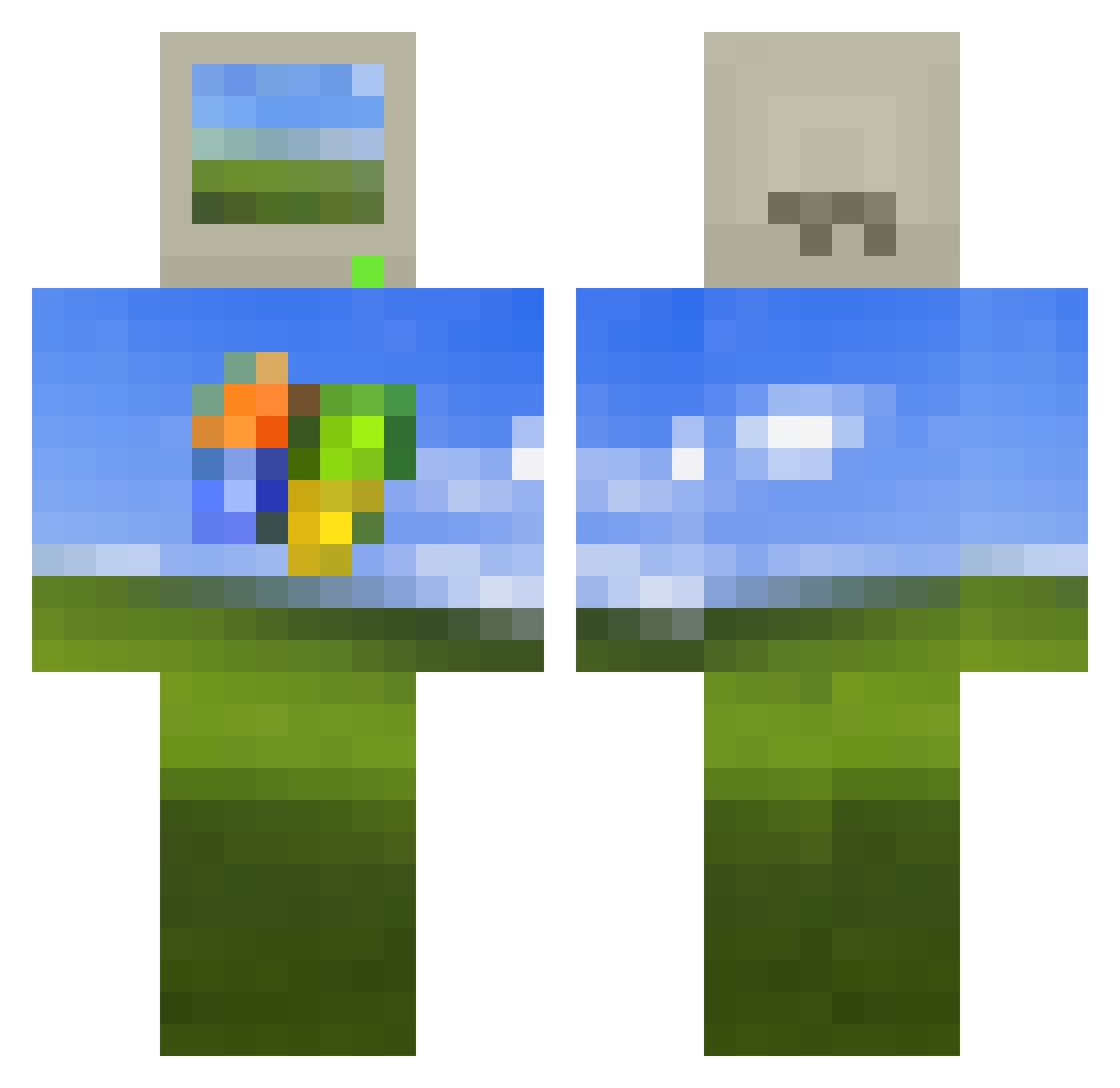
Current Minecraft skin of the player briaauno, loaded from the official Mojang API. Rotate the 3D model with your mouse or finger, then download the skin as a PNG file and use it in Minecraft: Bedrock Edition or Java Edition for free. When briaauno changes their skin, this page updates automatically and the old skin stays in the history below.
Other players with this skin (450)
briaauno was the 188th player we have seen with this skin, first spotted on 01.09.2026. The same skin was seen on these players. Open a nickname to see their current skin and skin history.
 BIGTOM6422 ctct11 Emi9638 vadi_barmani XenoGab swagerboy154 linuston DynamovAnt Wnzlol DriftinCow BumShidgus ArtyyL ReLLz01 agsgh kingfishy12 O880 nkn_4334 Lelouch_ZERO Requiem784 LuciuS14 bossdude3600 DingusRaj pedroo2625 DivokejMed Astrumie UnknitDust Merqiin aLiogator Villita23 IbanezRG470 SIEGECO MaxPower3125 the_himbo AirDubz moixxoi KulereAlt OV_VO Senpai_Rip wxn233 probelord Snowno768 Juisatine frankdarko SumOfThings XMrenergyX __llll__ 740898903 hjlsnbb squatchpill ken678 AProgramError Alexkati Nocology culito2005 shuterspro GreenvillSSnick cebelmonster Rod_dRoj Gl00btheschmoobe kymberooni
More Windows XP Minecraft skins
How to install the briaauno skin
- Press the Download button above to save the skin as a PNG file.
- Minecraft: Bedrock Edition (PE): open the Dressing Room from the main menu (or tap your character → Edit Character), go to Classic Skins → Owned, press the + (new skin) button, choose the downloaded PNG and pick the Classic (Steve) model. Works on PC and mobile; consoles cannot import custom skins.
- Minecraft: Java Edition: open the Minecraft Launcher, go to the Skins tab, click New Skin, load the PNG, pick the Classic (Steve) model and press Save & Use. You can also upload it at minecraft.net → Profile → Change Skin.
The skin does not show up after import - what should I do?
Restart Minecraft and open the Dressing Room again - imported skins sometimes appear only after a restart. Also make sure you selected the imported skin and picked the Classic (Steve) model.
Which model should I choose, Classic or Slim?
This skin is designed for the Classic (Steve) model. If you pick the wrong model, the arms of the skin will look stretched or squeezed.
Is the skin of briaauno free to download?
Yes. Press Download, save the PNG file and use it in Minecraft: Bedrock Edition or Java Edition - no payment or registration needed. The skin also works on multiplayer servers and Realms.
More skins
Looking for more? Go back to all Minecraft skins and check the top skins of the week, month and all time, or find any player's skin by nickname.