
bqhsy - Minecraft Skins & Skin History
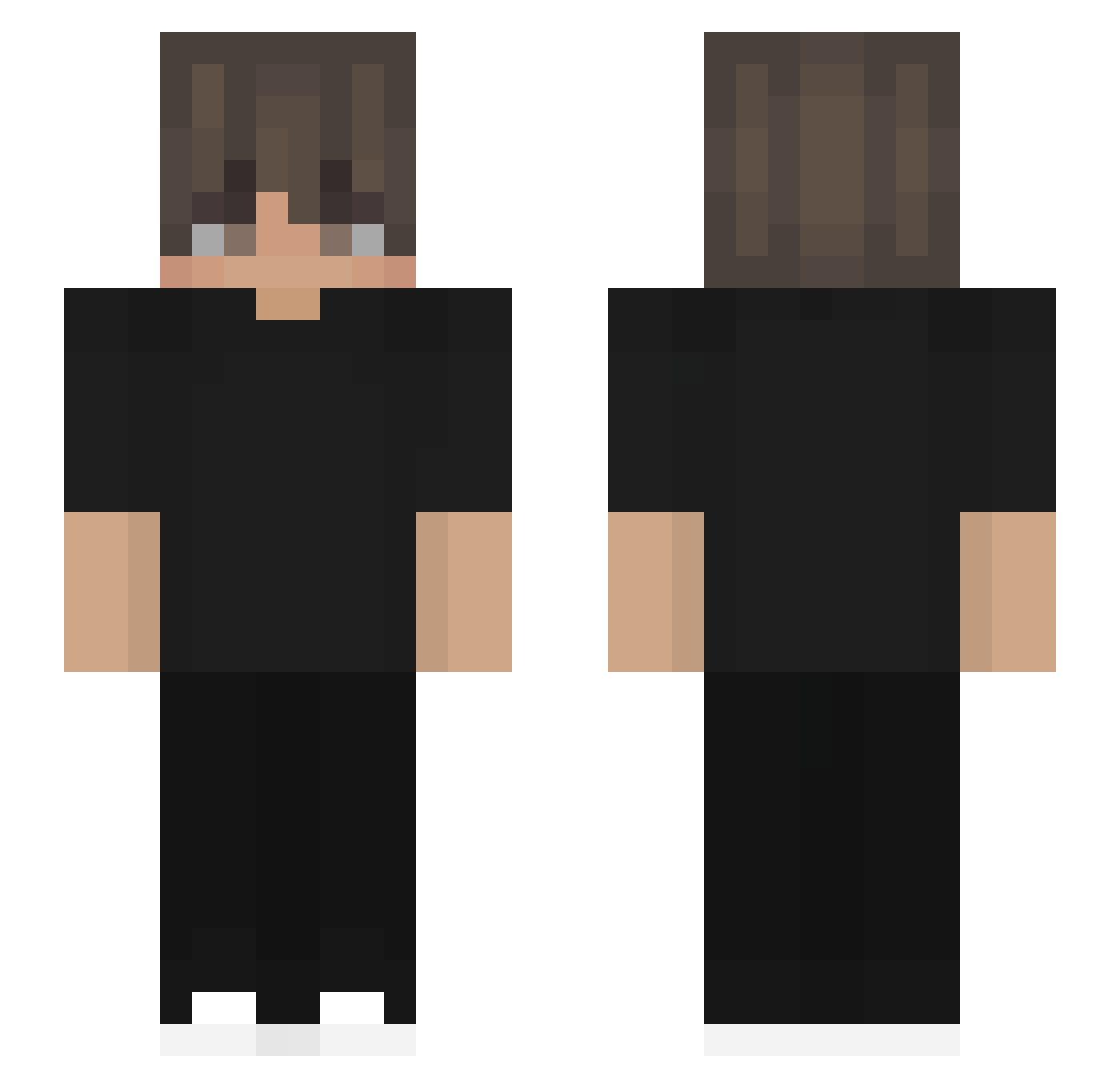
Current Minecraft skin of the player bqhsy, loaded from the official Mojang API. Rotate the 3D model with your mouse or finger, then download the skin as a PNG file and use it in Minecraft: Bedrock Edition or Java Edition for free. When bqhsy changes their skin, this page updates automatically and the old skin stays in the history below.
Other players with this skin (449)
bqhsy was the 37th player we have seen with this skin, first spotted on 02.08.2026. The same skin was seen on these players. Open a nickname to see their current skin and skin history.
 FogYourLawn ALFRED55 flixiosz Galmer34 FrustratedFerret joao2422 IlaiAvidov DibyaRanjan Iam_KV vstarfall_ SharpWil dai101408 Cookiewzy Racingsport2 Tejassss WilmanDMC hk097 ZzShehzan Willius1234 JustBaconHair nikosCPvP German_Sweater WhizFPS _Mily Archie779 Adriann4 NicK4702 paulllll2937 _Rein2007kg_ Trixcore Snuggy1224 RealRyuzo cookiegod888 GamingKids2000 Vexozfv chico_10_25 inusio222 LinhGURqY0117 NopeBlo
 Myboyjj
 xRodrxxz__ Sanclar22 Juninho_BR10 CCCCHR XyanZx sdaaw AdamYeh Marciel02 zyzzshuai oyykian psychotrip04 kalon2 znajomyL Z4Dsmurfik PlatCat gilhun1234 ayoDelt ZHIZZA Alvarofra7777 Zhen_666
How to install the bqhsy skin
- Press the Download button above to save the skin as a PNG file.
- Minecraft: Bedrock Edition (PE): open the Dressing Room from the main menu (or tap your character → Edit Character), go to Classic Skins → Owned, press the + (new skin) button, choose the downloaded PNG and pick the Slim (Alex) model. Works on PC and mobile; consoles cannot import custom skins.
- Minecraft: Java Edition: open the Minecraft Launcher, go to the Skins tab, click New Skin, load the PNG, pick the Slim (Alex) model and press Save & Use. You can also upload it at minecraft.net → Profile → Change Skin.
The skin does not show up after import - what should I do?
Restart Minecraft and open the Dressing Room again - imported skins sometimes appear only after a restart. Also make sure you selected the imported skin and picked the Slim (Alex) model.
Which model should I choose, Classic or Slim?
This skin is designed for the Slim (Alex) model. If you pick the wrong model, the arms of the skin will look stretched or squeezed.
Is the skin of bqhsy free to download?
Yes. Press Download, save the PNG file and use it in Minecraft: Bedrock Edition or Java Edition - no payment or registration needed. The skin also works on multiplayer servers and Realms.
More skins
Looking for more? Go back to all Minecraft skins and check the top skins of the week, month and all time, or find any player's skin by nickname.