
bqf381 - Minecraft Skins & Skin History
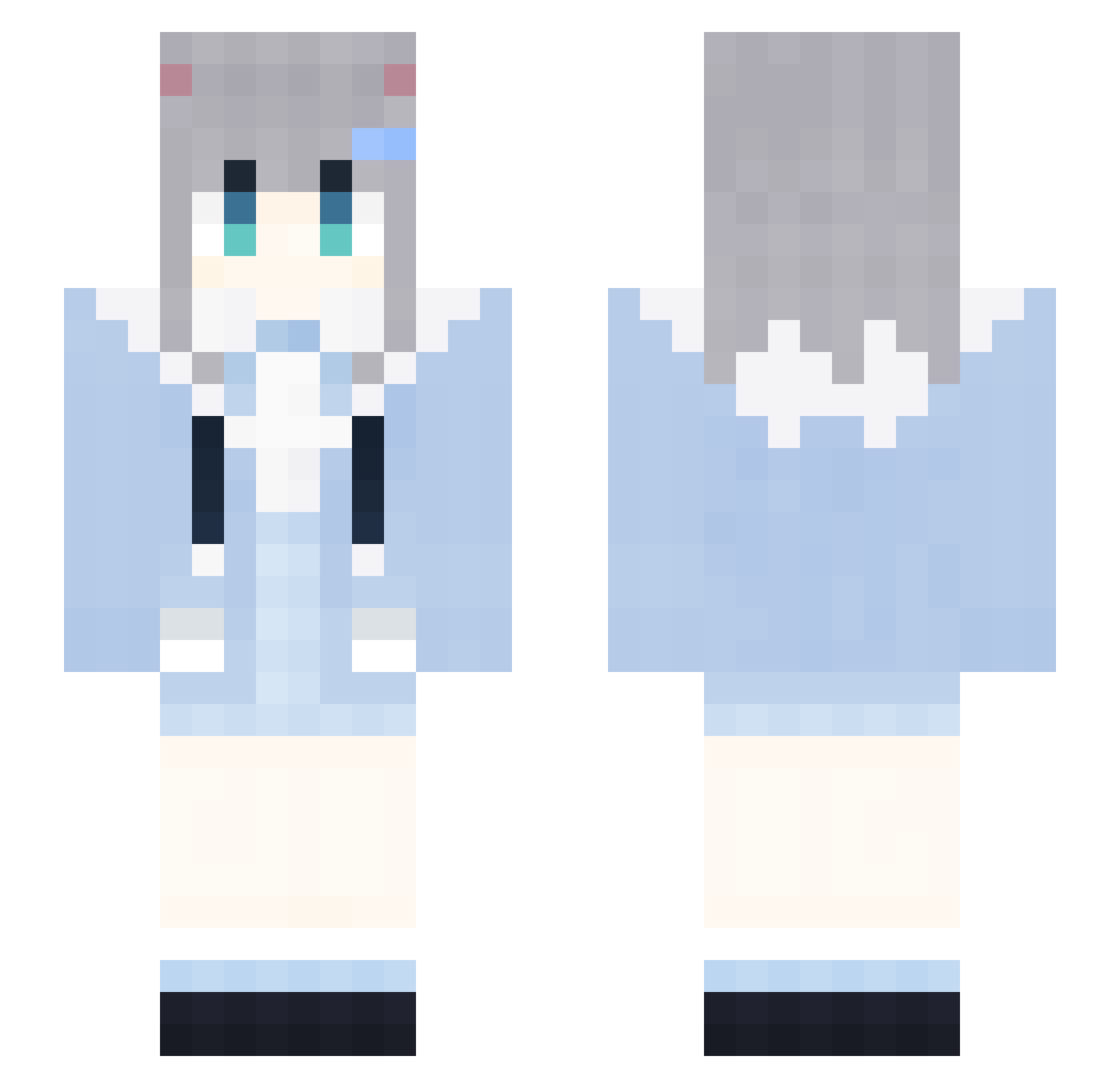
Current Minecraft skin of the player bqf381, loaded from the official Mojang API. Rotate the 3D model with your mouse or finger, then download the skin as a PNG file and use it in Minecraft: Bedrock Edition or Java Edition for free. When bqf381 changes their skin, this page updates automatically and the old skin stays in the history below.
Other players with this skin (2095)
bqf381 was the 1928th player we have seen with this skin, first spotted on 11.11.2026. The same skin was seen on these players. Open a nickname to see their current skin and skin history.
 SleepEveryDay321 BreeSpark RfT513 CZA673 0001112223334869 XQV6 LoveZxyLikehJ840 0001112223334553 QGL248 CXB812 cYs336 hLW835 LAWSONCOFFEEG534 TNq273 rGr839 HFM325 Swallow2005 AIRCUSHIONBgv276 RabbitMicellX472 KFC_V50_THURw613 wJp28 xVf784 okx939 ojG658 kqx364 TWn600 NhU872 KFC_V50_THURA551 uEM246 LCq196 aoU68 XxxxX_MAGA_Xx391 JVD2 SleepEveryDay38 DontShoutPlsV408 MXr210 WFy903 kCB587 RabbitMiceRNn913 LoveZxyLikeeT780 atO929 2021COCA_COLA112 mVR146 GWh568 WPR241 lQN682 LoveZxyLikebw613 2021COCA_COLA316 ljp983 GapRapGpdNipB701 ZtQ491 lkYFZijhPOnFH176 gIs981 mwI975 IbT569 yDD330 DuP501 KFC_V50_THURj391 qUB101 RubberBandits116
More Cat Ears Minecraft skins
How to install the bqf381 skin
- Press the Download button above to save the skin as a PNG file.
- Minecraft: Bedrock Edition (PE): open the Dressing Room from the main menu (or tap your character → Edit Character), go to Classic Skins → Owned, press the + (new skin) button, choose the downloaded PNG and pick the Slim (Alex) model. Works on PC and mobile; consoles cannot import custom skins.
- Minecraft: Java Edition: open the Minecraft Launcher, go to the Skins tab, click New Skin, load the PNG, pick the Slim (Alex) model and press Save & Use. You can also upload it at minecraft.net → Profile → Change Skin.
The skin does not show up after import - what should I do?
Restart Minecraft and open the Dressing Room again - imported skins sometimes appear only after a restart. Also make sure you selected the imported skin and picked the Slim (Alex) model.
Which model should I choose, Classic or Slim?
This skin is designed for the Slim (Alex) model. If you pick the wrong model, the arms of the skin will look stretched or squeezed.
Is the skin of bqf381 free to download?
Yes. Press Download, save the PNG file and use it in Minecraft: Bedrock Edition or Java Edition - no payment or registration needed. The skin also works on multiplayer servers and Realms.
More skins
Looking for more? Go back to all Minecraft skins and check the top skins of the week, month and all time, or find any player's skin by nickname.