
bp36 - Minecraft Skins & Skin History
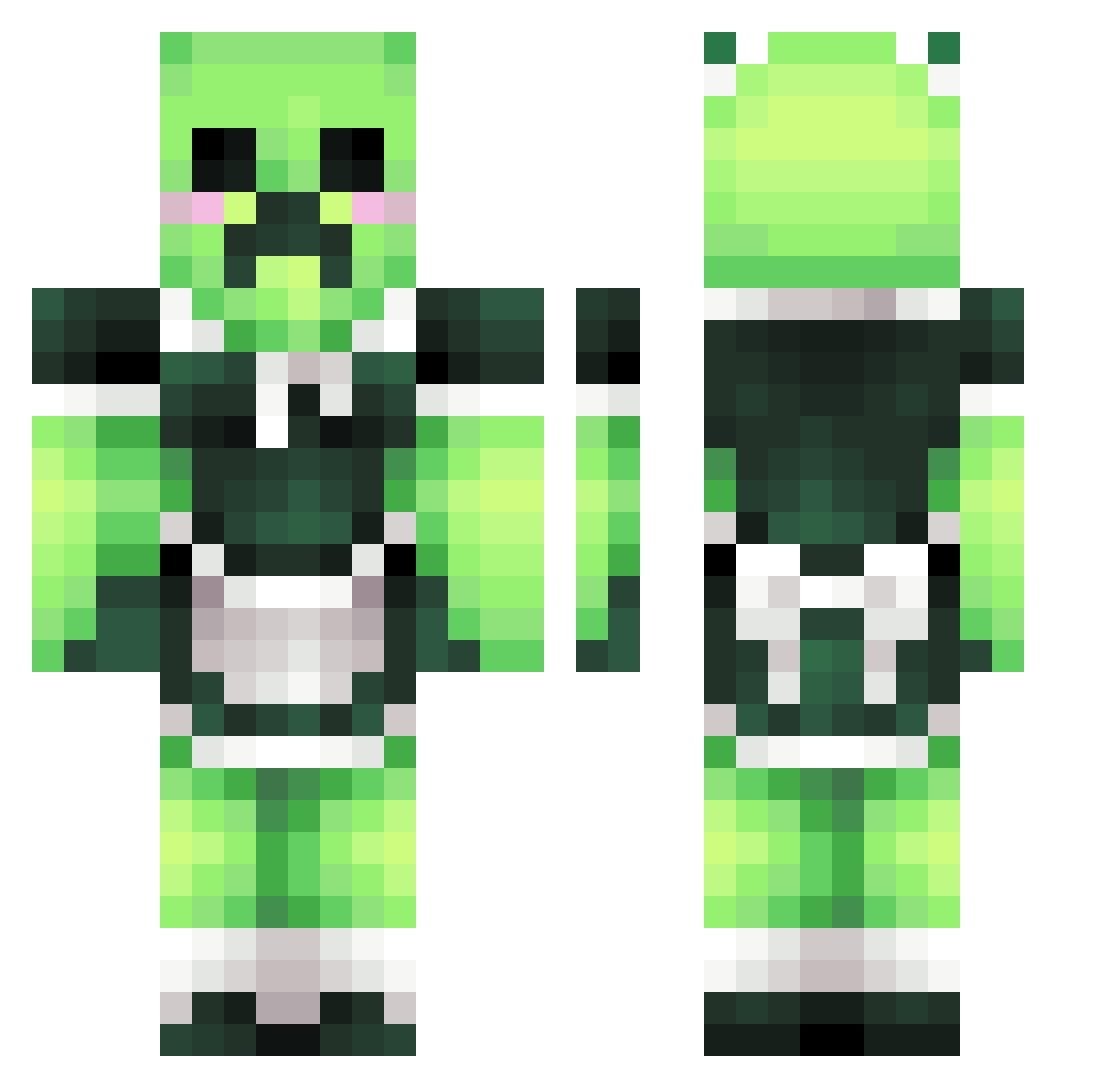
Current Minecraft skin of the player bp36, loaded from the official Mojang API. Rotate the 3D model with your mouse or finger, then download the skin as a PNG file and use it in Minecraft: Bedrock Edition or Java Edition for free. When bp36 changes their skin, this page updates automatically and the old skin stays in the history below.
Other players with this skin (54)
bp36 was the 12th player we have seen with this skin, first spotted on 17.08.2026. The same skin was seen on these players. Open a nickname to see their current skin and skin history.
 elguilles Flusts kanttarellli afxh YellowRedOrange
 IC3Diamond2238 luvmeow YPOQK TecnoRexySu SUNGICE Nylium146 SithToad 6d8a SakuraiClasx BrudiBruno FrKeksik Boomiiin ZactheSnacc Makeinu_fufu LolVickyLol YYTTD Tawaran12 beyblader9000 Sepp_Pichelmeier Katon940508 ssunzz kkian1023 oofbop DiMessi spordrekinn ZNWEA11 Kamukie_ 4mane_ hyosuk mangobbler juhua233 TioPedroca LolaBuck PeterJasik Part12 AhriOuO coulspot CreeperChrxs SINKU1988 Cheesycat21 Unnch Toxic_Pufferfish Eveneks MilanesitaNya yoochill 69Dugg Stephan1331 FootOnMyFace Jeongsejin0412
More Maid Minecraft skins
How to install the bp36 skin
- Press the Download button above to save the skin as a PNG file.
- Minecraft: Bedrock Edition (PE): open the Dressing Room from the main menu (or tap your character → Edit Character), go to Classic Skins → Owned, press the + (new skin) button, choose the downloaded PNG and pick the Classic (Steve) model. Works on PC and mobile; consoles cannot import custom skins.
- Minecraft: Java Edition: open the Minecraft Launcher, go to the Skins tab, click New Skin, load the PNG, pick the Classic (Steve) model and press Save & Use. You can also upload it at minecraft.net → Profile → Change Skin.
The skin does not show up after import - what should I do?
Restart Minecraft and open the Dressing Room again - imported skins sometimes appear only after a restart. Also make sure you selected the imported skin and picked the Classic (Steve) model.
Which model should I choose, Classic or Slim?
This skin is designed for the Classic (Steve) model. If you pick the wrong model, the arms of the skin will look stretched or squeezed.
Is the skin of bp36 free to download?
Yes. Press Download, save the PNG file and use it in Minecraft: Bedrock Edition or Java Edition - no payment or registration needed. The skin also works on multiplayer servers and Realms.
More skins
Looking for more? Go back to all Minecraft skins and check the top skins of the week, month and all time, or find any player's skin by nickname.