
boozah_00 - Minecraft Skins & Skin History
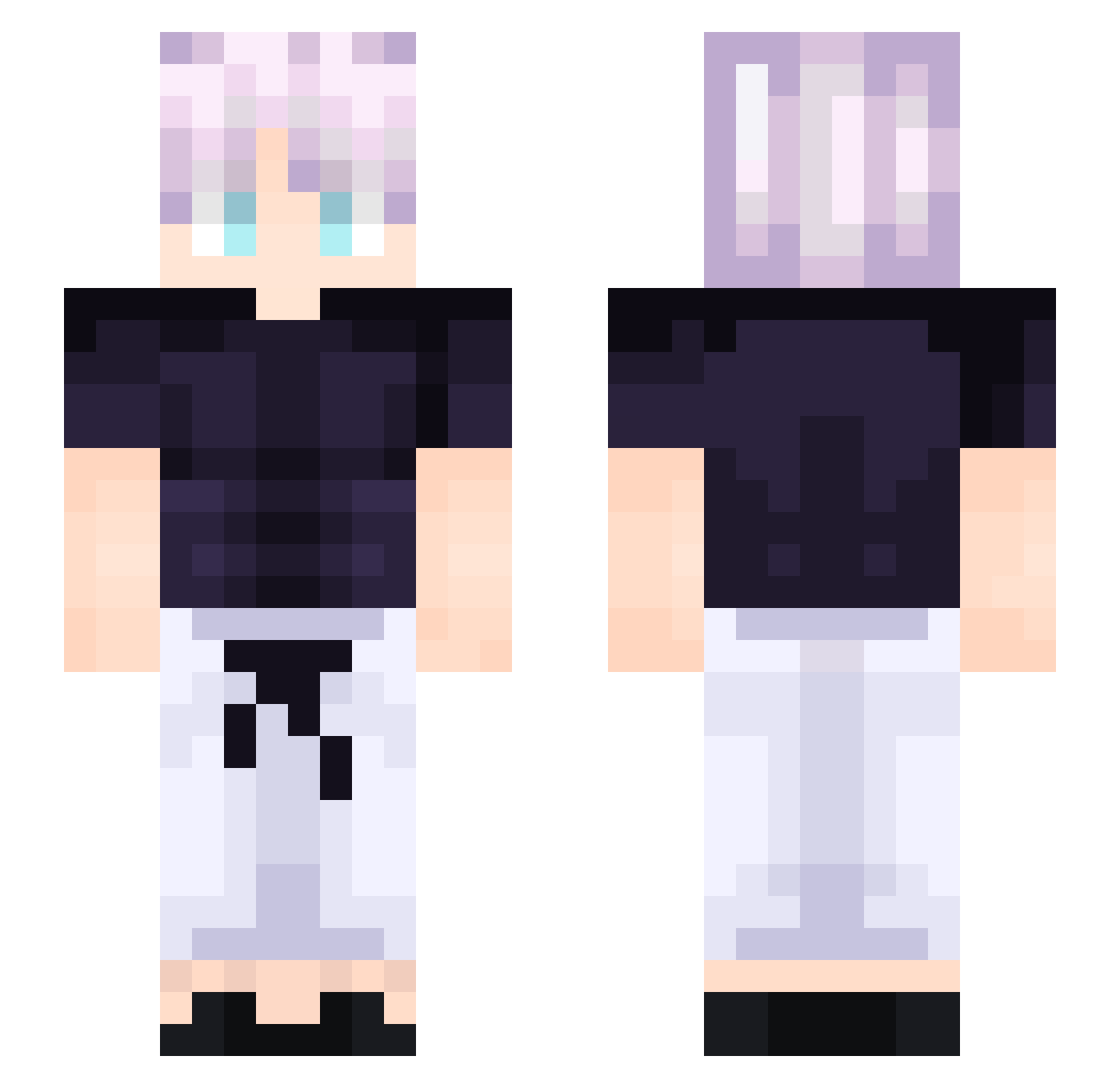
Current Minecraft skin of the player boozah_00, loaded from the official Mojang API. Rotate the 3D model with your mouse or finger, then download the skin as a PNG file and use it in Minecraft: Bedrock Edition or Java Edition for free. When boozah_00 changes their skin, this page updates automatically and the old skin stays in the history below.
Other players with this skin (214)
boozah_00 was the 89th player we have seen with this skin, first spotted on 06.09.2026. The same skin was seen on these players. Open a nickname to see their current skin and skin history.
 Lahoe bji77 SIgmaTitus980 brentheturtle_yt XazazelTheJester qrtzt Fazurion GeonGoCrazy oSpark Blendw ankyu77 OnlyItachi little_ares Eoloc Natsu_9_Dragneel Evelina2012 Pa_ran HeyWhispy
 Arata_TXXE MHA_Twix MetalClawz Just4Kenshi Baumstumpf008 DiabolicalPigeon Dynami_Theos X_ProPlayer_4 ismaatkd Yunuszd_ SubLayon itzKioshi imGhazi GagaGucci EOzOE takusou123 _Ryuuzaki _JAMO Big_Bert56 Mhongoctm 520rap 0xFemto GHOSTBOY0906 Colludes hzs lucifer05249 Ksdor sxnth7 pescabi absolute333 Saskatchewautch Pxdr1nn GunnyJr10 LinhRbtLT0103 hi33890 lc_cpvp aLLn4 azugladis998 Cheesy_Mouse gnarlynar Elite101 friendlygu5t
More Anime Boy Minecraft skins
How to install the boozah_00 skin
- Press the Download button above to save the skin as a PNG file.
- Minecraft: Bedrock Edition (PE): open the Dressing Room from the main menu (or tap your character → Edit Character), go to Classic Skins → Owned, press the + (new skin) button, choose the downloaded PNG and pick the Slim (Alex) model. Works on PC and mobile; consoles cannot import custom skins.
- Minecraft: Java Edition: open the Minecraft Launcher, go to the Skins tab, click New Skin, load the PNG, pick the Slim (Alex) model and press Save & Use. You can also upload it at minecraft.net → Profile → Change Skin.
The skin does not show up after import - what should I do?
Restart Minecraft and open the Dressing Room again - imported skins sometimes appear only after a restart. Also make sure you selected the imported skin and picked the Slim (Alex) model.
Which model should I choose, Classic or Slim?
This skin is designed for the Slim (Alex) model. If you pick the wrong model, the arms of the skin will look stretched or squeezed.
Is the skin of boozah_00 free to download?
Yes. Press Download, save the PNG file and use it in Minecraft: Bedrock Edition or Java Edition - no payment or registration needed. The skin also works on multiplayer servers and Realms.
More skins
Looking for more? Go back to all Minecraft skins and check the top skins of the week, month and all time, or find any player's skin by nickname.