
body176 - Minecraft Skins & Skin History
Current Minecraft skin of the player body176, loaded from the official Mojang API. Rotate the 3D model with your mouse or finger, then download the skin as a PNG file and use it in Minecraft: Bedrock Edition or Java Edition for free. When body176 changes their skin, this page updates automatically and the old skin stays in the history below.
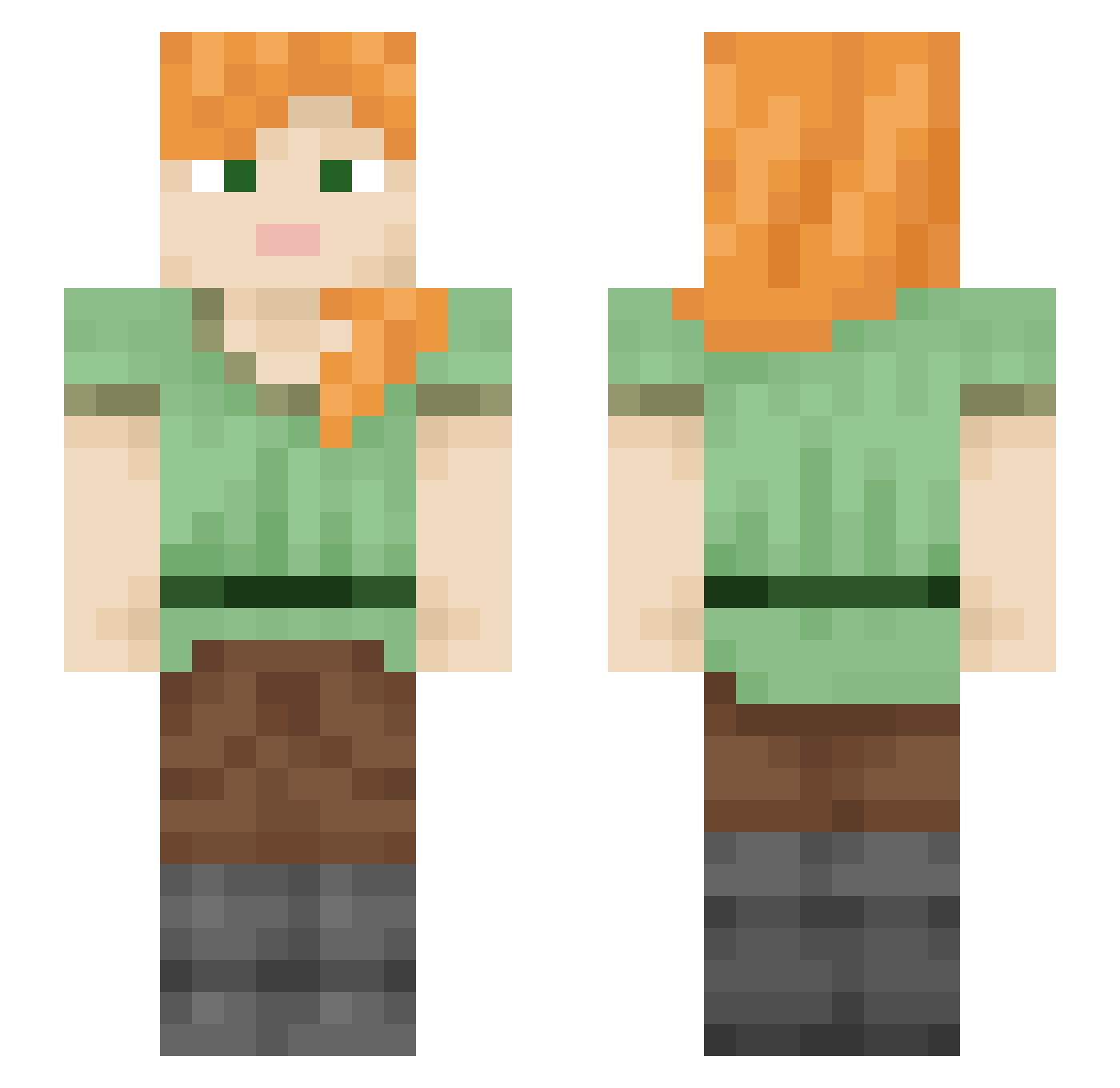
Other players with this skin (2112)
body176 was the 135th player we have seen with this skin, first spotted on 01.08.2026. The same skin was seen on these players. Open a nickname to see their current skin and skin history.
 WoWmamaErin Lisslandslide ez0_msmc_07o
 Jaider1
 Moon_minions Aurora_1212 Lord_Ciastko Ratfraction
 joelfries Soller Symphonically SmearTheQueer Gemitri Gizmofire Thrifties Lur_the_Cunning CowTown ToTo__tw
 leviticus3d
 BaaBaaBich jessejes Macerater kefir5432 The_Gradam youkill2924 GriffinS Weathery Hioj Trickelodean Pinacol jmhoffer Sculptural musztarda67mango azarasisan7 Foreknower r2vava zimiok9784 hashbrowns116
 cookingwithseb kikiak cloudland sPeasd
 Sicariozy latence Adopters CriticalFlare BimsShady misag Elasmotherium Pavonian Coign Ninja77573C bikette300 GrieVe dearjosefina gonsss Mistb0rn_ kinglzc NazrilL KoKoNutMan
How to install the body176 skin
- Press the Download button above to save the skin as a PNG file.
- Minecraft: Bedrock Edition (PE): open the Dressing Room from the main menu (or tap your character → Edit Character), go to Classic Skins → Owned, press the + (new skin) button, choose the downloaded PNG and pick the Slim (Alex) model. Works on PC and mobile; consoles cannot import custom skins.
- Minecraft: Java Edition: open the Minecraft Launcher, go to the Skins tab, click New Skin, load the PNG, pick the Slim (Alex) model and press Save & Use. You can also upload it at minecraft.net → Profile → Change Skin.
The skin does not show up after import - what should I do?
Restart Minecraft and open the Dressing Room again - imported skins sometimes appear only after a restart. Also make sure you selected the imported skin and picked the Slim (Alex) model.
Which model should I choose, Classic or Slim?
This skin is designed for the Slim (Alex) model. If you pick the wrong model, the arms of the skin will look stretched or squeezed.
Is the skin of body176 free to download?
Yes. Press Download, save the PNG file and use it in Minecraft: Bedrock Edition or Java Edition - no payment or registration needed. The skin also works on multiplayer servers and Realms.
More skins
Looking for more? Go back to all Minecraft skins and check the top skins of the week, month and all time, or find any player's skin by nickname.