
bob00000000000 - Minecraft Skins & Skin History
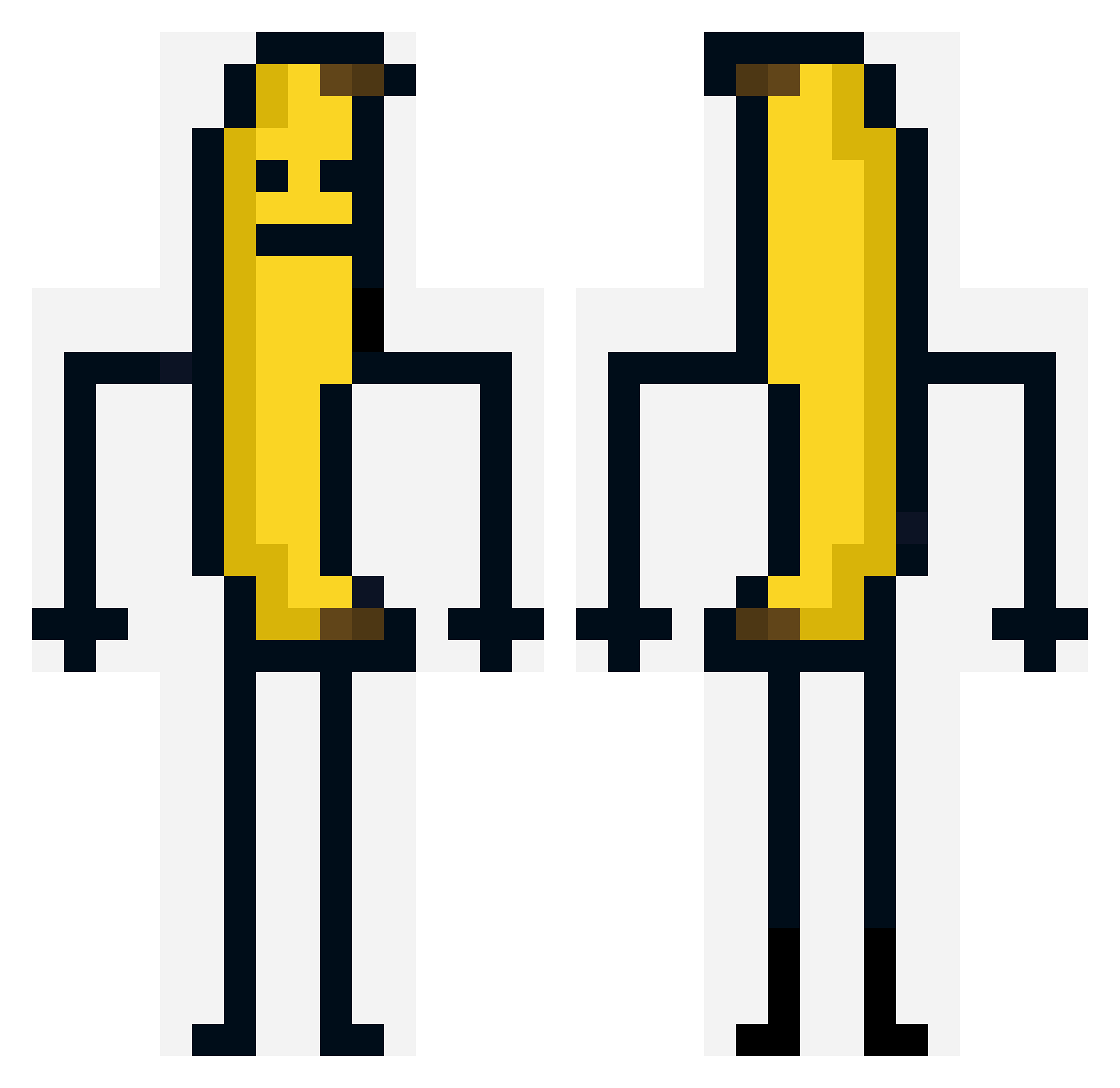
Current Minecraft skin of the player bob00000000000, loaded from the official Mojang API. Rotate the 3D model with your mouse or finger, then download the skin as a PNG file and use it in Minecraft: Bedrock Edition or Java Edition for free. When bob00000000000 changes their skin, this page updates automatically and the old skin stays in the history below.
Other players with this skin (373)
bob00000000000 was the 333rd player we have seen with this skin, first spotted on 11.11.2026. The same skin was seen on these players. Open a nickname to see their current skin and skin history.
 Alfa73 AngryOrchard420 Fercso Cecilie1803 Cymorg30 TRONCO_23 k4llab tteokkim Hab_Kein_Namen21 Ban4na_Guy Viktoy AwenStar MrWoo777 eial0012 Godlavaboy adolf1337master All0S bubbledish liltoaster1991 Kamil1xd __nc vmb_msmc_7od efelibira KillerOfJuice Npcsiniz alitab Nikiundlea MR_SUPRAV_69 blessed_dylan BeBrownin Sir_Lance_103 The_Xelander BatuhanOyundaYT mauricaah ChoclateThunder4 cato_321 nestron159 kingslayer477 Boomshakalaka882 Doyazi_07 steelex2 Atrixionist ZackiwackidoDa1 1nearthed DarkHumanity TW1Xboi BrandyBoy2002 Mrtoasty4403 Snazzygooses nescau327 LX_Freundvonmir EatTheCak3 Skjulstadd BlockBuster00100 Mincraftowysurfi milktoaste Siu2n CarmineScorpion Sebas_0343 AMZOR10
More Banana Minecraft skins
How to install the bob00000000000 skin
- Press the Download button above to save the skin as a PNG file.
- Minecraft: Bedrock Edition (PE): open the Dressing Room from the main menu (or tap your character → Edit Character), go to Classic Skins → Owned, press the + (new skin) button, choose the downloaded PNG and pick the Classic (Steve) model. Works on PC and mobile; consoles cannot import custom skins.
- Minecraft: Java Edition: open the Minecraft Launcher, go to the Skins tab, click New Skin, load the PNG, pick the Classic (Steve) model and press Save & Use. You can also upload it at minecraft.net → Profile → Change Skin.
The skin does not show up after import - what should I do?
Restart Minecraft and open the Dressing Room again - imported skins sometimes appear only after a restart. Also make sure you selected the imported skin and picked the Classic (Steve) model.
Which model should I choose, Classic or Slim?
This skin is designed for the Classic (Steve) model. If you pick the wrong model, the arms of the skin will look stretched or squeezed.
Is the skin of bob00000000000 free to download?
Yes. Press Download, save the PNG file and use it in Minecraft: Bedrock Edition or Java Edition - no payment or registration needed. The skin also works on multiplayer servers and Realms.
More skins
Looking for more? Go back to all Minecraft skins and check the top skins of the week, month and all time, or find any player's skin by nickname.