
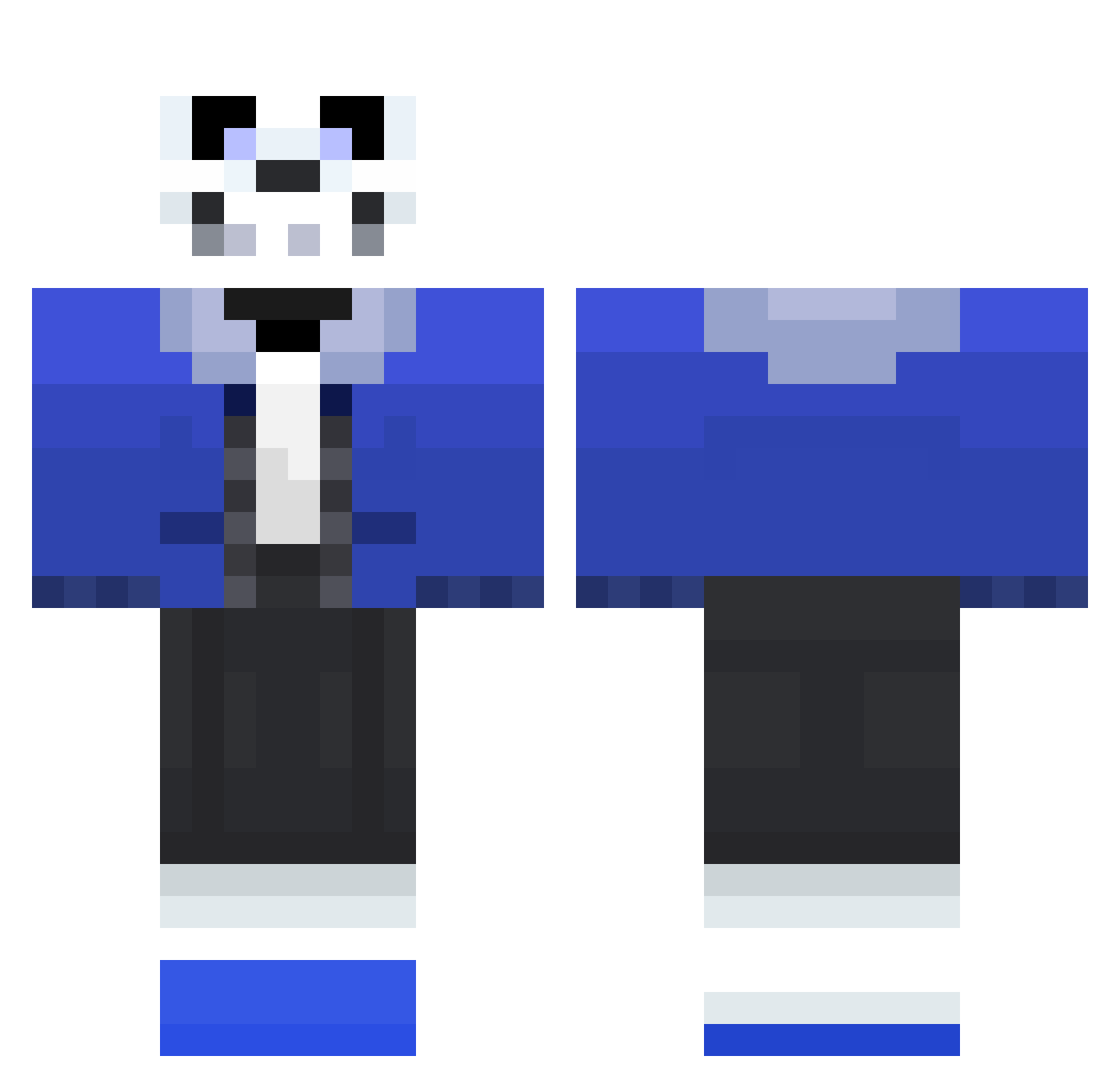
Current Minecraft skin of the player block2002, loaded from the official Mojang API. Rotate the 3D model with your mouse or finger, then download the skin as a PNG file and use it in Minecraft: Bedrock Edition or Java Edition for free. When block2002 changes their skin, this page updates automatically and the old skin stays in the history below.
Other players with this skin (75)
block2002 was the 28th player we have seen with this skin, first spotted on 20.08.2026. The same skin was seen on these players. Open a nickname to see their current skin and skin history.
 elitarnymemiarz nogodtofear szm_yum SpicedUpMeme nateromo123 sanztheskeloton trickysuper8 stxwartt SmaugBandit7 AndyPandora Zeroderp justinmonkey07 AlexBlack1338 Epicson360 BigBEEF090 Hajitorus Jurianthethird BlakJak13 ThatProdigy Zenark_Cloros SnowyFanBoy AtoliGUA LS_gaming TheMxrs_ Rozie2 DR_ZOMBIE12 SeanStrikesAgain sans_is_cool SilverStripedFox ChromoDank refrog2000 KetchupSkeleton Arrabesk starlogan yungguccimane 0rangeLad lSuttol socialist69 The_Elder_Tuna Alifenrir Harley092001 Kovadon kingkahooka noggin98 anikan97 whatarethis Kev1nB Sbork MaxVarf AshleyP2006 zachblade3579 claeb69 MariamDaManiac Pomfland1 LordofLols sonicflame22 WretchedSpectre pantaloness Shadowstepx2 HVX
More Sans Minecraft skins
How to install the block2002 skin
- Press the Download button above to save the skin as a PNG file.
- Minecraft: Bedrock Edition (PE): open the Dressing Room from the main menu (or tap your character → Edit Character), go to Classic Skins → Owned, press the + (new skin) button, choose the downloaded PNG and pick the Classic (Steve) model. Works on PC and mobile; consoles cannot import custom skins.
- Minecraft: Java Edition: open the Minecraft Launcher, go to the Skins tab, click New Skin, load the PNG, pick the Classic (Steve) model and press Save & Use. You can also upload it at minecraft.net → Profile → Change Skin.
The skin does not show up after import - what should I do?
Restart Minecraft and open the Dressing Room again - imported skins sometimes appear only after a restart. Also make sure you selected the imported skin and picked the Classic (Steve) model.
Which model should I choose, Classic or Slim?
This skin is designed for the Classic (Steve) model. If you pick the wrong model, the arms of the skin will look stretched or squeezed.
Is the skin of block2002 free to download?
Yes. Press Download, save the PNG file and use it in Minecraft: Bedrock Edition or Java Edition - no payment or registration needed. The skin also works on multiplayer servers and Realms.
More skins
Looking for more? Go back to all Minecraft skins and check the top skins of the week, month and all time, or find any player's skin by nickname.