
blaze0456 - Minecraft Skins & Skin History
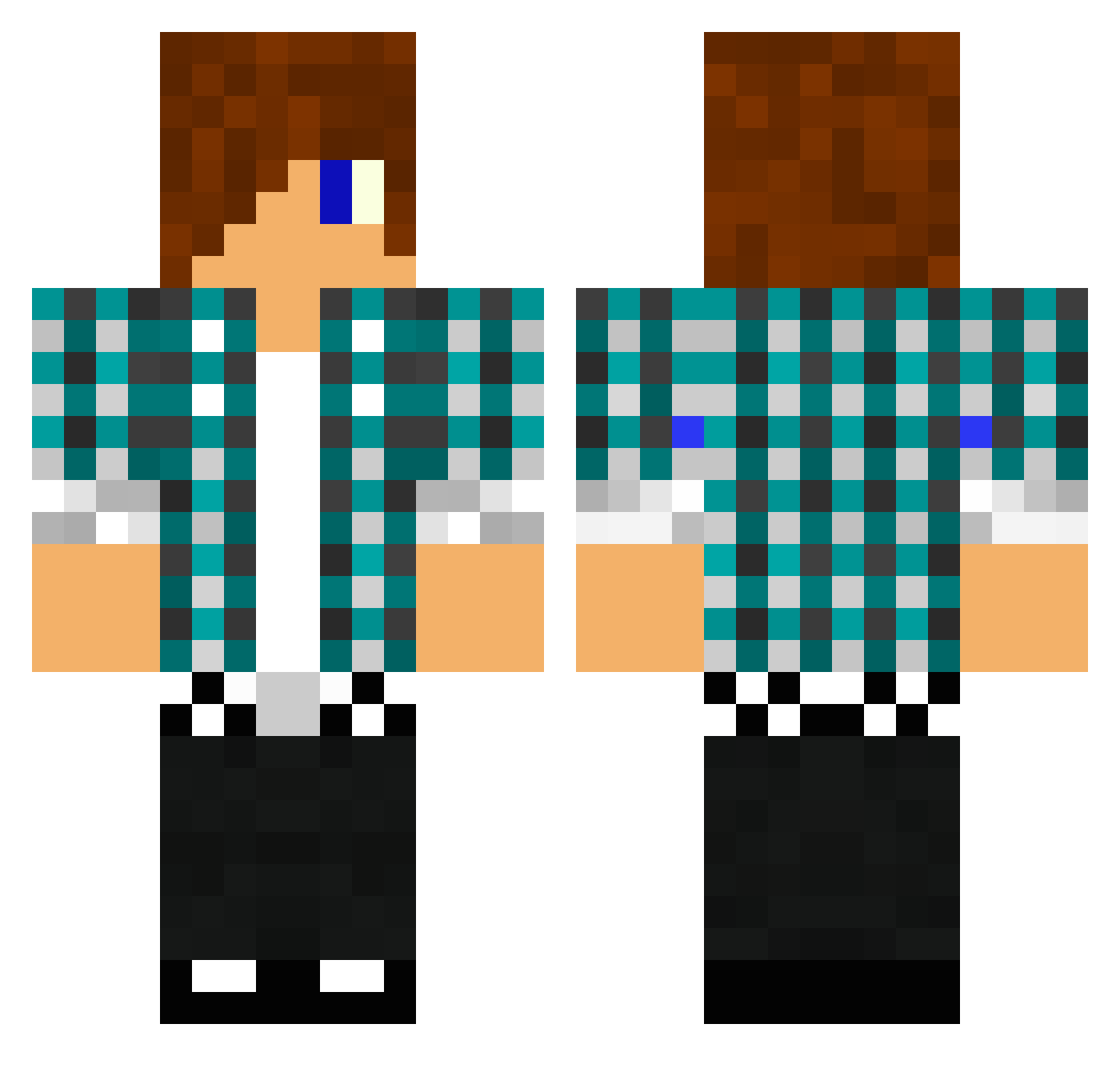
Current Minecraft skin of the player blaze0456, loaded from the official Mojang API. Rotate the 3D model with your mouse or finger, then download the skin as a PNG file and use it in Minecraft: Bedrock Edition or Java Edition for free. When blaze0456 changes their skin, this page updates automatically and the old skin stays in the history below.
Other players with this skin (1475)
blaze0456 was the 603rd player we have seen with this skin, first spotted on 12.09.2026. The same skin was seen on these players. Open a nickname to see their current skin and skin history.
 isakb99 raketenfurzer KenaKoda NIVRAM2209 FusionPhysics Easythinkin kodym00 AandA41 briiinks Diascus iPhonefreaky MixedSticks Soulpuncher mang_gue XxsnapperxxX PickleManPlaysMC sharpy123456789 Lennert122000 cornerezio15 BenWalla sonlater BraedenFoster awesomeness006 mtcheese nj006 TheDuck_Dk Trey918273 boy90210 Sir_Rupert JCS07 pdj1234 TheLastBuilder Magnus_501 mcblock123 luddegborn mrcreaper450 frauenheld10 davester159 codywolf13 threelittlepig XKALEB12X thedev129 Niklsn1 lude1234 NinjaRodriguez P4di17 Kubikula168 Corza08 mc4004 Tekumimimokun Taylor2468 xpolafxp tobyAB1997 FreeRun217 TangoFoxtrot12 BushMicklewright imthebestminer xxsmokexx9001 absol11 luketavo
More Emo Minecraft skins
How to install the blaze0456 skin
- Press the Download button above to save the skin as a PNG file.
- Minecraft: Bedrock Edition (PE): open the Dressing Room from the main menu (or tap your character → Edit Character), go to Classic Skins → Owned, press the + (new skin) button, choose the downloaded PNG and pick the Classic (Steve) model. Works on PC and mobile; consoles cannot import custom skins.
- Minecraft: Java Edition: open the Minecraft Launcher, go to the Skins tab, click New Skin, load the PNG, pick the Classic (Steve) model and press Save & Use. You can also upload it at minecraft.net → Profile → Change Skin.
The skin does not show up after import - what should I do?
Restart Minecraft and open the Dressing Room again - imported skins sometimes appear only after a restart. Also make sure you selected the imported skin and picked the Classic (Steve) model.
Which model should I choose, Classic or Slim?
This skin is designed for the Classic (Steve) model. If you pick the wrong model, the arms of the skin will look stretched or squeezed.
Is the skin of blaze0456 free to download?
Yes. Press Download, save the PNG file and use it in Minecraft: Bedrock Edition or Java Edition - no payment or registration needed. The skin also works on multiplayer servers and Realms.
More skins
Looking for more? Go back to all Minecraft skins and check the top skins of the week, month and all time, or find any player's skin by nickname.