
bkwon1988 - Minecraft Skins & Skin History
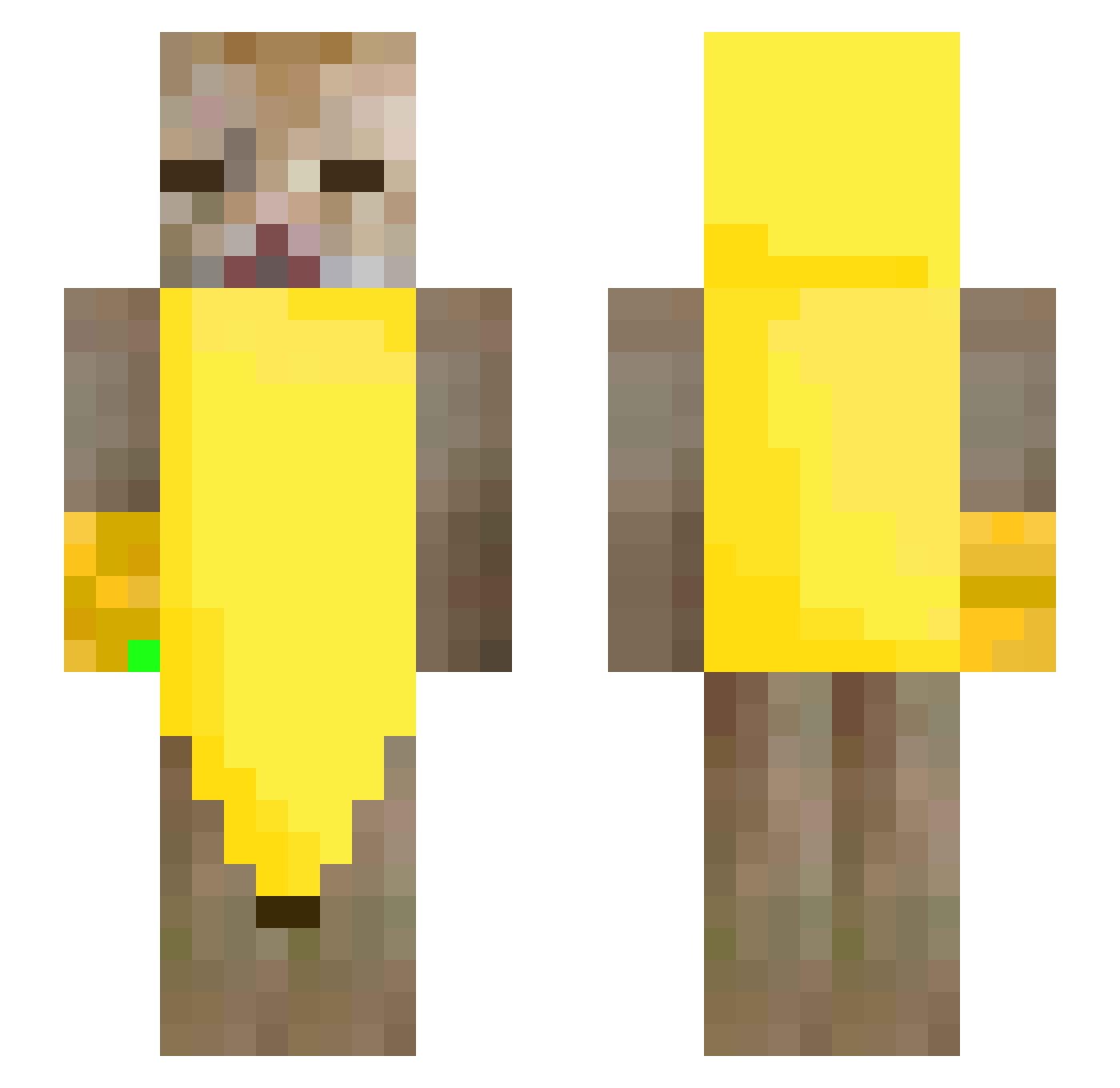
Current Minecraft skin of the player bkwon1988, loaded from the official Mojang API. Rotate the 3D model with your mouse or finger, then download the skin as a PNG file and use it in Minecraft: Bedrock Edition or Java Edition for free. When bkwon1988 changes their skin, this page updates automatically and the old skin stays in the history below.
Other players with this skin (245)
bkwon1988 was the 173rd player we have seen with this skin, first spotted on 06.10.2026. The same skin was seen on these players. Open a nickname to see their current skin and skin history.
 gualter302 windy616 DerCarryPotter yabufelic0 mkh1126 Widemax Shuwichii lilyean666 Ponster45 catfak78 BunnyBhop Catman144245 Cochabamba777 Demetrius519 Law404 IIIIIIIIIlIIlIII Kashury Prosto_Sobaka Murray_From_MK Bonaner Deagy_ Cat3017 re_one_e LaPotoko1 Bugrahannn axpx Susucess Ruuuizz Trich SquarishDeer378 quannn1126 Helldemon2091 4yum escopilla777 ptsn711 CHOIJUNGHUN azaleeeeee sapoarmado8 xoliwkaa Tom_Perla Tokincho11 Anastazja2190 YumiiTumii NopeJustJosh shapes51 TimmyLabowski athxo pongpoo7 vxctim klocik IBaytor bonappletity fossilmommy Enos01 1Lumyx rubberducks07 tariu0 Aegeriter ITACHIGOATED420 OuOMiyaOuO
More Banana Minecraft skins
How to install the bkwon1988 skin
- Press the Download button above to save the skin as a PNG file.
- Minecraft: Bedrock Edition (PE): open the Dressing Room from the main menu (or tap your character → Edit Character), go to Classic Skins → Owned, press the + (new skin) button, choose the downloaded PNG and pick the Slim (Alex) model. Works on PC and mobile; consoles cannot import custom skins.
- Minecraft: Java Edition: open the Minecraft Launcher, go to the Skins tab, click New Skin, load the PNG, pick the Slim (Alex) model and press Save & Use. You can also upload it at minecraft.net → Profile → Change Skin.
The skin does not show up after import - what should I do?
Restart Minecraft and open the Dressing Room again - imported skins sometimes appear only after a restart. Also make sure you selected the imported skin and picked the Slim (Alex) model.
Which model should I choose, Classic or Slim?
This skin is designed for the Slim (Alex) model. If you pick the wrong model, the arms of the skin will look stretched or squeezed.
Is the skin of bkwon1988 free to download?
Yes. Press Download, save the PNG file and use it in Minecraft: Bedrock Edition or Java Edition - no payment or registration needed. The skin also works on multiplayer servers and Realms.
More skins
Looking for more? Go back to all Minecraft skins and check the top skins of the week, month and all time, or find any player's skin by nickname.