
bigpoopy420 - Minecraft Skins & Skin History
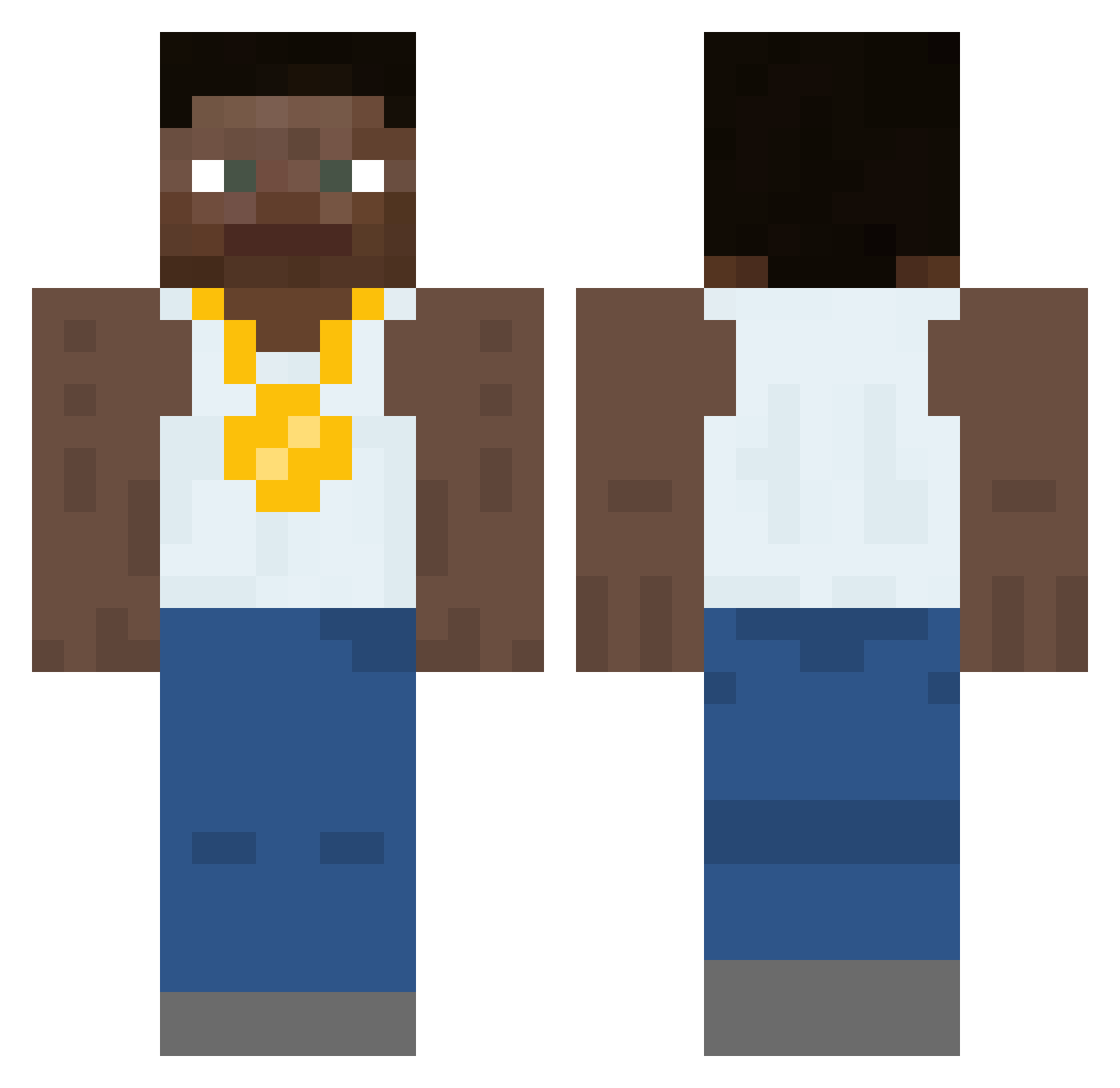
Current Minecraft skin of the player bigpoopy420, loaded from the official Mojang API. Rotate the 3D model with your mouse or finger, then download the skin as a PNG file and use it in Minecraft: Bedrock Edition or Java Edition for free. When bigpoopy420 changes their skin, this page updates automatically and the old skin stays in the history below.
Other players with this skin (452)
bigpoopy420 was the 270th player we have seen with this skin, first spotted on 29.09.2026. The same skin was seen on these players. Open a nickname to see their current skin and skin history.
 Marcchair6609 EKsizL delight357 BrodyTatty Hancii Cown_Bread SigmaVileGrinder YoloKlaus69 ironyo1237e Malt2834 Jackryanseitz Athletesteve49_ Ferris54 Micayo LautiElmakTose hurtxyll Cable_Guy_Larry xTrashb0at InvestorA Efem23 Parixas Lunarwingg Chestnutter Stuka101 Ders67 KrashNDive TenjiWasTaken Bonesaw11803 CATBLUE87 SrStinky624 Foxxiarz69 Marremelad THATBROWNKID2 inleak verymean ArdinioPardinio Hogene_Shin ThemanDirt ProudToiletSeat JustANacGod Absent Cheese__Stick 3CK4 toe4 VitorBR_ green_apple_pie jdu6 azex_007 po13246 LuxuriousTomato JKX05 Congo_Obunga CarlosDaLegend WaldyLol HotDogDaddy00 EdgarFR Octo_King Teslastien JorgeArnaiz paaralan
More Gold Chain Minecraft skins
How to install the bigpoopy420 skin
- Press the Download button above to save the skin as a PNG file.
- Minecraft: Bedrock Edition (PE): open the Dressing Room from the main menu (or tap your character → Edit Character), go to Classic Skins → Owned, press the + (new skin) button, choose the downloaded PNG and pick the Classic (Steve) model. Works on PC and mobile; consoles cannot import custom skins.
- Minecraft: Java Edition: open the Minecraft Launcher, go to the Skins tab, click New Skin, load the PNG, pick the Classic (Steve) model and press Save & Use. You can also upload it at minecraft.net → Profile → Change Skin.
The skin does not show up after import - what should I do?
Restart Minecraft and open the Dressing Room again - imported skins sometimes appear only after a restart. Also make sure you selected the imported skin and picked the Classic (Steve) model.
Which model should I choose, Classic or Slim?
This skin is designed for the Classic (Steve) model. If you pick the wrong model, the arms of the skin will look stretched or squeezed.
Is the skin of bigpoopy420 free to download?
Yes. Press Download, save the PNG file and use it in Minecraft: Bedrock Edition or Java Edition - no payment or registration needed. The skin also works on multiplayer servers and Realms.
More skins
Looking for more? Go back to all Minecraft skins and check the top skins of the week, month and all time, or find any player's skin by nickname.