
bigmoneyflomo - Minecraft Skins & Skin History
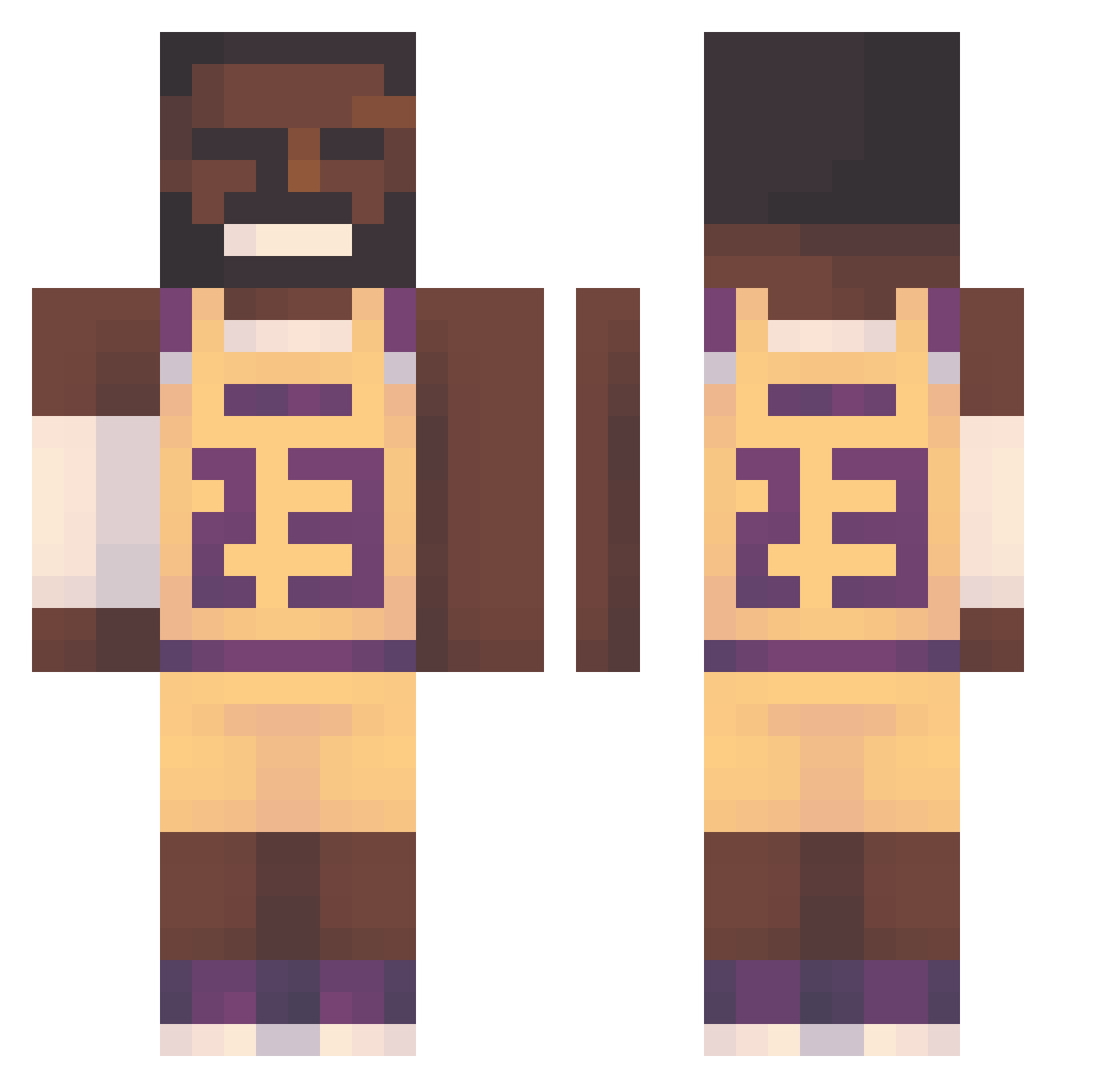
Current Minecraft skin of the player bigmoneyflomo, loaded from the official Mojang API. Rotate the 3D model with your mouse or finger, then download the skin as a PNG file and use it in Minecraft: Bedrock Edition or Java Edition for free. When bigmoneyflomo changes their skin, this page updates automatically and the old skin stays in the history below.
Other players with this skin (128)
bigmoneyflomo was the 90th player we have seen with this skin, first spotted on 04.10.2026. The same skin was seen on these players. Open a nickname to see their current skin and skin history.
 APEWAR Peadar0 JaronGoty eZDr0p_ Diram234 SparkyDaGiraffe Umalumaa ti3ymilk raza96 XxLonelyManxX fabiancitoo queiroz_15 okizachy betmoon vedanshs_10 dragonshadowio Zurrixz ItzPoptart misagamer12 xRydaa twelveandtwo squirtchel AetemoAlt Doncena8 UB4Y happyboy0922 W1se_Guy366 RyanButtlord0 T_man_punch _GEN_1 kordek6ES gdog16 amaca_buteco oskar12345h XRubikusX Sloppyjoe1862 KianLuca soymilkbun woafang big_craft_boy xxxSHIXXX meram01 Vakali Theapero78 nyd_noskil EthanShadeSlayer gr0be Korsux MATII3RD MaximonReign Woostaff AndreasErSej _RiceEater QuickShotCZ Gokce8328 SeungMinDragon Cheeseduder Janekkebab12 rootbeer34 PUN100
More Lakers Minecraft skins
How to install the bigmoneyflomo skin
- Press the Download button above to save the skin as a PNG file.
- Minecraft: Bedrock Edition (PE): open the Dressing Room from the main menu (or tap your character → Edit Character), go to Classic Skins → Owned, press the + (new skin) button, choose the downloaded PNG and pick the Classic (Steve) model. Works on PC and mobile; consoles cannot import custom skins.
- Minecraft: Java Edition: open the Minecraft Launcher, go to the Skins tab, click New Skin, load the PNG, pick the Classic (Steve) model and press Save & Use. You can also upload it at minecraft.net → Profile → Change Skin.
The skin does not show up after import - what should I do?
Restart Minecraft and open the Dressing Room again - imported skins sometimes appear only after a restart. Also make sure you selected the imported skin and picked the Classic (Steve) model.
Which model should I choose, Classic or Slim?
This skin is designed for the Classic (Steve) model. If you pick the wrong model, the arms of the skin will look stretched or squeezed.
Is the skin of bigmoneyflomo free to download?
Yes. Press Download, save the PNG file and use it in Minecraft: Bedrock Edition or Java Edition - no payment or registration needed. The skin also works on multiplayer servers and Realms.
More skins
Looking for more? Go back to all Minecraft skins and check the top skins of the week, month and all time, or find any player's skin by nickname.