
bianbianguai - Minecraft Skins & Skin History
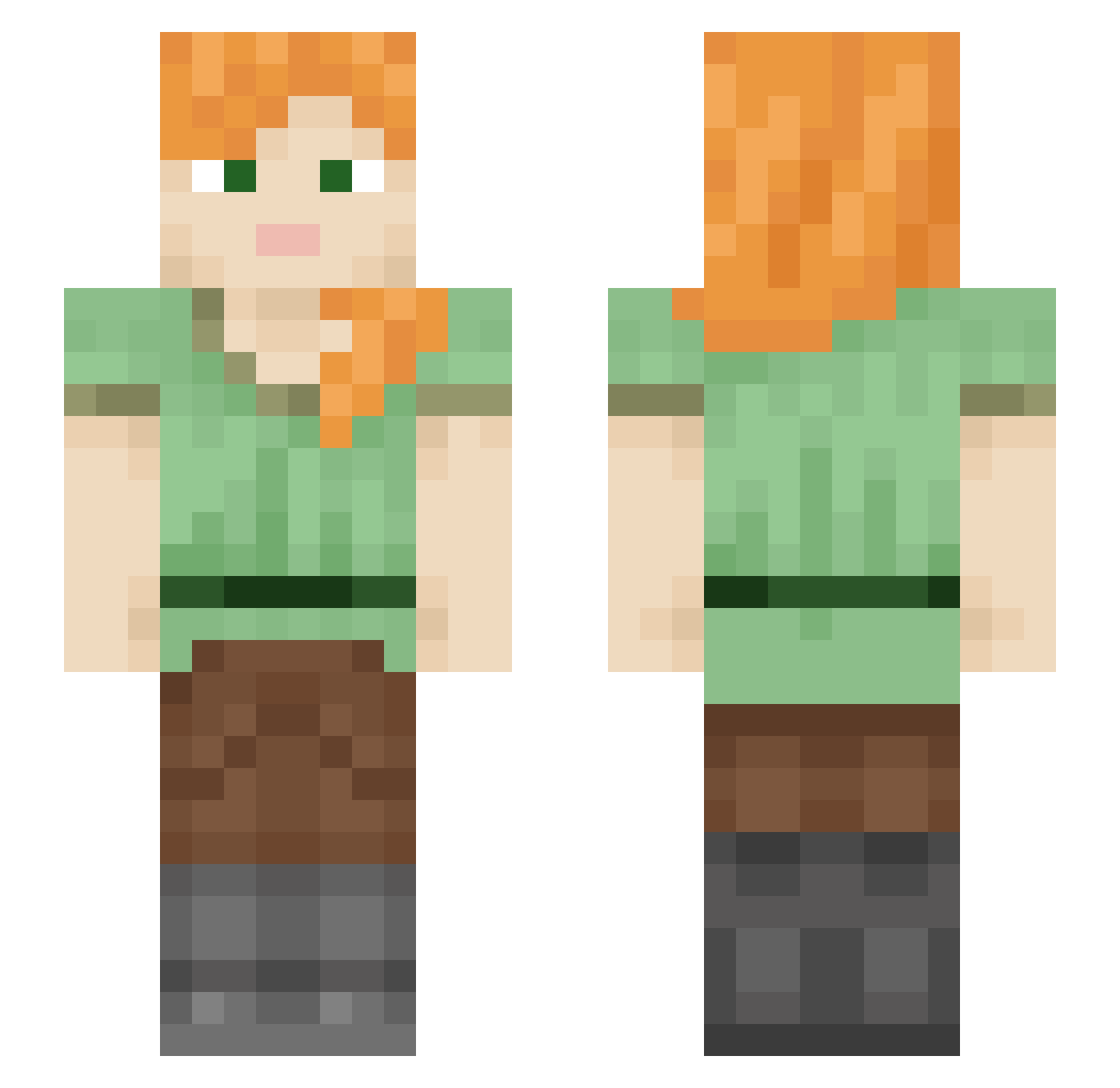
Current Minecraft skin of the player bianbianguai, loaded from the official Mojang API. Rotate the 3D model with your mouse or finger, then download the skin as a PNG file and use it in Minecraft: Bedrock Edition or Java Edition for free. When bianbianguai changes their skin, this page updates automatically and the old skin stays in the history below.
Other players with this skin (599)
bianbianguai was the 85th player we have seen with this skin, first spotted on 14.08.2026. The same skin was seen on these players. Open a nickname to see their current skin and skin history.
 3916 Groumie hawkeye956 zoemoet SUPERLINER Bridgesh865 OVOPP RaptorsFan456 xGENGARR IX7xx Nightmaresandmen KKEKKO09 Mynameismud6494 EvaK2008 TinyTuft poopooBandit XYXxxx owlgoddess13 MEMinecraft_ Lkhmr bsysy aasea jaavaaj hyrulehoax
 Gooze1775 RDMM95 ZariJoy seffietron Indokiss18 takeshidayo BabyKuroda Sir_Wild GreenFrog2010 luhellscythe Connor3270 SiddHanTHRIDER Alumina3773 UMA15 jimmy_0077 Moon_rey Harper_Lea vhattingh Laylahugz sereia_54 Viirusss AlfieHodson08 777m123 jinyxzz wurenz Bvarma Flolady Qianx2 lnTooDeep Blade0160 flavyboi MastahSplintah ArmoredAbyss Uranu5512 captainaxolotl3 Alikaira
How to install the bianbianguai skin
- Press the Download button above to save the skin as a PNG file.
- Minecraft: Bedrock Edition (PE): open the Dressing Room from the main menu (or tap your character → Edit Character), go to Classic Skins → Owned, press the + (new skin) button, choose the downloaded PNG and pick the Slim (Alex) model. Works on PC and mobile; consoles cannot import custom skins.
- Minecraft: Java Edition: open the Minecraft Launcher, go to the Skins tab, click New Skin, load the PNG, pick the Slim (Alex) model and press Save & Use. You can also upload it at minecraft.net → Profile → Change Skin.
The skin does not show up after import - what should I do?
Restart Minecraft and open the Dressing Room again - imported skins sometimes appear only after a restart. Also make sure you selected the imported skin and picked the Slim (Alex) model.
Which model should I choose, Classic or Slim?
This skin is designed for the Slim (Alex) model. If you pick the wrong model, the arms of the skin will look stretched or squeezed.
Is the skin of bianbianguai free to download?
Yes. Press Download, save the PNG file and use it in Minecraft: Bedrock Edition or Java Edition - no payment or registration needed. The skin also works on multiplayer servers and Realms.
More skins
Looking for more? Go back to all Minecraft skins and check the top skins of the week, month and all time, or find any player's skin by nickname.