
bever - Minecraft Skins & Skin History
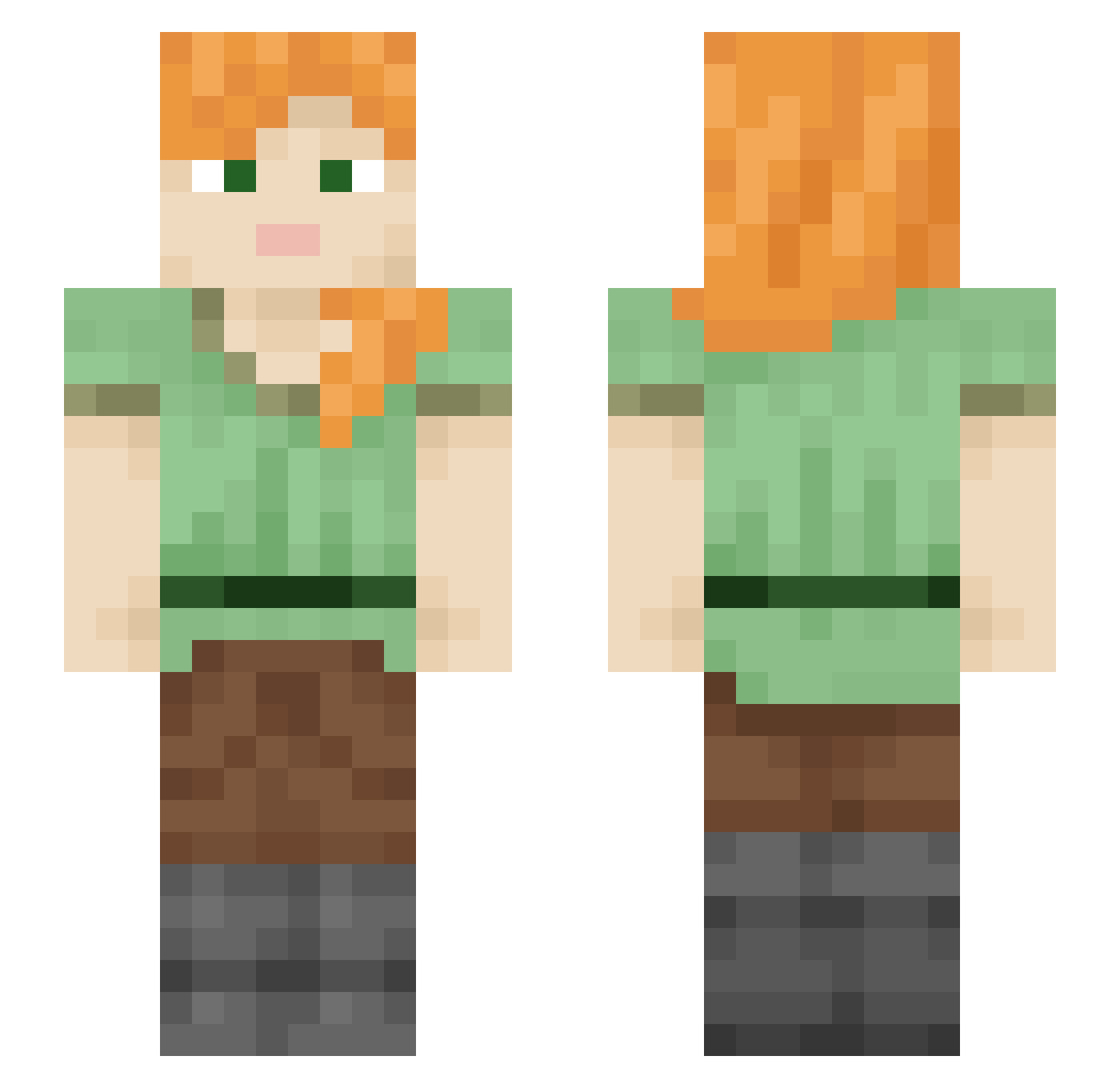
Current Minecraft skin of the player bever, loaded from the official Mojang API. Rotate the 3D model with your mouse or finger, then download the skin as a PNG file and use it in Minecraft: Bedrock Edition or Java Edition for free. When bever changes their skin, this page updates automatically and the old skin stays in the history below.
Other players with this skin (2371)
bever was the 2244th player we have seen with this skin, first spotted on 08.11.2026. The same skin was seen on these players. Open a nickname to see their current skin and skin history.
 Antinegr HonzaDo Kevin81711 AkillaWave TomoDon unexpended mtnreaper Paschen_0 iLoveCrazy TheRealFreak ReSeTToMe tangibles Crowbrain drewlikesblocks Theorizers meo33 bbbbb0123 emidut jo3papa co1met Polypoid Kleant ideomotion MrOhbee Nationalize koahimself DARKSHOTWITCH SubscriberCAT apexkun shuminichijo HighX1 hjune1116 Mixolydian Yeoman toothpastebeans_ DarkChocolate730 linuxbasedgod jamesieboyy B5_2 RedBoats ProstoFabikMD Lucas2937 Selvage Aldimine nettunoalex Me111a Abod_1 seojio3717 coruscate MonEl Nourification youysu itechqqq noksiyus pedrogasp kqts_ SUDO__ OhBlu DoodleNoodleGuy FlapDragon
How to install the bever skin
- Press the Download button above to save the skin as a PNG file.
- Minecraft: Bedrock Edition (PE): open the Dressing Room from the main menu (or tap your character → Edit Character), go to Classic Skins → Owned, press the + (new skin) button, choose the downloaded PNG and pick the Slim (Alex) model. Works on PC and mobile; consoles cannot import custom skins.
- Minecraft: Java Edition: open the Minecraft Launcher, go to the Skins tab, click New Skin, load the PNG, pick the Slim (Alex) model and press Save & Use. You can also upload it at minecraft.net → Profile → Change Skin.
The skin does not show up after import - what should I do?
Restart Minecraft and open the Dressing Room again - imported skins sometimes appear only after a restart. Also make sure you selected the imported skin and picked the Slim (Alex) model.
Which model should I choose, Classic or Slim?
This skin is designed for the Slim (Alex) model. If you pick the wrong model, the arms of the skin will look stretched or squeezed.
Is the skin of bever free to download?
Yes. Press Download, save the PNG file and use it in Minecraft: Bedrock Edition or Java Edition - no payment or registration needed. The skin also works on multiplayer servers and Realms.
More skins
Looking for more? Go back to all Minecraft skins and check the top skins of the week, month and all time, or find any player's skin by nickname.