
beleckatoi77 - Minecraft Skins & Skin History
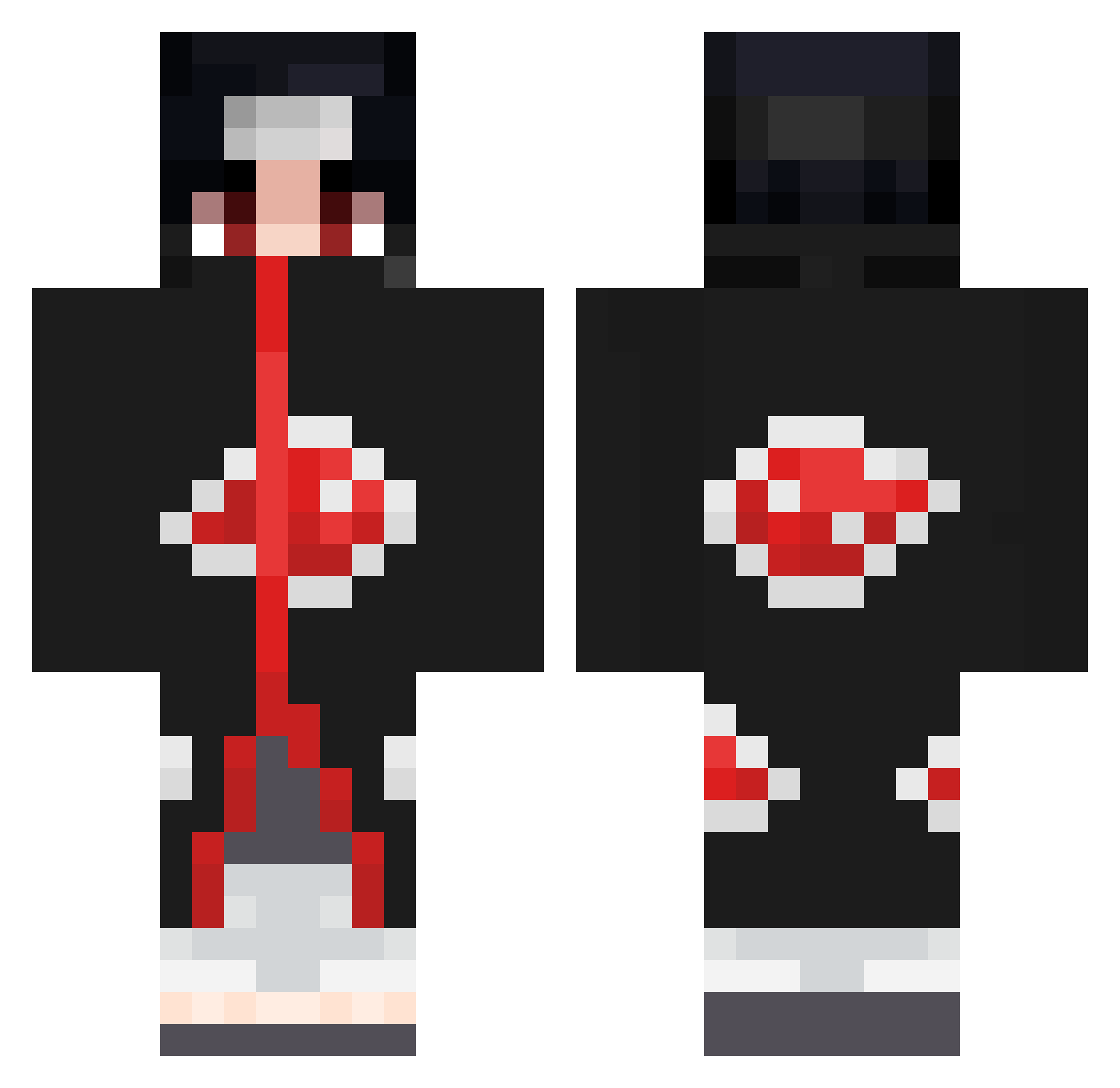
Current Minecraft skin of the player beleckatoi77, loaded from the official Mojang API. Rotate the 3D model with your mouse or finger, then download the skin as a PNG file and use it in Minecraft: Bedrock Edition or Java Edition for free. When beleckatoi77 changes their skin, this page updates automatically and the old skin stays in the history below.
Other players with this skin (672)
beleckatoi77 was the 211th player we have seen with this skin, first spotted on 25.08.2026. The same skin was seen on these players. Open a nickname to see their current skin and skin history.
 WarHammer139 Maxbaut44 Tobi_Injashi Jeytonik calumvonmoger12 MizzTheo AbnerSP rSLASHosugame StarMoky blaze_dah Kevinskix Remybilly AndrzejGolara dudu_Assalim1199 PIKX97 Edwardding edoardo_2002 Bagel_With_Cream kimhongrae JuanDiego97 Chike09 blitOo Itachi73699 DixoneR W2Z_Napzz Taha__s Georgios114 JustAlin96 vGeezy Ema143 Ryanuu Sauvageriee Danamster Mejay420 Krisgasoo5248 daylowfps JACK322903 imtheenderman33 bribiis Pebyy Thelopezkid wehawwwt Cocaz21 Shadowpaw04 Zed_Khalfia TheChopStyx RipVanWinkle16 NotBailzzzD New_Challenge Brielo VerbatimTable53 AnalKraken fafou41 De4thst4lk3r klaynxxd Kadderley LaiBoon_1221 Pueblo0843 ElBless Smoke_69
More Itachi Uchiha Minecraft skins
See all 318 Itachi Uchiha skins
How to install the beleckatoi77 skin
- Press the Download button above to save the skin as a PNG file.
- Minecraft: Bedrock Edition (PE): open the Dressing Room from the main menu (or tap your character → Edit Character), go to Classic Skins → Owned, press the + (new skin) button, choose the downloaded PNG and pick the Classic (Steve) model. Works on PC and mobile; consoles cannot import custom skins.
- Minecraft: Java Edition: open the Minecraft Launcher, go to the Skins tab, click New Skin, load the PNG, pick the Classic (Steve) model and press Save & Use. You can also upload it at minecraft.net → Profile → Change Skin.
The skin does not show up after import - what should I do?
Restart Minecraft and open the Dressing Room again - imported skins sometimes appear only after a restart. Also make sure you selected the imported skin and picked the Classic (Steve) model.
Which model should I choose, Classic or Slim?
This skin is designed for the Classic (Steve) model. If you pick the wrong model, the arms of the skin will look stretched or squeezed.
Is the skin of beleckatoi77 free to download?
Yes. Press Download, save the PNG file and use it in Minecraft: Bedrock Edition or Java Edition - no payment or registration needed. The skin also works on multiplayer servers and Realms.
More skins
Looking for more? Go back to all Minecraft skins and check the top skins of the week, month and all time, or find any player's skin by nickname.