
bel4x - Minecraft Skins & Skin History
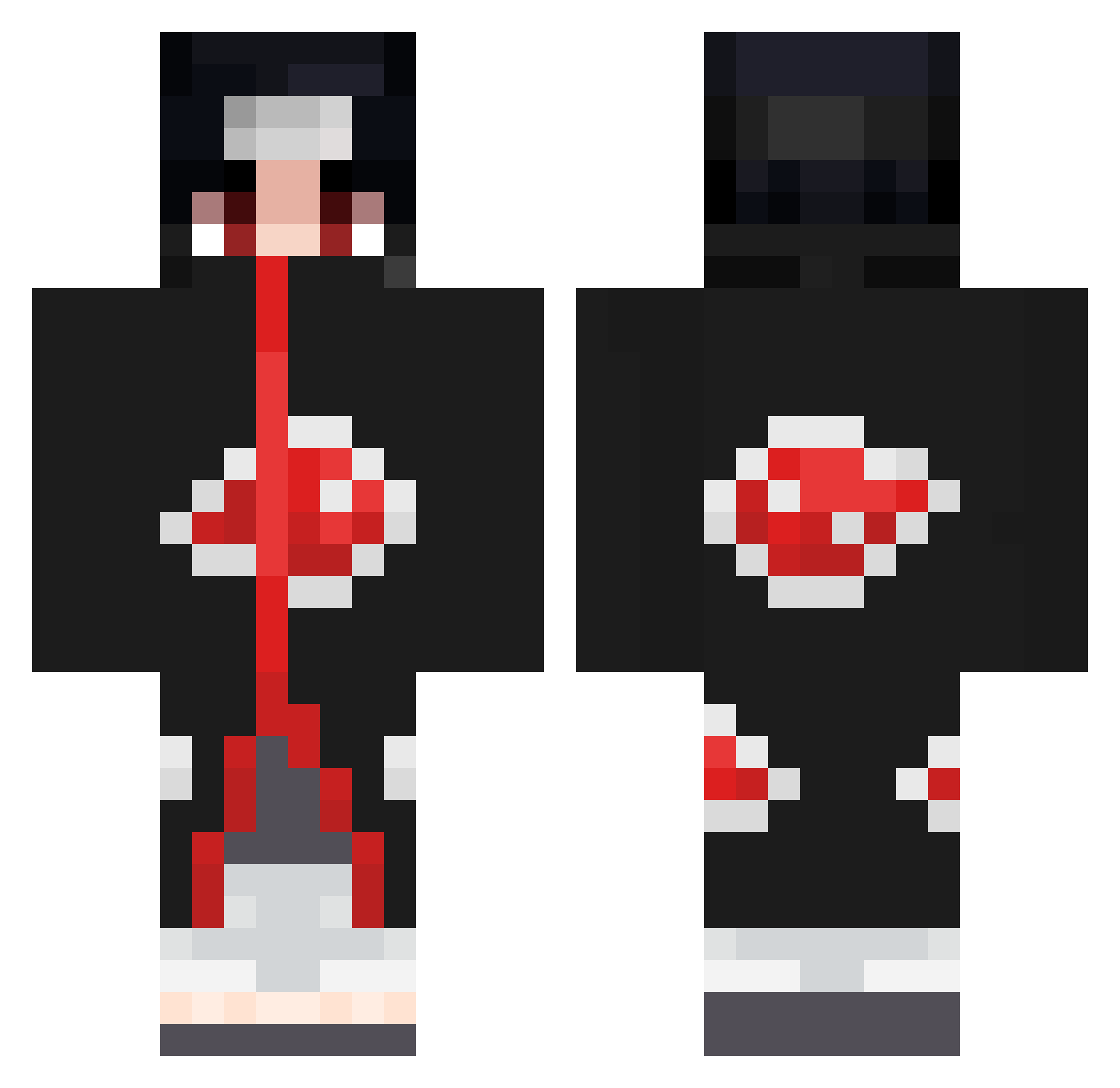
Current Minecraft skin of the player bel4x, loaded from the official Mojang API. Rotate the 3D model with your mouse or finger, then download the skin as a PNG file and use it in Minecraft: Bedrock Edition or Java Edition for free. When bel4x changes their skin, this page updates automatically and the old skin stays in the history below.
Other players with this skin (670)
bel4x was the 170th player we have seen with this skin, first spotted on 20.08.2026. The same skin was seen on these players. Open a nickname to see their current skin and skin history.
 riXjeee dera02 Modziak alkubaisi_56 Football203 TGINIGHTSHADE AranaJ Crousti_fiaK Rive1705 Audreygid Fersawhy BERNAR3011 ItachiMSH wxllds LoShino adridou wrinkles06 iPhone13ProMaxKR Iverlak JackRoberto230 Delta34 sahidvo7 mickensenn ToxicGold777 syati_syati_orca Sin3D ElBless CrinkleFingers00 Aniu1106 Metalhead_97 fafou41 AnalKraken New_Challenge NotBailzzzD h0ngen palmierp TheChopStyx Zed_Khalfia Cocaz21 Xonix84 Jpizza7 Pebyy springxav MoB_Itachi daylowfps Mejay420 Sauvageriee HansKlinge98 sgttarik789 Kazimodo4ka vGeezy Torpackk JustAlin96 Georgios114 Taha__s W2Z_Napzz L3VITICAL DixoneR blitOo Afkhiro
More Itachi Uchiha Minecraft skins
See all 318 Itachi Uchiha skins
How to install the bel4x skin
- Press the Download button above to save the skin as a PNG file.
- Minecraft: Bedrock Edition (PE): open the Dressing Room from the main menu (or tap your character → Edit Character), go to Classic Skins → Owned, press the + (new skin) button, choose the downloaded PNG and pick the Classic (Steve) model. Works on PC and mobile; consoles cannot import custom skins.
- Minecraft: Java Edition: open the Minecraft Launcher, go to the Skins tab, click New Skin, load the PNG, pick the Classic (Steve) model and press Save & Use. You can also upload it at minecraft.net → Profile → Change Skin.
The skin does not show up after import - what should I do?
Restart Minecraft and open the Dressing Room again - imported skins sometimes appear only after a restart. Also make sure you selected the imported skin and picked the Classic (Steve) model.
Which model should I choose, Classic or Slim?
This skin is designed for the Classic (Steve) model. If you pick the wrong model, the arms of the skin will look stretched or squeezed.
Is the skin of bel4x free to download?
Yes. Press Download, save the PNG file and use it in Minecraft: Bedrock Edition or Java Edition - no payment or registration needed. The skin also works on multiplayer servers and Realms.
More skins
Looking for more? Go back to all Minecraft skins and check the top skins of the week, month and all time, or find any player's skin by nickname.