
baslucky3 - Minecraft Skins & Skin History
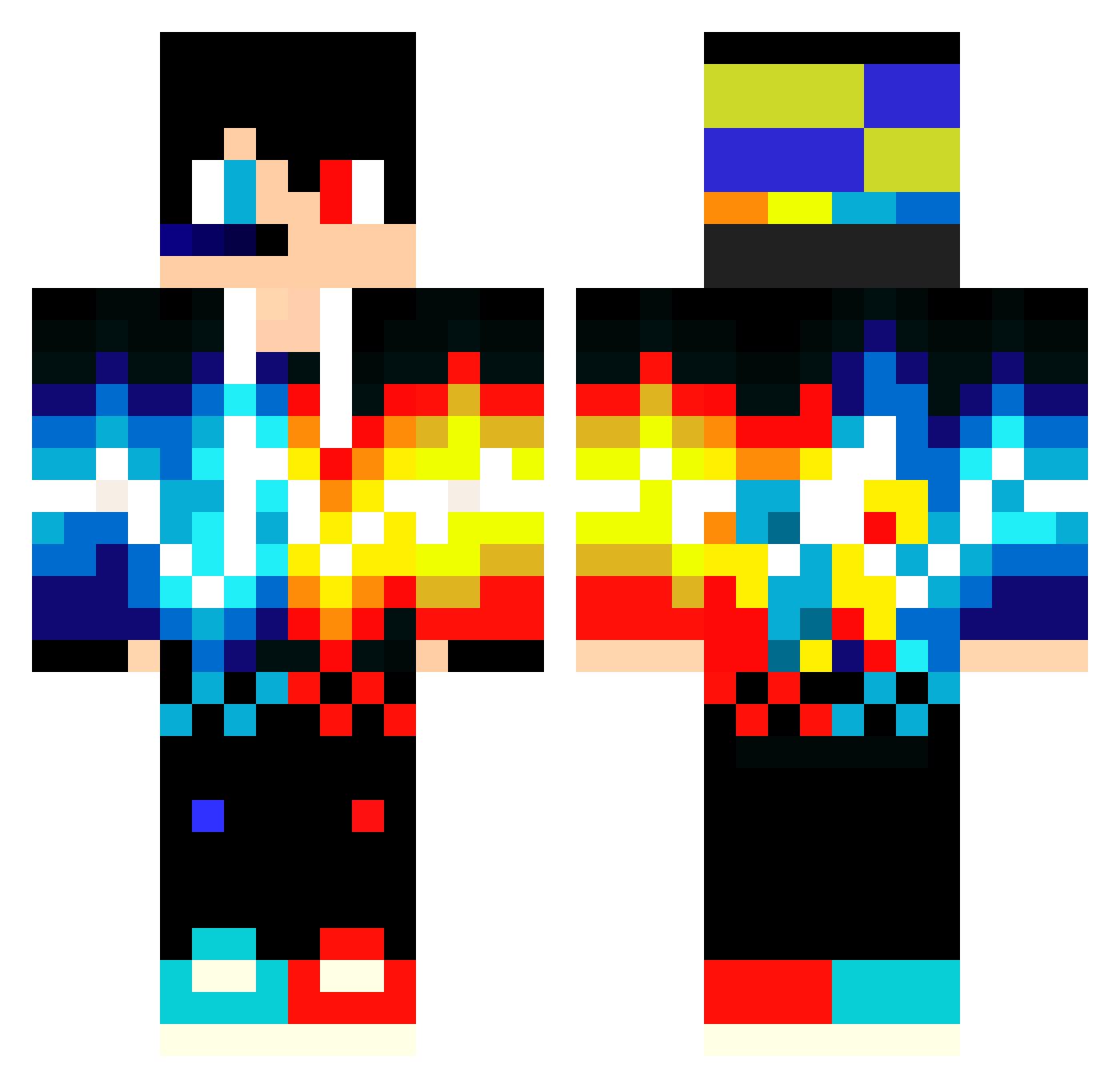
Current Minecraft skin of the player baslucky3, loaded from the official Mojang API. Rotate the 3D model with your mouse or finger, then download the skin as a PNG file and use it in Minecraft: Bedrock Edition or Java Edition for free. When baslucky3 changes their skin, this page updates automatically and the old skin stays in the history below.
Other players with this skin (549)
baslucky3 was the 213th player we have seen with this skin, first spotted on 04.09.2026. The same skin was seen on these players. Open a nickname to see their current skin and skin history.
 Jozuking
 Filipek13082012 stunningsnow ChillRick SOFLO_THE_BEST LASTchild142YT Elcano92 XiaChunEn LuckyBH8787 fraldar Big_boi_detoid Nickycraft26 andrew_pe BRjoel15 dsv37 VladDinozauru pro2817xdd17 totoshirou pizzakid11 Camsann JackyBear13 JoySaco metallicafanm DRACOAJ mario202030 crybbyboy SebyRo24 escadab ORICRAFT991 DraftiestGenie0 RALLIGAV Domec19 GericsonGamerX Marchin102 Alexzika7 iKQRK Antonio290 Ronizin49 WitherStormXL Sumikko1202 Kallel31 Marigegg Joao10ggYT McNick_BR z7xr firedragon627 Blockmaster_120 Alpha369 PacketStream Wedu09 Iceyu777 nagisa_su MelonMan0987 Valencutri CoolBrain1 DJR2_ yBABAU Assaf2012 ernest4120 bryan20022015
More Fire And Ice Minecraft skins
See all 697 Fire And Ice skins
How to install the baslucky3 skin
- Press the Download button above to save the skin as a PNG file.
- Minecraft: Bedrock Edition (PE): open the Dressing Room from the main menu (or tap your character → Edit Character), go to Classic Skins → Owned, press the + (new skin) button, choose the downloaded PNG and pick the Classic (Steve) model. Works on PC and mobile; consoles cannot import custom skins.
- Minecraft: Java Edition: open the Minecraft Launcher, go to the Skins tab, click New Skin, load the PNG, pick the Classic (Steve) model and press Save & Use. You can also upload it at minecraft.net → Profile → Change Skin.
The skin does not show up after import - what should I do?
Restart Minecraft and open the Dressing Room again - imported skins sometimes appear only after a restart. Also make sure you selected the imported skin and picked the Classic (Steve) model.
Which model should I choose, Classic or Slim?
This skin is designed for the Classic (Steve) model. If you pick the wrong model, the arms of the skin will look stretched or squeezed.
Is the skin of baslucky3 free to download?
Yes. Press Download, save the PNG file and use it in Minecraft: Bedrock Edition or Java Edition - no payment or registration needed. The skin also works on multiplayer servers and Realms.
More skins
Looking for more? Go back to all Minecraft skins and check the top skins of the week, month and all time, or find any player's skin by nickname.