
bananowa03 - Minecraft Skins & Skin History
Current Minecraft skin of the player bananowa03, loaded from the official Mojang API. Rotate the 3D model with your mouse or finger, then download the skin as a PNG file and use it in Minecraft: Bedrock Edition or Java Edition for free. When bananowa03 changes their skin, this page updates automatically and the old skin stays in the history below.
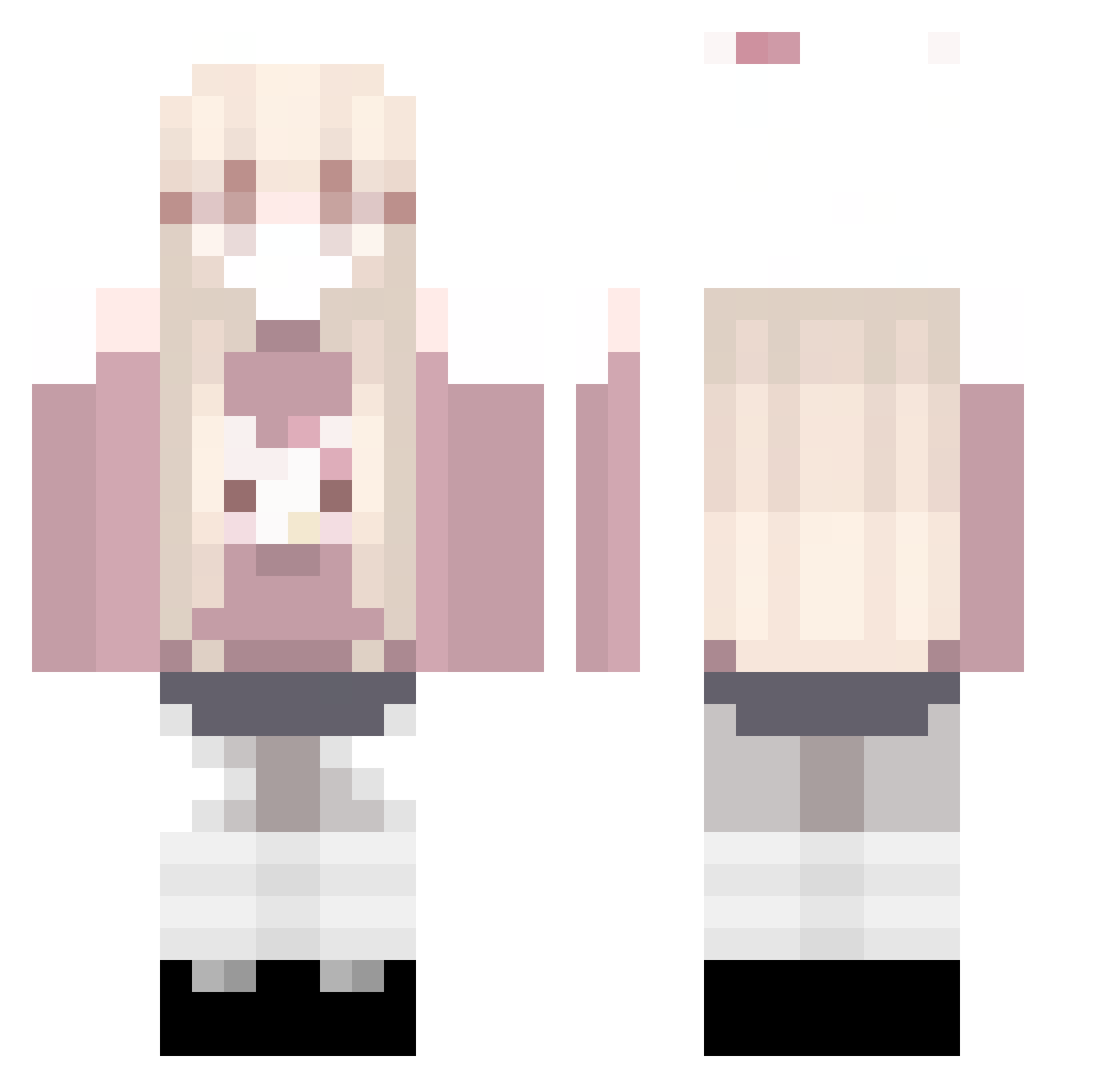
Other players with this skin (76)
bananowa03 was the 33rd player we have seen with this skin, first spotted on 29.08.2026. The same skin was seen on these players. Open a nickname to see their current skin and skin history.
 DENGOOOO CrisMarq r0saryn Hyxpel MIMOLI_
 haveogri eseungmn mya_aaS2 AdxtiveFei lala_evelyn MaybeMini
 Arin_2 Recaldems gocha_magical Oikawa0720 izoxodinho Tatiiana_
 Anfrhrlt kxzzqi REMEI065 leFlx_ onnb Kishumyy
 NongNeX1 itzseup Alondra444 pistache604 S1mplyPur3_ laia45467 kongba1 KYLIN_QiL1n XXiaoMi__ anaeesd Lauranna zayrifx Paulinaaxyz Kloudyy_ cheesiecakes TUNIK52 DragonEma1234 WiwWee xSyne_ qtWater hyunyoung_ yloex Luvxnyu aaqtinaw YooN103 zeeyna 0721188 Mylovealgie
 Runcizs sheppard92 EWaaV DangerICZM
 wendezoo Xiao_Lu_DG bilu33x Alyssa_x0x Rainsto
More Anime Girl Minecraft skins
See all 11599 Anime Girl skins
How to install the bananowa03 skin
- Press the Download button above to save the skin as a PNG file.
- Minecraft: Bedrock Edition (PE): open the Dressing Room from the main menu (or tap your character → Edit Character), go to Classic Skins → Owned, press the + (new skin) button, choose the downloaded PNG and pick the Classic (Steve) model. Works on PC and mobile; consoles cannot import custom skins.
- Minecraft: Java Edition: open the Minecraft Launcher, go to the Skins tab, click New Skin, load the PNG, pick the Classic (Steve) model and press Save & Use. You can also upload it at minecraft.net → Profile → Change Skin.
The skin does not show up after import - what should I do?
Restart Minecraft and open the Dressing Room again - imported skins sometimes appear only after a restart. Also make sure you selected the imported skin and picked the Classic (Steve) model.
Which model should I choose, Classic or Slim?
This skin is designed for the Classic (Steve) model. If you pick the wrong model, the arms of the skin will look stretched or squeezed.
Is the skin of bananowa03 free to download?
Yes. Press Download, save the PNG file and use it in Minecraft: Bedrock Edition or Java Edition - no payment or registration needed. The skin also works on multiplayer servers and Realms.
More skins
Looking for more? Go back to all Minecraft skins and check the top skins of the week, month and all time, or find any player's skin by nickname.