
bananeq2 - Minecraft Skins & Skin History
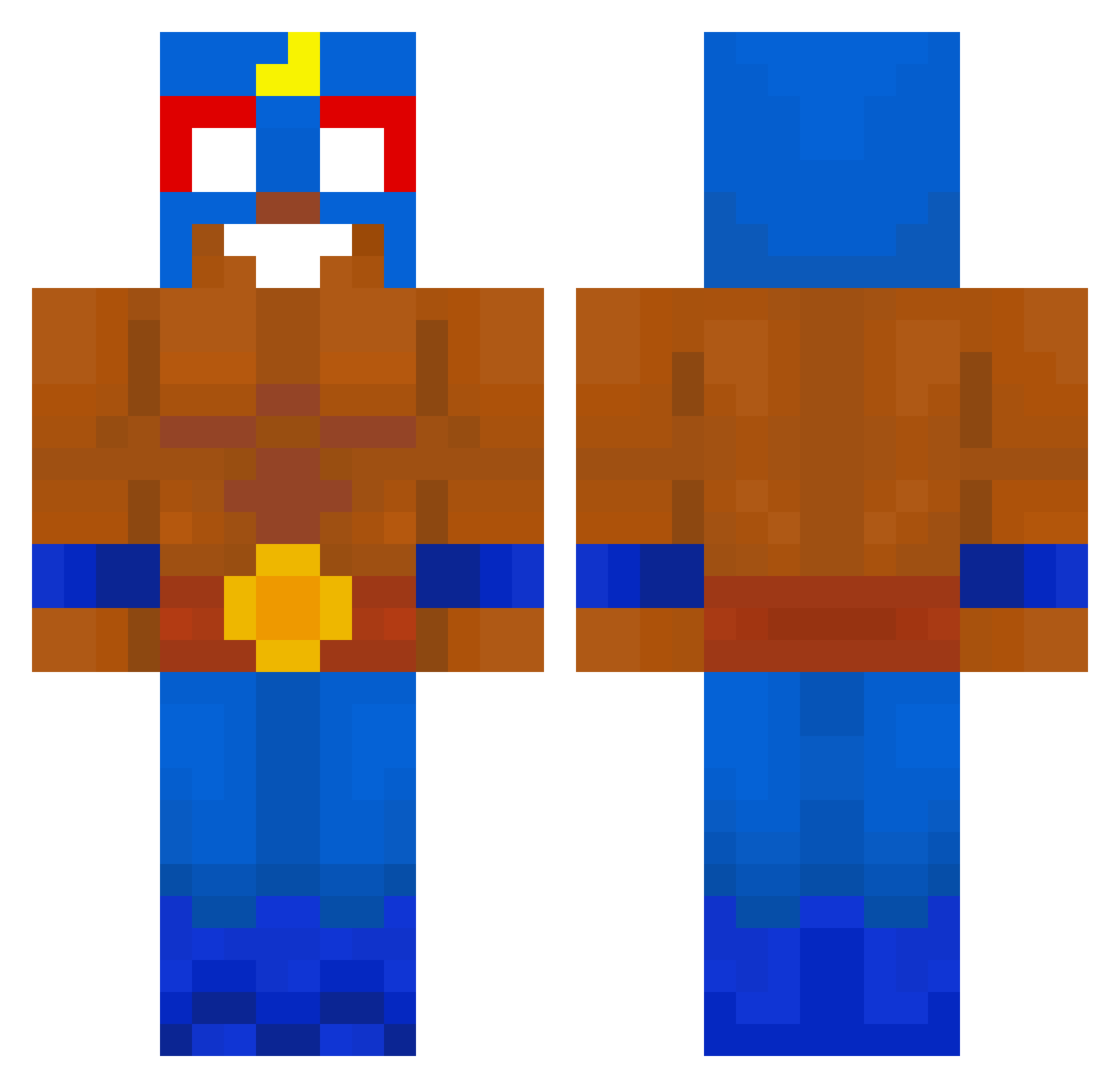
Current Minecraft skin of the player bananeq2, loaded from the official Mojang API. Rotate the 3D model with your mouse or finger, then download the skin as a PNG file and use it in Minecraft: Bedrock Edition or Java Edition for free. When bananeq2 changes their skin, this page updates automatically and the old skin stays in the history below.
Other players with this skin (517)
bananeq2 was the 503rd player we have seen with this skin, first spotted on 16.10.2026. The same skin was seen on these players. Open a nickname to see their current skin and skin history.
 waslaeuft ThibThib17 BarrelWinner428 bskvit Jabloniarz Niemiec__69 redKing6669 JonnyBeton19 matheusmaia66734 BeraTadAM31 TeriMumi jajozgniatacz sousa254 Aguilapama mylittlep0ny123 KiloBob XThe_best_botX Tchorzu fizhyoyo Alexrusucdk1234 emkaka31 apeseqs llanca_01 GoldenHolden1234 444euca quarkZ0 swanduck GustavoYiingg ZYN_ITER Chitoo777 saullgoodmann31 ElSeBo321 pie_426 TheCo24 K01___ IlNipote barannkibar MyThor_ RealRrift Revelcebu27 okunene finnkin08 Lechonk97 jarylopio Rym98 JerryDaLegend Akihi00 Philipp1012 bigg____chungus belozik _Frederik_XD cyxz__ vxyus laapaca LaFouine54 SoYU_15 sidek2115 yojid Dzedzi Amygdales
More El Primo Minecraft skins
How to install the bananeq2 skin
- Press the Download button above to save the skin as a PNG file.
- Minecraft: Bedrock Edition (PE): open the Dressing Room from the main menu (or tap your character → Edit Character), go to Classic Skins → Owned, press the + (new skin) button, choose the downloaded PNG and pick the Classic (Steve) model. Works on PC and mobile; consoles cannot import custom skins.
- Minecraft: Java Edition: open the Minecraft Launcher, go to the Skins tab, click New Skin, load the PNG, pick the Classic (Steve) model and press Save & Use. You can also upload it at minecraft.net → Profile → Change Skin.
The skin does not show up after import - what should I do?
Restart Minecraft and open the Dressing Room again - imported skins sometimes appear only after a restart. Also make sure you selected the imported skin and picked the Classic (Steve) model.
Which model should I choose, Classic or Slim?
This skin is designed for the Classic (Steve) model. If you pick the wrong model, the arms of the skin will look stretched or squeezed.
Is the skin of bananeq2 free to download?
Yes. Press Download, save the PNG file and use it in Minecraft: Bedrock Edition or Java Edition - no payment or registration needed. The skin also works on multiplayer servers and Realms.
More skins
Looking for more? Go back to all Minecraft skins and check the top skins of the week, month and all time, or find any player's skin by nickname.