
badottergaming - Minecraft Skins & Skin History
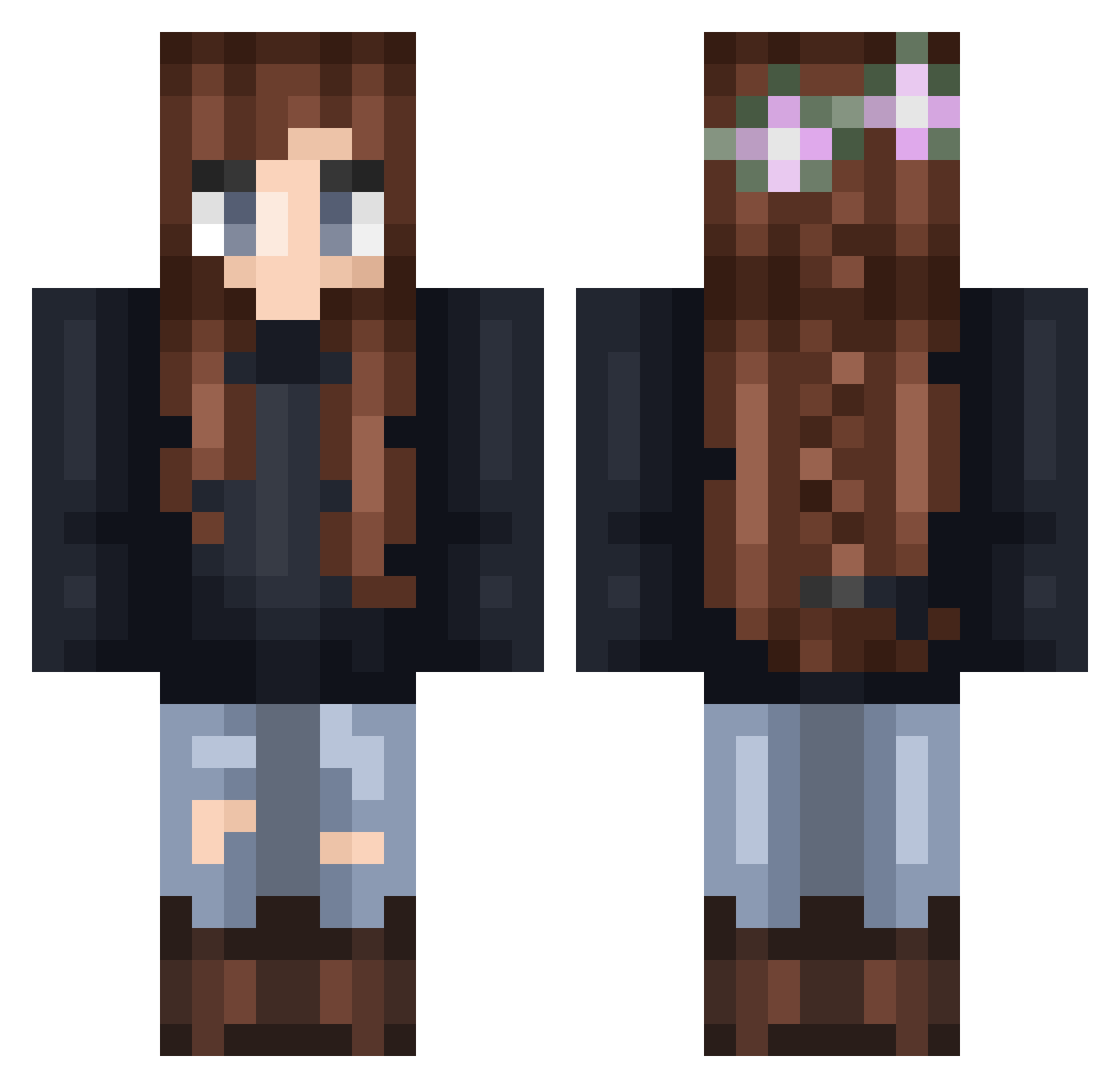
Current Minecraft skin of the player badottergaming, loaded from the official Mojang API. Rotate the 3D model with your mouse or finger, then download the skin as a PNG file and use it in Minecraft: Bedrock Edition or Java Edition for free. When badottergaming changes their skin, this page updates automatically and the old skin stays in the history below.
Other players with this skin (293)
badottergaming was the 87th player we have seen with this skin, first spotted on 26.08.2026. The same skin was seen on these players. Open a nickname to see their current skin and skin history.
 Ariosos HumanShipwreck GameAbyss elsie296 yotjoule Sushiklops lilfishies89 Mariasha_28 Mithrandir0608 ValeriaDLG MegaWookie aethersie Vilandra victoriate PBandJenni Lynn_465 auria226 clemmrlt JekaTay ItsKatieee Moostafa dominikakisiel ThisAdvocatee bionerd sunshine_nanchy Parraket kaykay057 Monicaas DraciaDarling Razzly Vieve_97 Rosej264 manuellax12 NerdyOwl77 Aeleora purplegem3 Magekip feluna1luce Lyricam LilyVampireGamer andreaaloca chelsaronii Aschennix COOPE12 1Somebody5 MooCows10101 Reipeat Eduonbotti DBKAN Emgemz chunkeymonkey62 Shad3Slay3r99 Sandriss21 Anokuu hongpeach A_Laska jacqui82 IssisBellis katybug77 anna32u4
More Braid Minecraft skins
How to install the badottergaming skin
- Press the Download button above to save the skin as a PNG file.
- Minecraft: Bedrock Edition (PE): open the Dressing Room from the main menu (or tap your character → Edit Character), go to Classic Skins → Owned, press the + (new skin) button, choose the downloaded PNG and pick the Classic (Steve) model. Works on PC and mobile; consoles cannot import custom skins.
- Minecraft: Java Edition: open the Minecraft Launcher, go to the Skins tab, click New Skin, load the PNG, pick the Classic (Steve) model and press Save & Use. You can also upload it at minecraft.net → Profile → Change Skin.
The skin does not show up after import - what should I do?
Restart Minecraft and open the Dressing Room again - imported skins sometimes appear only after a restart. Also make sure you selected the imported skin and picked the Classic (Steve) model.
Which model should I choose, Classic or Slim?
This skin is designed for the Classic (Steve) model. If you pick the wrong model, the arms of the skin will look stretched or squeezed.
Is the skin of badottergaming free to download?
Yes. Press Download, save the PNG file and use it in Minecraft: Bedrock Edition or Java Edition - no payment or registration needed. The skin also works on multiplayer servers and Realms.
More skins
Looking for more? Go back to all Minecraft skins and check the top skins of the week, month and all time, or find any player's skin by nickname.