
babycow05 - Minecraft Skins & Skin History
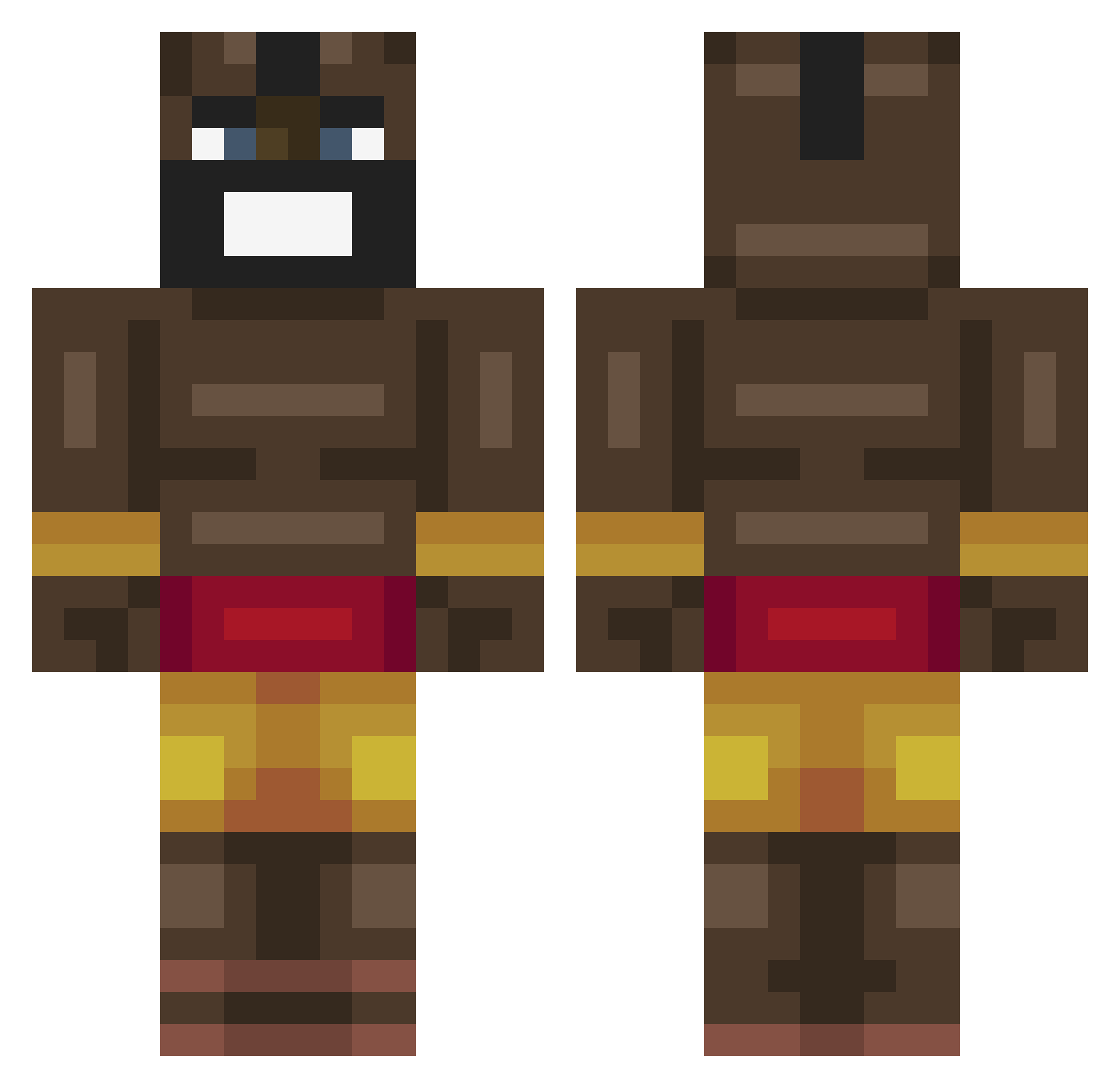
Current Minecraft skin of the player babycow05, loaded from the official Mojang API. Rotate the 3D model with your mouse or finger, then download the skin as a PNG file and use it in Minecraft: Bedrock Edition or Java Edition for free. When babycow05 changes their skin, this page updates automatically and the old skin stays in the history below.
Other players with this skin (463)
babycow05 was the 159th player we have seen with this skin, first spotted on 02.09.2026. The same skin was seen on these players. Open a nickname to see their current skin and skin history.
 StickyLeftNut stoklexy MC3Swizzy JustPika69 Thatsmortal IsJames16 BotCallum_ RiverApple69 cacfic johannsus03 XxPotatoxX923 CarryLambo LouLittle feivr Zexrou MurphyZ3 olipal2 HarvardDropOutXD Striker091190 riley_cube Trixxxert wAlRuS_3 tommyisepic2003 _Alee_00 joaq_m FTPmercury ElToroAguirre GoldenKhan50202 SaveMeBrother Royalistik Huundog ClebinhoHack NuTz2604 SpeziellKiwi SensiChang26 Bayrat89 Ukulele1 ShadowCharmer115 wavie97 yair_dor joan_183 gianmarco2021 woosley13254 BiteableDanger piz12 KimKs_hotmother betun123 yoDraco_ GabeItchROFL bigmen1234567 Mas77 CtwelveK Walkinglizard_ SW168SW Bolors619 Dario99 Silly_Strang CaptainMollusk Tallest007 NoWes0202
More Celebrity Minecraft skins
How to install the babycow05 skin
- Press the Download button above to save the skin as a PNG file.
- Minecraft: Bedrock Edition (PE): open the Dressing Room from the main menu (or tap your character → Edit Character), go to Classic Skins → Owned, press the + (new skin) button, choose the downloaded PNG and pick the Classic (Steve) model. Works on PC and mobile; consoles cannot import custom skins.
- Minecraft: Java Edition: open the Minecraft Launcher, go to the Skins tab, click New Skin, load the PNG, pick the Classic (Steve) model and press Save & Use. You can also upload it at minecraft.net → Profile → Change Skin.
The skin does not show up after import - what should I do?
Restart Minecraft and open the Dressing Room again - imported skins sometimes appear only after a restart. Also make sure you selected the imported skin and picked the Classic (Steve) model.
Which model should I choose, Classic or Slim?
This skin is designed for the Classic (Steve) model. If you pick the wrong model, the arms of the skin will look stretched or squeezed.
Is the skin of babycow05 free to download?
Yes. Press Download, save the PNG file and use it in Minecraft: Bedrock Edition or Java Edition - no payment or registration needed. The skin also works on multiplayer servers and Realms.
More skins
Looking for more? Go back to all Minecraft skins and check the top skins of the week, month and all time, or find any player's skin by nickname.